✅ Why Background Jobs Fail Due to RFC – Critical Causes and Proven Fixes for Beginner
SAP TUTORIALS-
Why Background Jobs Fail Due to RFC – Critical Causes and Proven Fixes for Beginner
Introduction-
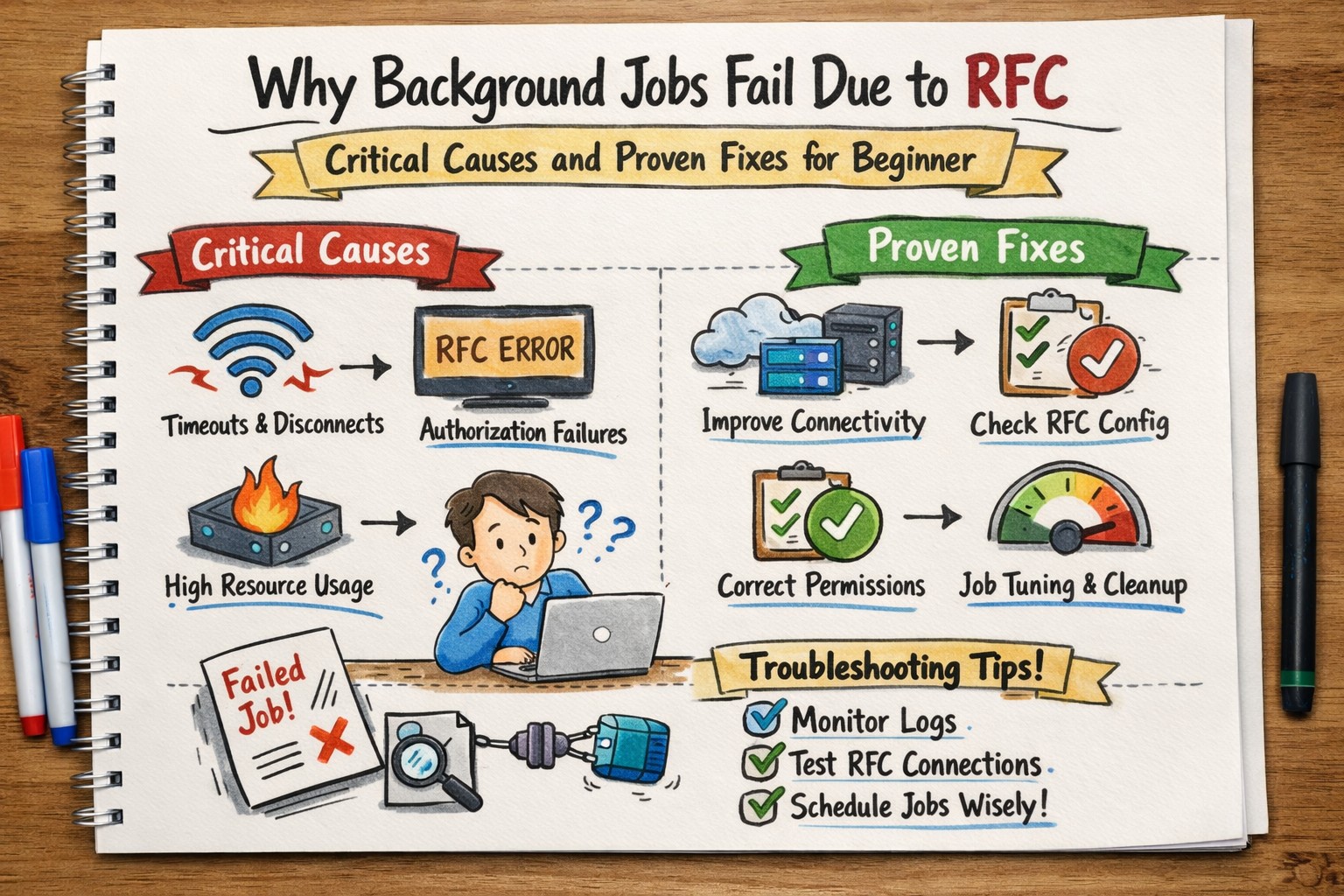
Introduction: Today we are discuss why background jobs fail due to RFC? If you work in SAP Basis or support, you have probably faced this frustrating issue: a background job runs perfectly in foreground—but fails in background due to RFC errors. So, why background jobs fail due to RFC? The short answer is ? Because background jobs depend on stable Remote Function Call (RFC) communication, proper authorizations, user credentials, network stability, and system configuration. If even one of these components is misconfigured, the job fails. This tutorial or document breaks down the process step by step, using simple language and real-world examples to help you master the skill.
✅ What Is a Background Job?
🔸 Background job in SAP is a scheduled process that runs automatically without user interaction.These jobs are typically executed using transaction SM36 and monitored in SM37.
✅ Why Background jobs are used for - Using transaction SM36 and monitored in SM37
🔹1) Data transfers.
🔹2) Batch processing.
🔹3) Interface executions.
🔹4) Report schedulings.
✅How Background Processing Works
🔹Follow Points-
🔹1) Run under a specific user – Every background job executes under a specific user account (the job owner / scheduling user).
🔹2) Execute in a work process (BTC work process) – SAP application servers have different types of work processes example-DIA – Dialog (interactive user sessions), BTC – Background (batch jobs), UPD / UP2 – Update (V1 / V2), ENQ – Enqueue, SPO – Spool .
🔹3) Call programs, reports, or remote function modules – 1) Most jobs consist of 1–5 ABAP program steps. 2) Steps are executed sequentially — step 2 starts only after step 1 finishes successfully (unless step 1 is defined to continue on error)..
🔹4) Sometimes communicate with external systems using RFC
🔹I) Used inside ABAP code: CALL FUNCTION ... IN BACKGROUND TASK
🔹II) Direct RFC inside a job step – CALL FUNCTION ... DESTINATION.
🔹III) Synchronous — job waits for response (can lead to long runtimes).
🔹IV)If target system is down → job may go to On Hold status with reason RFC
🔹V)Background RFC (bgRFC) — newer, improved framework for asynchronous calls - More monitoring and scheduling capabilities than classic tRFC
🔹VI)Parallel processing in background jobs — A BTC job can start asynchronous tasks using CALL FUNCTION ... STARTING NEW TASK ... DESTINATION IN GROUP
✅ What Is RFC in SAP
🔹RFC (Remote Function Call) allows one SAP system to call a function in another SAP system or external system.RFC is widely used in background jobs, ALE/IDoc processing, interface programs, and system-to-system communication. It works through defined RFC destinations (SM59) and ensures secure, reliable communication between systems.
🔹1) Synchronous RFC (sRFC) – The calling program waits until the remote system processes the request and sends back a response.
🔹2) Asynchronous RFC (aRFC) – The calling program does not wait for a response and can continue processing in parallel.
🔹3) Transactional RFC (tRFC) – Ensures that the remote function call is executed exactly once, maintaining transaction consistency.
🔹4) Queued RFC (qRFC) – Processes calls in a defined sequence using queues, ensuring correct order of execution.
✅ Core Reasons Why Background Jobs Fail Due to RFC
✅1)Invalid RFC Destination –
🔹Transaction: SM59
I) Target host is incorrect, II) System number is wrong, III) Gateway not reachable IV) Show MESSAGE- Common Error : RFC_ERROR_COMMUNICATION
🔹Solution-
🔹Test connection in SM59
🔹Verify technical settings
🔹Check gateway parameters
✅2)User Authorization Issues –
🔹Background jobs run under a specific user ID-Foreground often uses your dialog user, which may have higher permissions.
I) Lacks RFC authorization (S_RFC), II) Cannot log into target system. III) Has missing roles.
🔹Solution-
🔹Foreground often uses your dialog user, which may have higher permissions.
✅3)Expired Password in RFC User –
🔹In SAP HANA, column-store tables regularly perform a process called a delta merge. During this activity, the system may connect using an RFC user.
I) Index segments are rebuilt., II) Data consistency is verified. III) Corrupted segments are detected and logged.
🔹the password expires, then background jobs will fail automatically because the system cannot log in.
🔹Common Error Message - “Name or password is incorrect (repeat logon)”
🔹Solution-
🔹Reset the expired password.
🔹also Use a communication or system user instead of a dialog user.
🔹Disable password expiry for that user (only if company security policy allows).
✅4)Network Connectivity Problems –
🔹Sometimes the problem is not with SAP itself — the real issue can be with the network connection between systems.
I) The firewall may block the required port, so systems cannot talk to each other, II) he VPN connection may be unstable, causing frequent disconnections. III) There could be a DNS resolution failure, which means the system cannot convert the server name into an IP address.
🔹Because of these issues, RFC connections, background jobs, or interfaces may fail.
🔹Common Error Message - “Name or password is incorrect (repeat logon)”
🔹Solution-
🔹Do a Ping test to check if the target server is reachable.
🔹Use Telnet to the SAP port to verify if the port is open.
🔹Perform a connection test in transaction SM59 to check whether the RFC destination is working properly.
✅5)Target System Downtime –
🔹Target system downtime means the system you are trying to connect to is not available or not working properly. Because of this, RFC calls, background jobs, or interfaces may fail..
I) Under maintenance – The system is temporarily stopped for updates or technical work II) Crashed – The system has stopped suddenly due to an error or technical issue. III) TOut of work processes – All available work processes are busy, so the system cannot handle new requests..
🔹Because of these issues, RFC connections, background jobs, or interfaces may fail.
🔹Solution-
🔹SM51 – Check active application servers and see if they are running properly..
🔹SMGW – Check the gateway status to confirm if communication is active.
🔹ST22 – Check for short dumps to find technical errors that caused the crash.
✅6)Target System Downtime –
🔹In SAP, communication problems happen because of Gateway or Dispatcher issues.
I) Gateway is overloaded II) Dispatcher queue is blocked III) Parameters are misconfigured
🔹Solution-
🔹Use SMGW (Gateway Monitor) to check Gateway errors and connections.
🔹Use SMICM to monitor network communication and HTTP connections.
🔹Use ST03N (Workload Analysis) to check system performance and see if the server is overloaded.
✅7)Incorrect Logical System Configuration –
🔹In SAP, Background jobs involving IDocs fail.
I) Logical system not assigned (SCC4) II) Wrong name in BDLS III) Client copy not properly adjusted
✅8)Incorrect Logical System Configuration –
🔹In SAP, Background jobs involving IDocs fail.
I) Queue backlog occurs – Many entries get stuck in the queue and are not processed. II) New background jobs cannot process – Since old entries are pending, new jobs also get delayed or blocked. This can affect IDocs, data transfer, or system integration.
🔹Solution-
🔹Use SM58 to monitor and reprocess stuck tRFC entries.
🔹Use SMQ1 (Outbound Queue) and SMQ2 (Inbound Queue) to check and manage qRFC queues.
✅9)Load Balancing or Message Server Issues –
🔹In SAP, load balancing helps distribute user logins and system requests across multiple application servers. This is managed by the Message Server. If there is a problem with the Message Server, users may face login failures or system connection errors..
I) Message server misconfiguration – If the Message Server settings are wrong, the system cannot properly distribute user requests. II) Incorrect logon group – If users are assigned to a wrong or inactive logon group, they may not be able to log in.
🔹Solution-
🔹Verify Message Server configuration in system profile parameters.
🔹Check logon groups using transaction SMLG.
🔹Ensure all application servers are running and visible in SM51.
✅10)Timeouts During Long Execution –
🔹In SAP, lLong-running RFC calls terminate automatically if they exceed defined time limits.
I) rdisp/max_wprun_time – This parameter defines the maximum time (in seconds) a dialog work process can run. If a program exceeds this limit, SAP cancels it. II) Gateway timeout – If the Gateway does not receive a response within a specific time, it closes the connection. not be able to log in. III) Network timeout – Slow or unstable network connections can break the RFC call before completion.
🔹Solution-
🔹Check and adjust rdisp/max_wprun_time carefully (if business requirement needs longer processing).
🔹Monitor Gateway logs using SMGW.
🔹Check network stability with your BASIS or network team.
✅11)Incorrect SNC or Security Configuration –
🔹In SAP Long-running RFC calls terminate automatically.
I) Certificate mismatch. II) Encryption failure. III) SNC not properly configured
🔹Solution-
🔹Check SNC settings in RFC destination using SM59.
🔹Verify certificates and trust configuration.
🔹Review profile parameters and security logs with the BASIS team.
✅ Common Error Messages and Meaning-
🔹1) RFC_ERROR_COMMUNICATION - Network or host unreachable
🔹2) RFC_ERROR_LOGON_FAILURE - User/password issue.
🔹3) SYSTEM_FAILURE - Target dump.
🔹4) TIME_OUT- Execution exceeded allowed time.
🔹5) Partner not reached - Gateway or network issue.
✅ Step-by-Step Troubleshooting Guide
🔸Follow this methods
🔹1)Step 1: Check Job Log (SM37)-Identify exact error.
🔹2) Step 2: Test RFC (SM59)
🔹 Run-
🔹 Check Connection test.
🔹 Then Do Authorization test
🔹 Then Do Remote logon test
🔹3) Step 3: Verify User.
🔹 First Check Is user locked?
🔹 Then Checked Password expired? or Not
🔹 Then Do Correct roles assigned? or Not
🔹4) Step 4: Check Dumps (ST22).
🔹 First Check Short dumps
🔹 Then Checked Memory errors
🔹 Then Do Correct Authorization failures or Not
🔹5) Step 5: Review Queues.
🔹 First Check SM58
🔹 Then Checked SMQ1
🔹 Then Do SMQ2
🔹6) Step 6: Coordinate with Network Team
🔹 First Checked If communication errors or Not
Practice - Yes/No Quiz
1.Can a wrong RFC destination in SM59 cause background job failure?
2.Does an inactive target system lead to RFC job errors?
3.Will a Gateway overload affect RFC execution?