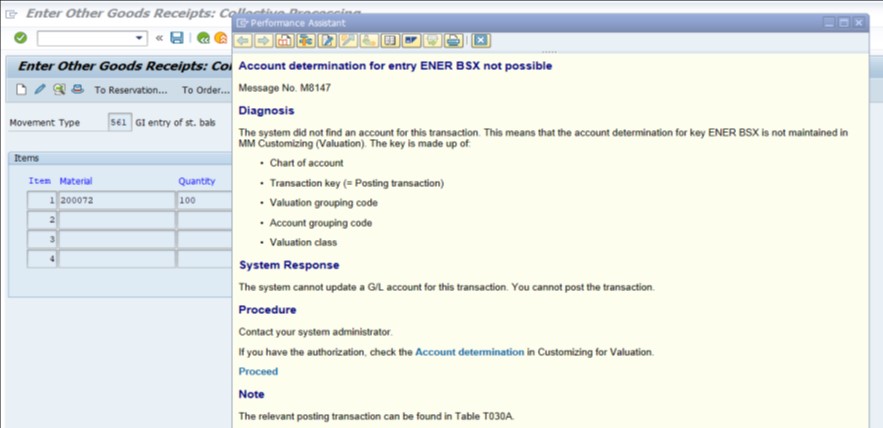
SAP ENER BSX Error: Account Determination Not Possible (Fix Guide)
This error occurs when SAP cannot find a G/L account configured for the combination of valuation grouping code ENER and transaction key BSX (inventory posting) for the valuation class of the material being posted. This guide covers the exact fix using OBYC configuration, then goes deeper into what valuation classes and valuation grouping codes actually are, why a single company can need a dozen or more G/L account mappings for one transaction key, a real business scenario, and a full prevention checklist.
✅ Fix: Account Determination for Entry ENER BSX Not Possible in SAP
Solution: Configure automatic posting for transaction key BSX in OBYC, maintaining a G/L account for every valuation class used under valuation grouping code ENER.
🔧 Follow These Steps
Go to Tcode -SPRO
Path: SPRO → Materials Management → Valuation and Account Assignment → Account Determination → Account Determination Without Wizard → Configure Automatic Posting.
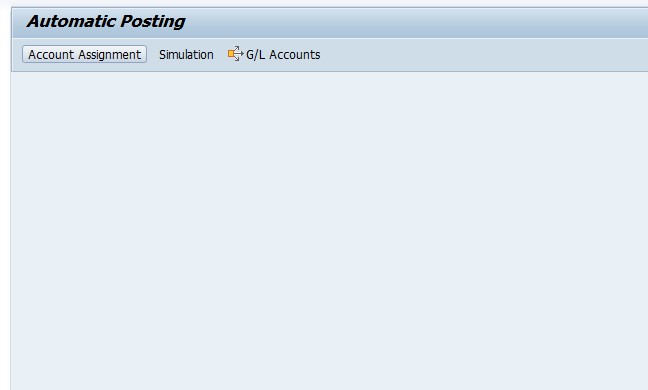
Select Configure Automatic Posting → Automatic Postings → Account Assignment.
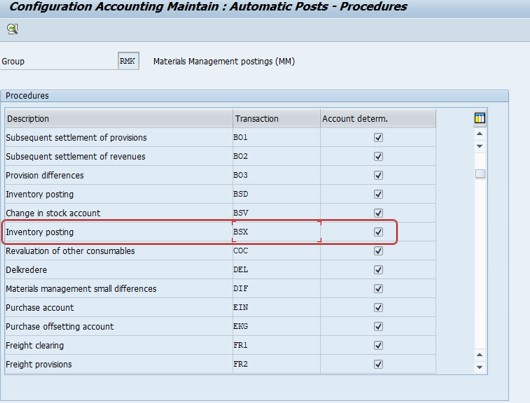
Select Inventory Posting -BSX.
Select posting key BSX and maintain the G/L accounts.
Debit -89
Credit -99
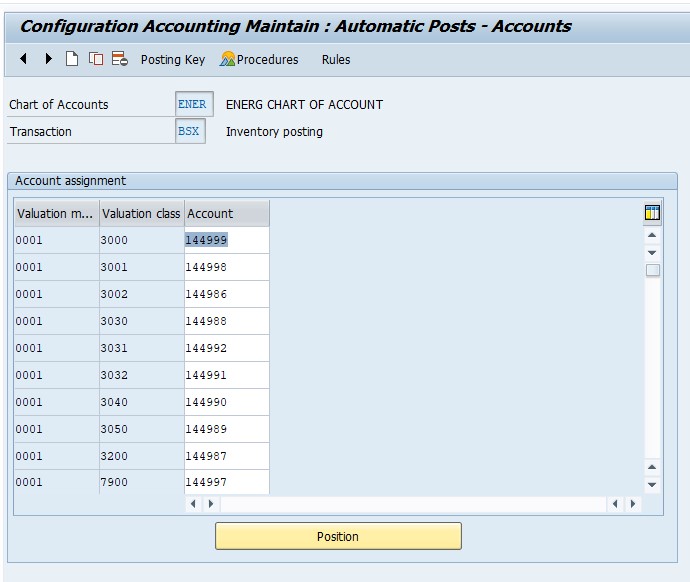
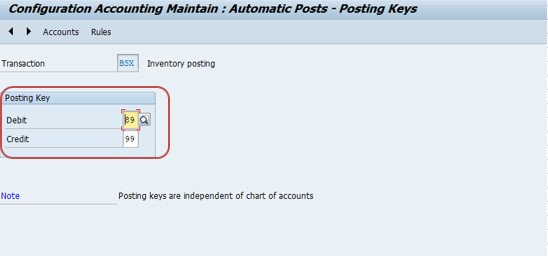
Define the G/L account for each valuation class under this valuation grouping code:
- G/L A/C 144999 -Inventory Active Raw Material
- G/L A/C 144998 -Inventory Inactive Raw Material
- G/L A/C 144986 -Inventory Quality Chemicals
- G/L A/C 144992 -Inventory Consumables
- G/L A/C 144991 -Inventory Production Resource Tools
- G/L A/C 144990 -Inventory Spare Parts
- G/L A/C 144989 -Inventory Packing Material
- G/L A/C 144987 -Inventory Services
- G/L A/C 144997 -Inventory Semi-Finished Product
- G/L A/C 144996 -Inventory Finished Material (Allopathic)
- G/L A/C 144997 -Inventory Finished Material (Ayurvedic)
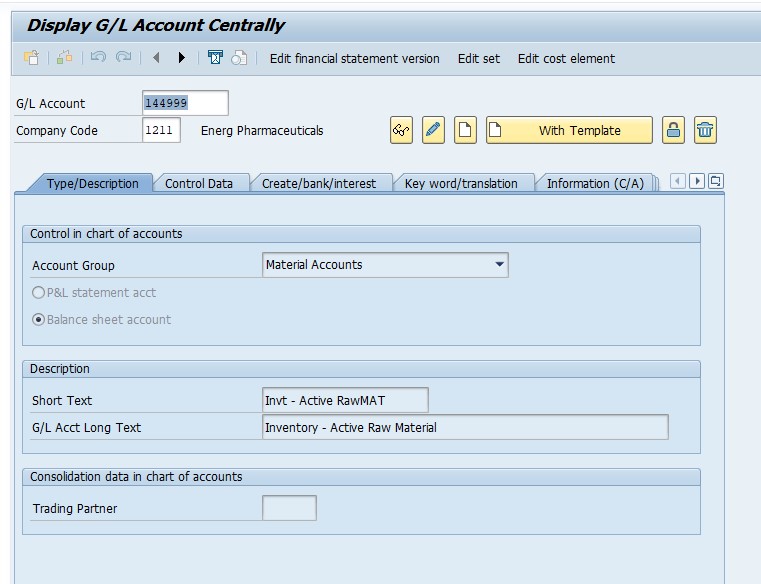
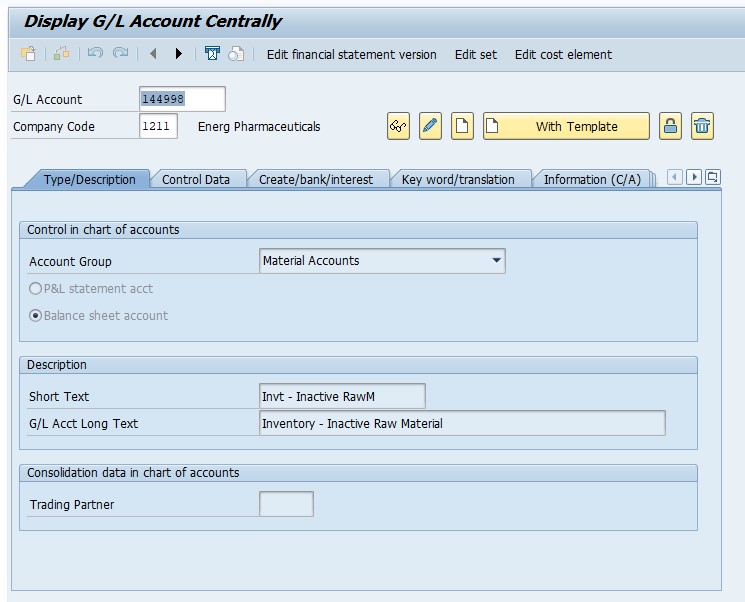
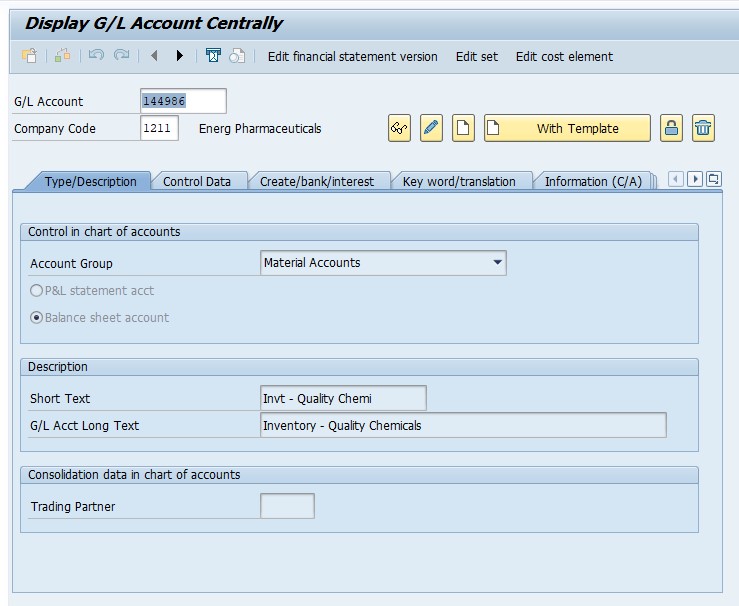
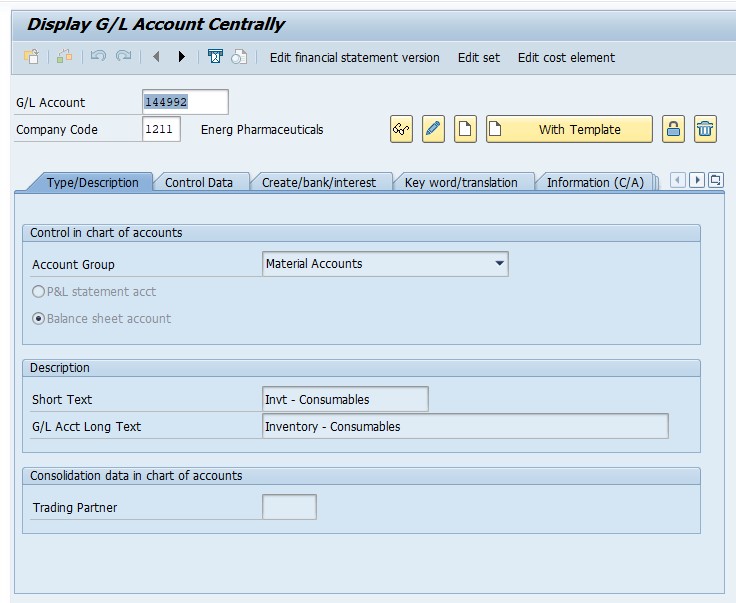
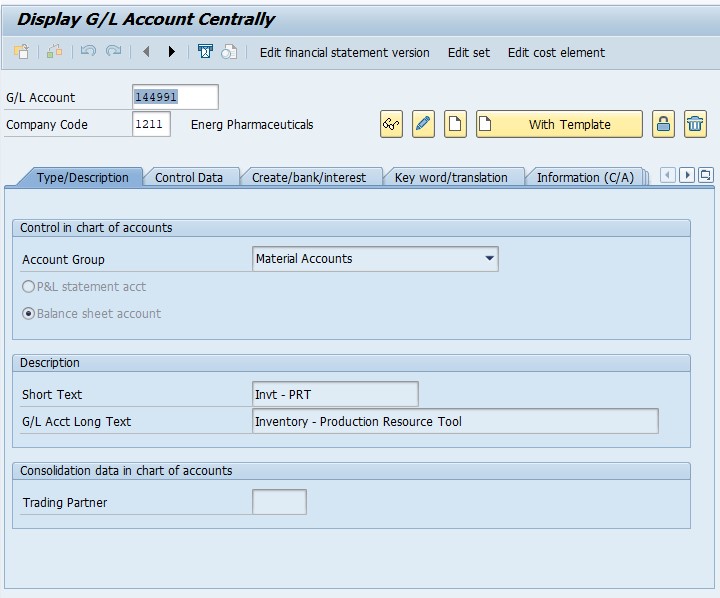
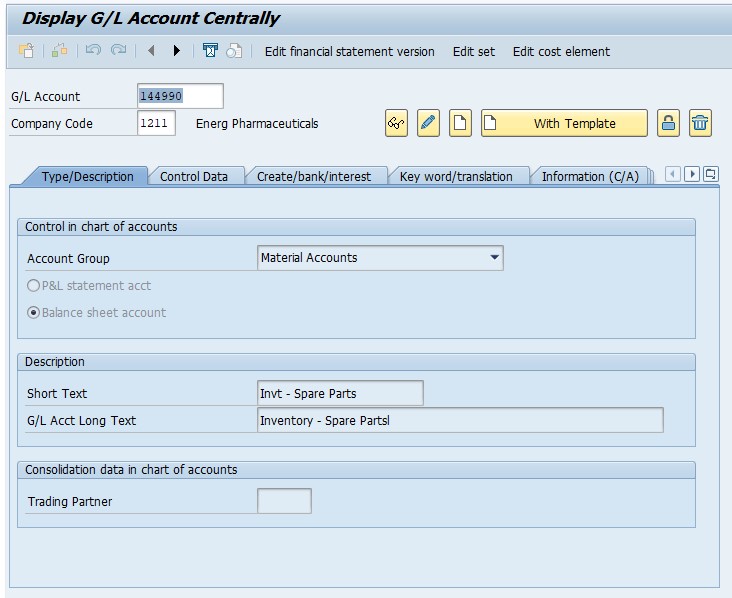
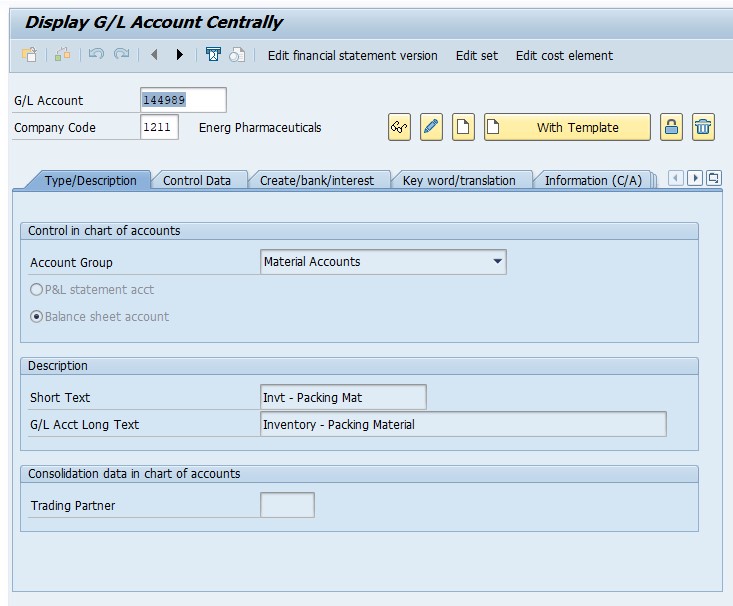
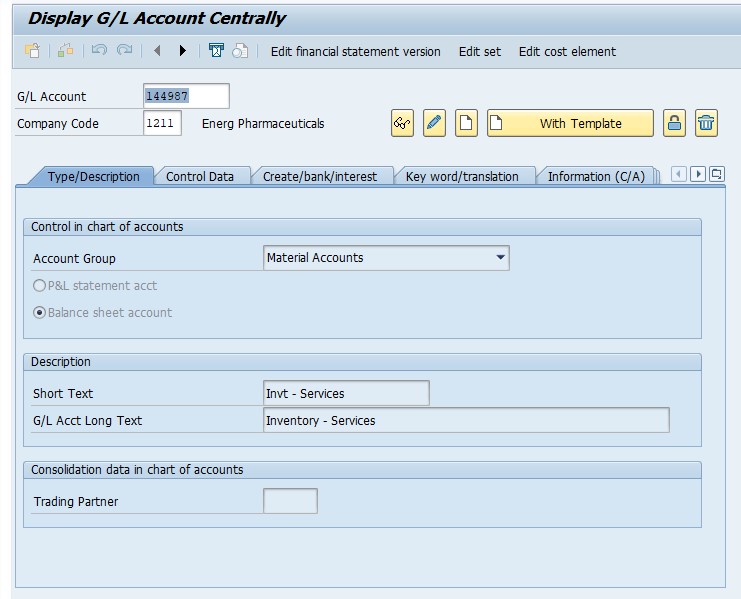
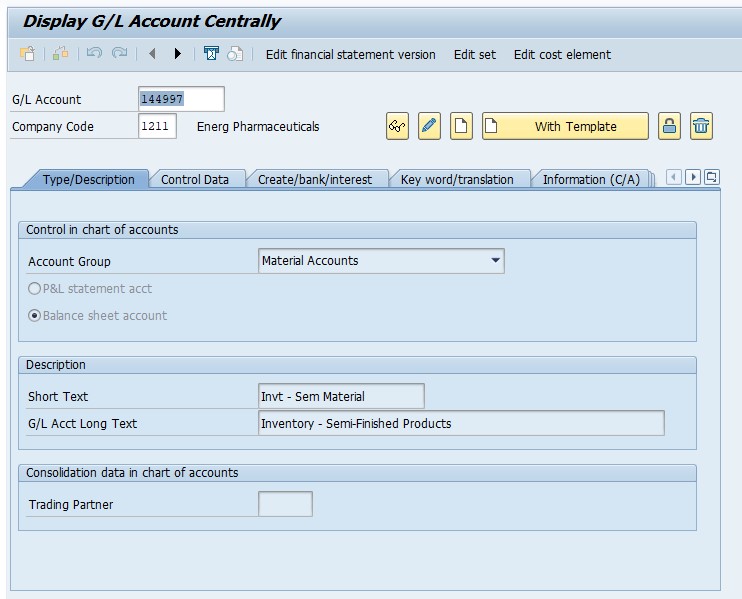
Save.
Note: two of the G/L account numbers above (144997) repeat for different material categories in the original configuration notes -worth double-checking against your own OBYC entries, since each valuation class should normally map to its own distinct account for clean reporting.
🔍 What "ENER BSX" Actually Means
This error message packs three pieces of information into a short line: ENER is the valuation grouping code (also called valuation modification), BSX is the transaction/event key for inventory posting, and the underlying cause is that no G/L account has been assigned for the specific combination of that grouping code, that transaction key, and the valuation class of the material being posted. Whenever a goods movement changes a material's stock value -a goods receipt, a goods issue, a transfer posting -SAP looks up exactly this combination in OBYC to decide which G/L account to debit or credit, and if the lookup comes back empty, the posting cannot proceed.
BSX specifically covers the inventory account itself (the balance sheet side of a stock movement), which is why it needs a distinct account per valuation class -raw materials, semi-finished goods, finished goods, spare parts, and so on are usually reported as separate line items on the balance sheet, and BSX's per-valuation-class mapping is exactly what makes that separation possible.
📋 Valuation Grouping Code: Why "ENER" Exists At All
A valuation grouping code groups together valuation areas (typically plants) that should share identical account determination logic, so a company with many plants doesn't need to configure the same G/L account mappings separately for each one. Instead, each plant is assigned a valuation grouping code (via the plant's valuation area settings), and OBYC configuration is maintained once per grouping code rather than once per plant -dramatically reducing configuration effort for larger organizations.
A code like "ENER" is simply a custom-named grouping code chosen by whoever configured the system -SAP doesn't ship this code by default, so its presence tells you this client deliberately created a grouping for a specific set of plants or company codes, likely a specific business unit or country grouping distinct from other valuation areas in the same landscape. When troubleshooting this error, confirming which plants are actually assigned to grouping code ENER (via OMWD) helps scope exactly which materials and postings are affected.
🛠️ Valuation Class: The Other Half of the Equation
Valuation class is set on the material master's Accounting 1 view and groups materials for account determination purposes -materials sharing a valuation class are treated identically for BSX and other transaction keys. This is exactly why a pharmaceutical company's configuration, as shown in this guide, needs a distinct G/L account for raw material, semi-finished product, finished allopathic product, finished ayurvedic product, packing material, consumables, spare parts, and services -each represents a different valuation class, and each valuation class needs its own row in the BSX mapping table for every valuation grouping code it's used under.
This error specifically appears when a material's valuation class has no row at all for the valuation grouping code its plant belongs to -most commonly because a new material type or valuation class was introduced (for example, expanding into a new product category like ayurvedic medicine alongside an existing allopathic line) without someone extending the OBYC BSX configuration to cover it.
📑 The Full OBYC Lookup Hierarchy
| Configuration Layer | What It Determines |
|---|---|
| Chart of Accounts | The overall list of G/L accounts available to the company code |
| Valuation Grouping Code | Groups plants/valuation areas that share identical account determination logic |
| Transaction/Event Key (e.g. BSX) | Identifies which type of posting is happening (inventory, price difference, GR/IR clearing, consumption, etc.) |
| Valuation Class | Groups materials for account determination, driven by the material master |
| General Modification (for some keys) | A further sub-grouping used by certain transaction keys, such as different offsetting entries for the same key |
A specific G/L account is only found when all the relevant layers for that key are populated -for BSX specifically, that's valuation grouping code + transaction key + valuation class. Missing any single layer for a given material's combination produces exactly the "account determination not possible" error, naming whichever layers were involved.
💼 Real-World Scenario: Expanding Into a New Product Line
Rani Jadhav, an SAP MM consultant supporting a pharmaceutical manufacturer, was called in when goods receipts started failing for a brand-new range of ayurvedic finished products the company had just launched alongside its existing allopathic line. The error referenced ENER BSX, and initially the client's internal team assumed something had broken in existing configuration, since allopathic finished goods had been posting without issue for years.
Investigating in the material master, Rani found the new ayurvedic products had been assigned a valuation class distinct from the existing allopathic finished goods valuation class -a sensible choice for separate balance sheet reporting between product lines, but one that meant OBYC's BSX mapping simply had no row for that new valuation class under grouping code ENER yet. She worked with the client's finance team to agree on the correct new inventory G/L account for ayurvedic finished goods, added the mapping in OBYC, and the goods receipts posted successfully from that point forward. This is a very common real-world trigger for ENER BSX-style errors: expanding into a new product category, material type, or valuation class is a business decision that finance and MM configuration both need to act on together -the error surfaces exactly at the gap between "new valuation class created" and "OBYC updated to match."
❗ Common Mistakes When Fixing This Error
- Assigning the same G/L account to two different valuation classes when the business actually wants separate balance sheet visibility, reducing reporting granularity.
- Only fixing the specific material that failed, without checking whether other materials share the same new valuation class and will hit the identical error.
- Configuring the G/L account without confirming with finance whether the account should be newly created or mapped to an existing one.
- Forgetting that a new valuation class often needs mapping across multiple transaction keys (BSX, GBB, PRD, and others), not just BSX alone.
- Not double-checking for typos in account numbers when copying configuration from a spreadsheet or documentation, which can silently point two different valuation classes to the same account by mistake.
✅ Prevention Checklist for MM/FI Configuration Teams
- Whenever a new valuation class is created, immediately map it across all relevant transaction keys (BSX, GBB, PRD, WRX) in OBYC before materials go live under that class.
- Maintain a master spreadsheet of valuation class-to-G/L account mappings alongside the live OBYC configuration, reviewed whenever new product lines launch.
- Double-check for duplicate account numbers across different valuation classes during configuration, since that undermines the separation the valuation classes were meant to provide.
- Test new material types and valuation classes in a sandbox or quality system with real goods movements before go-live.
- Coordinate between MM and FI teams whenever a new business line, product category, or company code expansion is planned, so account determination isn't the last thing discovered to be missing.
📱 This Error in SAP S/4HANA
OBYC, transaction keys, valuation classes, and valuation grouping codes work identically in SAP S/4HANA as in ECC, since this is foundational Materials Management/Financial Accounting integration configuration rather than something restructured by the Universal Journal. What changes in S/4HANA is visibility: because postings update the Universal Journal in real time, a missing account determination failure is reported immediately at the moment of posting with no batch delay, and the Fiori app "Manage G/L Account Master Data" or "Manage Journal Entries" can be used alongside OBYC to cross-check account existence and status while troubleshooting.
📋 Related SAP Transactions
| Transaction | Purpose |
|---|---|
| OBYC | Configure automatic account determination for all inventory-related transaction keys. |
| OMWD | Assign valuation grouping codes to valuation areas (plants). |
| OMSK | Maintain valuation classes and their assignment to material types. |
| FS00 | Create or display a G/L account before assigning it in OBYC. |
| MM03 | Display a material master to check its assigned valuation class. |
| MIGO | Post the goods movement itself once account determination is corrected. |
🎓 Interview-Style Questions and Answers
Q: What three configuration elements combine to determine the G/L account for a BSX posting?
The valuation grouping code (tied to the plant), the transaction key (BSX for inventory posting), and the material's valuation class together determine the specific G/L account looked up in OBYC.
Q: Why might two plants in the same company use different OBYC configurations for the same transaction key?
If they're assigned different valuation grouping codes, each grouping code can have its own independent BSX mapping, letting different plants (perhaps in different countries or business units) post to different G/L accounts for the same material valuation class.
Q: What typically triggers a new "account determination not possible" error on a system that's been running fine for years?
Most commonly the introduction of a new valuation class, material type, or plant/valuation grouping code combination that OBYC hasn't yet been configured to handle, often following a new product line launch or a plant expansion.
📚 Quick Glossary of Terms Used in This Guide
- BSX: The transaction/event key for inventory posting, determining the G/L account for a material's stock value changes.
- Valuation grouping code: A grouping of valuation areas (plants) that share identical account determination configuration.
- Valuation class: A material master field grouping materials for account determination, set on the Accounting view.
- Transaction/event key: A code identifying the type of posting (BSX for inventory, GBB for offsetting entries, PRD for price differences, WRX for GR/IR).
- OBYC: The SAP configuration transaction where all automatic account determination for Materials Management is maintained.
🎯 Conclusion
"Account determination for entry ENER BSX not possible" is SAP correctly refusing to guess which G/L account a stock movement should update, because nobody has told it yet. By understanding that valuation grouping code, transaction key, and valuation class must all combine to a configured G/L account, you can resolve this error confidently in OBYC -and by treating OBYC review as a standard step whenever a new product line, valuation class, or plant launches, you can prevent it from resurfacing the next time your business expands.