✅ How SAP Detects Corrupted HANA Index: Methods to Protect Your Database
SAP TUTORIALS-
How SAP Detects Corrupted HANA Index: Methods to Protect Your Database
Introduction-
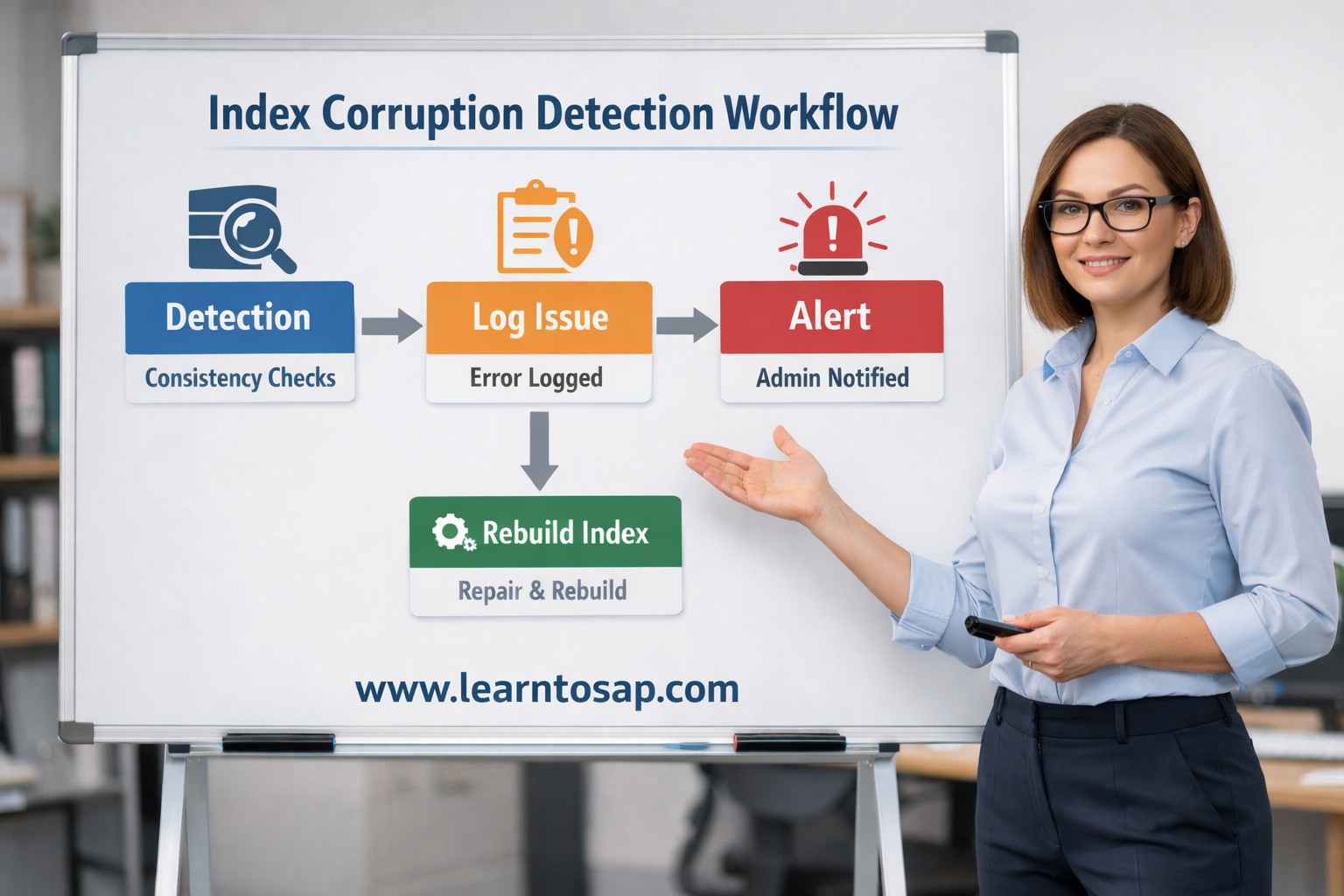
Introduction: Today we are discuss How SAP Detects Corrupted HANA Index. One major concern for administrators is understanding How SAP Detects Corrupted HANA Index issues before they impact business operations. In high-performance environments like SAP HANA, index integrity plays a main role in ensuring smooth query execution and data retrieval. An index in SAP HANA helps speed up searches and reporting. However, when that index becomes corrupted, the database may return incorrect results, slow down dramatically, or even crash. That’s why SAP has built powerful internal detection mechanisms to maintain database health. This tutorial or document breaks down the process step by step, using simple language and real-world examples to help you master the skill.
✅ What Is an Index in SAP HANA?
🔸 In SAP, in the same way, a database index helps the system find data quickly without checking every row one by one.
✅ Key Point
🔹1) Indexes improve query performance.
🔹2) They help optimize read operations.
🔹3) They support primary and secondary key structures.
✅Why Index Corruption Happens in SAP HANA?
🔹Follow Reasons-
🔹1) Hardware Failures – Sudden power loss or faulty RAM modules can damage in-memory structures
🔹2) Incomplete System Shutdown – If the system crashes before a proper save point, indexes may become inconsistent.
🔹3) Disk or Storage Errors – If storage layers used for logging and save points can sometimes fail.
🔹4) Software Bugs or Patch Issues – If though rare, incorrect patching may introduce structural inconsistencies.
✅ Symptoms of a Corrupted HANA Index
🔹1) Slow query performance - first signs is slow system performance. Reports that used to run in a few seconds may suddenly take several minutes. Simple SELECT queries may also take longer than usual. This happens because the database depends on indexes to quickly locate data. When the index is corrupted, HANA may scan more data than necessary or struggle to read index pages properly.
🔹2) SQL errors during execution - While running queries, activating objects, or executing reports, the system may throw errors that were not appearing before. Sometimes the error message may not clearly mention “index corruption,” but it could indicate issues related to data access, inconsistency, or page read failures. These errors may appear randomly, even if the query syntax is correct.
🔹3) Inconsistent query results - inconsistent or incorrect query results. For example, running the same query multiple times may return different numbers of records. In some cases, records may appear missing even though they exist in the table. This happens because the corrupted index may point to wrong data locations or fail to read some entries properly. In business systems, this can cause reporting issues and incorrect decision-making.
🔹4) Unexpected database alerts -SAP HANA monitoring tools may start showing warning messages or alerts. You might see alerts related to data consistency, index errors, or page corruption. These alerts may appear in HANA Cockpit or database monitoring dashboards. Sometimes the system logs will contain warnings about failed consistency checks. Even if users do not notice problems immediately, these alerts are an early warning sign that something is wrong internally.
🔹5) Index server crashes -HANA index server may crash or restart unexpectedly. The index server is responsible for processing queries and managing data access. If it tries to access a damaged index structure, it may fail and stop working. This can cause temporary downtime or connection issues for users. Frequent or unexplained index server crashes should always be investigated immediately.
✅ How SAP Detects Corrupted HANA Index Automatically
🔸1)Internal Consistency Checks –
🔹SAP HANA automatically performs structural validations during.
I) Save points, II) Delta merges, III) System start-up IV) Recovery processes
🔸2)Savepoint Mechanism Validation –
🔹Also savepoint writes changed data from memory to disk. During this process.
I) SAP verifies index metadata., II) Structural mismatches are flagged. III) System alerts are generated if corruption is detected.
🔸3)Delta Merge Monitoring –
🔹In column-store tables, SAP HANA performs delta merges. During this operation.
I) Index segments are rebuilt., II) Data consistency is verified. III) Corrupted segments are detected and logged.
🔸4)Production Client –
🔹This is Used for actual business operations.also this client main uses is where the business runs live day-to-day activities.example-Users create real sales orders, purchase orders, and deliveries..
I) Live business operations, II) Real transactions, III) Financial postings
✅ Using SAP HANA Tools to Detect Corrupted Index-
🔸Today In SAP provides multiple administrative tools to identify problems.
🔸CHECK_TABLE_CONSISTENCY Procedure -
🔸1) Administrators can run - We use this command to check if the table is healthy or damaged.
SQL -
CALL CHECK_TABLE_CONSISTENCY('SAPHANADB', 'MARA');
🔸2) SAP HANA Cockpit Monitoring-
SAP HANA Cockpit provides real-time monitoring dashboards where you can-
I) View alerts II) Monitor index server status III) Analyse performance metrics IV) Check system health indicators
More official details can be found at the SAP Help Portal- https://help.sap.com
🔸3) HANA Studio Diagnostics-
IN SAP HANA Studio -
I) Trace analysis II) SQL console testing III) Performance monitoring
✅ System Views and SQL Queries for Detection-
🔸SQL- SELECT * FROM M_INDEXES;
🔸Analyzing Index Server Trace Files Trace files are stored in
🔸/usr/sap/
🔸Repairing and Rebuilding Corrupted Index in SAP HANA-
1) Rebuilding Index with SQL- Repairing and Rebuilding Corrupted Index in SAP HANA.
2) Table Reorganization- ALTER TABLE
Practice - Yes/No Quiz
1.Does SAP HANA automatically monitor index consistency in the background?
2.Can corrupted indexes cause incorrect or inconsistent query results?
3.Can ignoring database alerts increase the risk of serious system problems?