✅ How to Find the New T-Code That Replaced an Old SAP Transaction
SAP TUTORIALS-
How to Find Which Transaction Code That Is Replaced by a New Transaction Code
Introduction-
Introduction: Today we are discuss Find Which Transaction Code That Is Replaced by a New Transaction Code SAP frequently replaces old T-codes with new ones, especially during upgrades, migrations to SAP S/4HANA, or system optimizations. If you work with SAP, you’ve probably faced this situation: a transaction code suddenly stops working, or the system said you it has been replaced. So now you are questioning How to find which Transaction code that is replaced by a new Transaction code Carefully. This tutorial or document breaks down the process step by step, using simple language and real-world examples to help you master the skill..
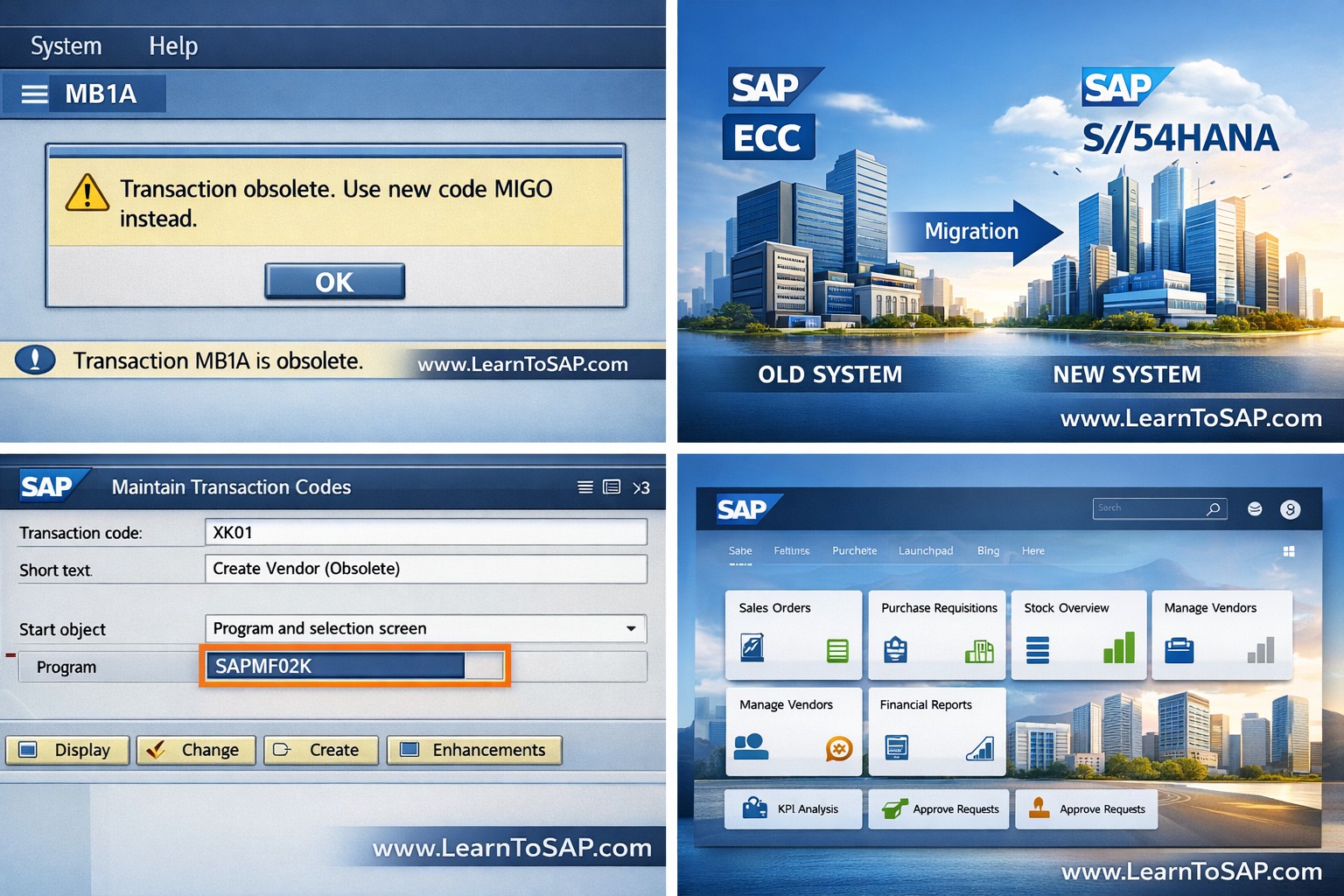
🔹What Is a Transaction Code (T-Code) In SAP
🔸 Transaction Code (T-code) in SAP is a shortcut that allows users to directly access a particular task or screen. Instead of navigating through multiple menus, you simply type the T-code in the command field..
🔸For example:-
🔹1) XD01 – Create customer master records.
🔹2) CS01 – Create a material Bill of Materials (BOM)
🔹3) VA01 – Create a sales Order
🔹4) FB60 – Enter Vendor Invoice
✅ Why SAP Replaces Transaction Codes
🔹In SAP may replace transaction codes for several reasons in detailes.
🔸Key Point-
🔹1) System upgrades (like migration to SAP S/4HANA)
🔹2) Simplification of processes
🔹3) Improved user interface (Fiori apps)
🔹4) Security enhancements
🔹5) Functional consolidation
✅Method 1: Check Message Displayed by the System
🔹Automatic Redirection Message..
🔹Often, when you enter an obsolete T-code, SAP displays a message like:-“Transaction XXXXXXX has been replaced by YYYY”
🔹Steps:
🔹1)Enter the old transaction code.
🔹2)Observe the system message.
🔹3)Note the replacement T-code.
🔹 Method 2: Use Transaction Code SE93
🔸SE93 – Transaction Code Maintenance- This Transaction SE93 allows you to check the technical details of a T-code.
🔹Steps:
🔹1)Enter the SE93.
🔹2)Input the old transaction code.
🔹3)Click Display.
🔹3)Review the program name and transaction type.
🔹 Method 3: Check Table TSTC and TSTCT
🔸If you are comfortable with tables, this method works great..
🔹Steps:
🔹1)Go to SE16N.
🔹2)Enter table name: TSTC.
🔹3)Input the old T-code.
🔹3)Execute.
🔹 Method 4: Use SUIM for Authorization Comparison
🔸SUIM – User Information System..
🔹Steps:
🔹1)Enter SUIM.
🔹2)Then Check roles assigned to users.
🔹3)Compare old and new T-codes.
🔹 Method 5: Check SAP Notes (Highly Recommended)
🔸One of the most reliable ways to solve How to find which Transaction code that is replaced by a new Transaction code is by checking SAP Notes..
🔸Visit the official SAP Support Portal- https://support.sap.com
🔹Steps:
🔹1)Enter Old transaction code.
🔹2)Then “Replaced by”.
🔹3)Then “Obsolete”.
🔹4)“S/4HANA simplification”.
Method 6: Check S/4HANA Simplification List
1.Does SAP display a message when an old T-code is replaced? 2.Can you check table TSTC to verify if an old T-code still exists? 3.Can SE93 help you identify technical details of a transaction code?
Old T-Code
Replaced By
MB1A
MIGO
XK01
BP
ME23
ME23N
VA05
Fiori App
Practice - Yes/No Quiz
📘 Featured SAP Tutorials
📰 Latest Articles