✅ Difference between SAP Patch vs OSS Note for Beginners
SAP TUTORIALS-
Difference between SAP Patch vs OSS Note for Beginners
Introduction-
Introduction: Today we are discuss difference between SAP patch vs OSS Note is key for SAP consultants, BASIS administrators, and functional users who want to maintain a stable and secure SAP landscape. While both are tools provided by SAP to fix issues and enhance system performance, they serve very different purposes. SAP patches and OSS Notes may seem similar because both address system problems. However, their scope, implementation method, risk level, and long-term impact vary significantly. Choosing the wrong one—or applying it incorrectly—can lead to system downtime or transport issues. This tutorial or document breaks down the process step by step, using simple language and real-world examples to help you master the skill..
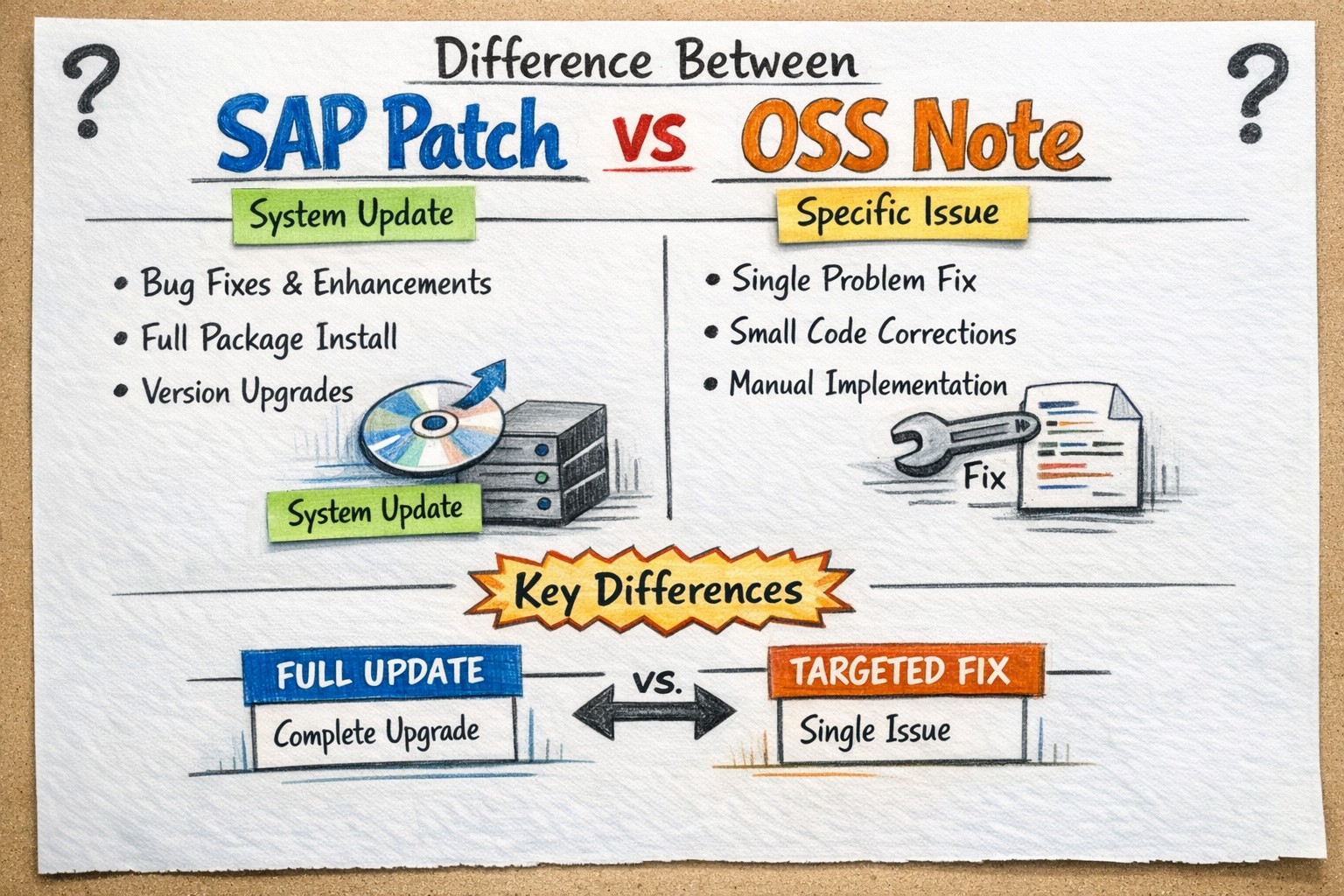
🔹What Is an SAP Patch?
🔸 In SAP Mostly use SAP control, security, flexibility, and efficiency.
🔹What Is a Client in SAP?
🔸In SAP, Patch is an official software update released by SAP to correct bugs, improve performance, or enhance system security. These patches are cumulative, meaning each new patch includes fixes from previous patches..
🔸Key Point-
🔹SAP patches are considered long-term and stable solutions, making them ideal for resolving widespread or critical issues.
🔹1) Kernel level.
🔹2) Support Package (SP) level AND Package (EHP) level.
✅ What Is an OSS Note in SAP?
🔹In SAP OSS Note (also called an SAP Note) is a knowledge-based correction or instruction provided by SAP to resolve specific issues. OSS Notes are faster to apply but may require deeper technical expertise..
🔸Key Point-
🔹1) Manual configuration steps
🔹2) ABAP code corrections
🔹3) Temporary fixes or workarounds
🔹4) May be manual or automated
✅When Should You Use an SAP Patch?
🔹SAP User You should apply an SAP Patch when..
🔹Reason-
🔹1)Multiple known bugs exist.
🔹2)Security vulnerabilities are identified.
🔹3)Preparing for audits or upgrades.
🔹 When Should You Use an OSS Note?
🔸SAP User You should apply an SAP OSS Note when
🔸1) Facing a specific error or dump.
🔸2)SAP support recommends a targeted fix
🔸3)Immediate resolution is required
🔸4)Patch installation is not feasible
Difference between SAP Patch vs OSS Note
Key Point
SAP Patch
OSS Note
Scope
System-wide
Issue-specific
Testing
Fully tested by SAP
May be customer-tested
Implementation
Support Package / Kernel update
Manual or via SNOTE
Risk Level
Low
Medium to High
Reversibility
Difficult
Easier
Downtime
Usually required
Often not required
🔹Scenario Background: Simple Example of SAP Patch and OSS Note
🔸www.learntosap.com Manufacturing is running SAP ECC 6.0 for Finance (FI) and Materials Management (MM). The system is already live and used daily by business users...
🔸Scenario 1: OSS Note – Immediate, Specific Problem
🔸PROBLEM-
I)The Finance team reports that.
II) While posting an invoice using transaction FB60
III)The system throws an ABAP dump.
III)This happens only in one specific scenario.
🔸ANALYSIS-
I)BASIS team checks SAP Support Portal.
II)Finds an OSS Note that exactly matches the error message
III)SAP Note says-
IV)"This issue occurs only in certain conditions"
V)"Apply correction via SNOTE or manual ABAP change"
🔸SOLUTION-
I)BASIS applies the OSS Note using transaction SNOTE.
II)No system restart required
III)No downtime
IV)Issue fixed immediately
🔸Scenario 2: SAP Patch – Long-Term, System-Wide Fix
🔸PROBLEM-
Over time, www.learntosap.com manufacturing faces.
I) Multiple performance issues
II)Several known bugs in FI and MM
III)SAP sends a notification
🔸Your current Support Package level is outdated and contains known security vulnerabilities
🔸SOLUTION-
🔸BASIS plans an SAP Patch / Support Package upgrade.
I)Apply patch in DEV → QA → PROD
II)Schedule downtime
III)Perform testing
Practice - Yes/No Quiz
1.Is a SAP Patch a collection of software corrections?
2.Is an OSS Note usually applied to fix a specific issue?
3.Does a SAP Patch require system downtime in most cases?