SAP FICO ERROR TUTORIALS-
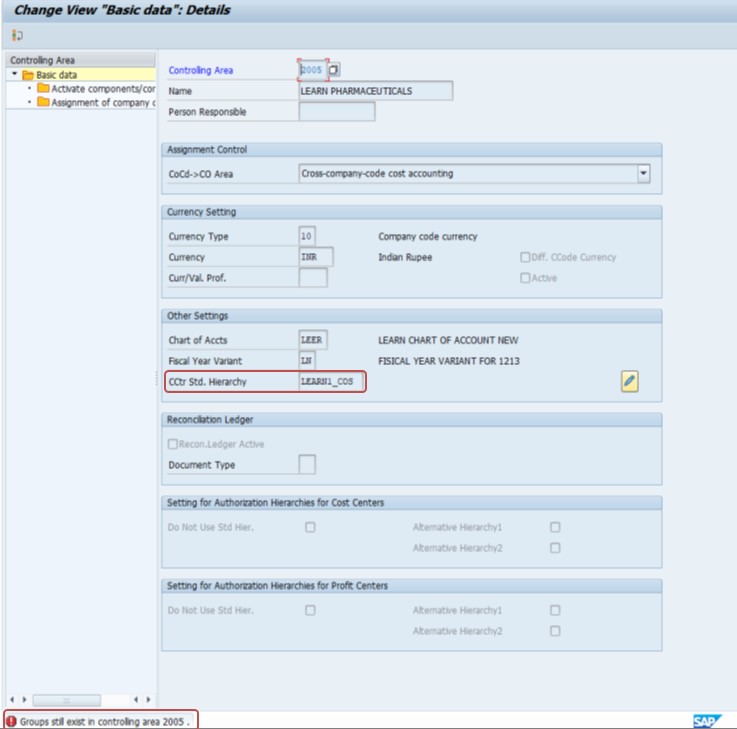
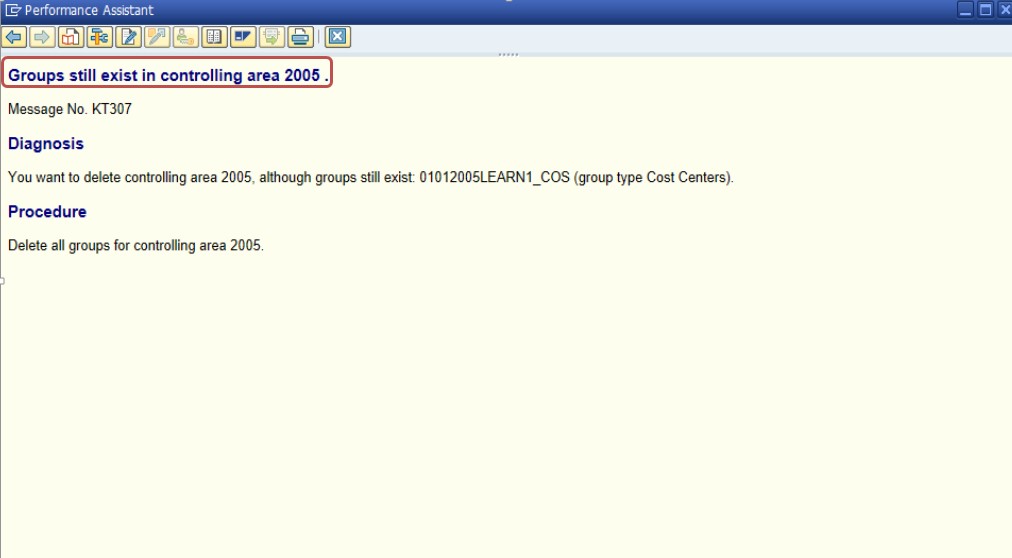
✅ SOLUTION-
In sap 6.0 and Hana groups still exist in the controlling area and required to be reset or deleted before changing the chart of accounts, you should know follow these steps. The process typically involves clearing any data associated with those groups and then deleting the groups.:✅ FOLLOW STEPS- Delete Cost Center Groups:
✅ GO TO TCODE- KSH2
✅ Use TCODE KSH2 to delete cost center groups.
You can also use TCODE KSH1 to check and verify the existing cost center groups before deletion.
✅ SPRO-> Controlling -> Cost Center Accounting -> Master Data -> Cost Elements -> Cost Center Groups
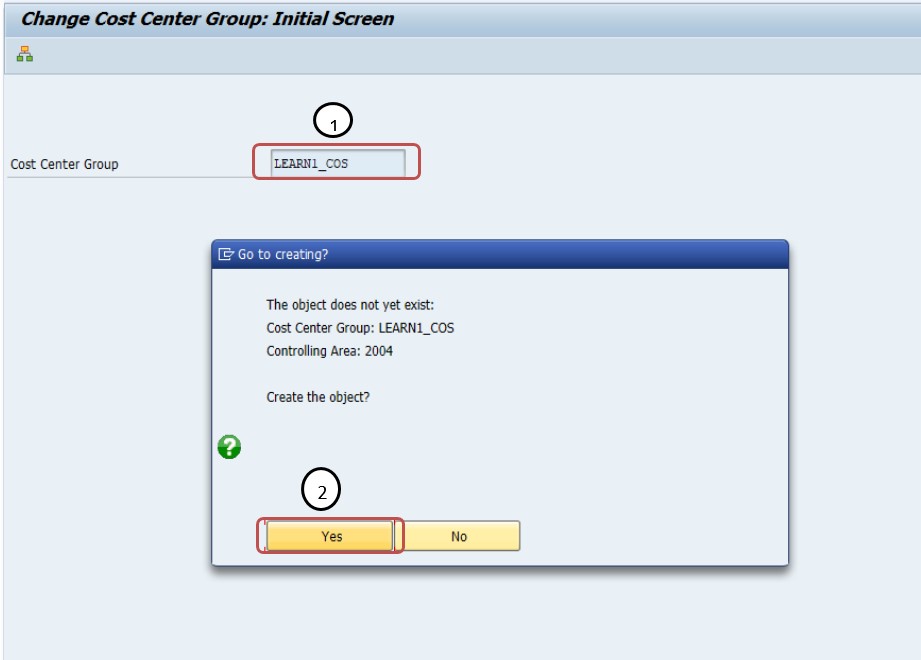
✅ SELECT- 1)COST CENTER GROUP -LEARN1_COS
✅ SELECT - 2)YES
✅ 1)SELECT - Group
✅ 2)SELECT - Delete
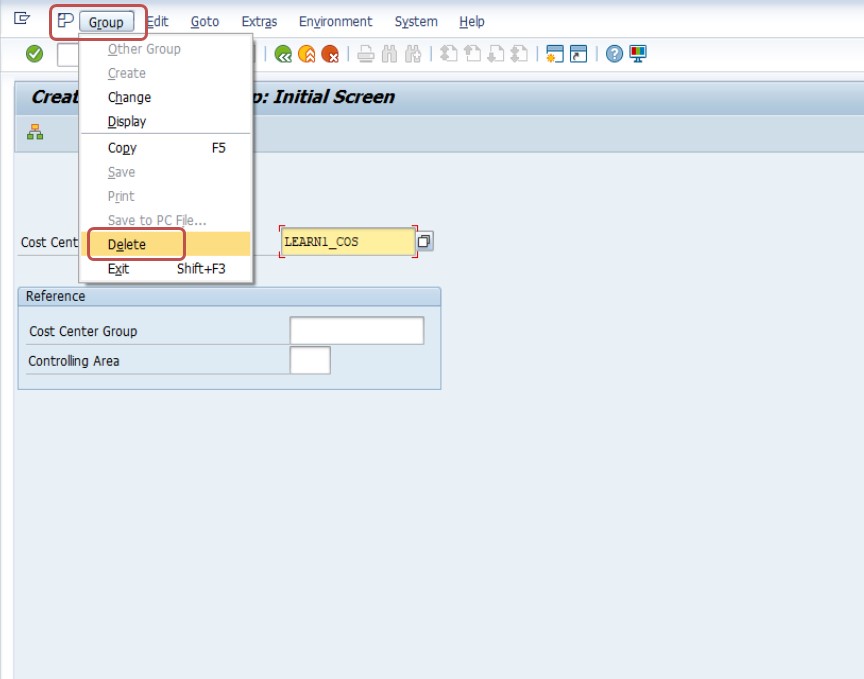
✅ 1)SELECT - Then click Delete Button
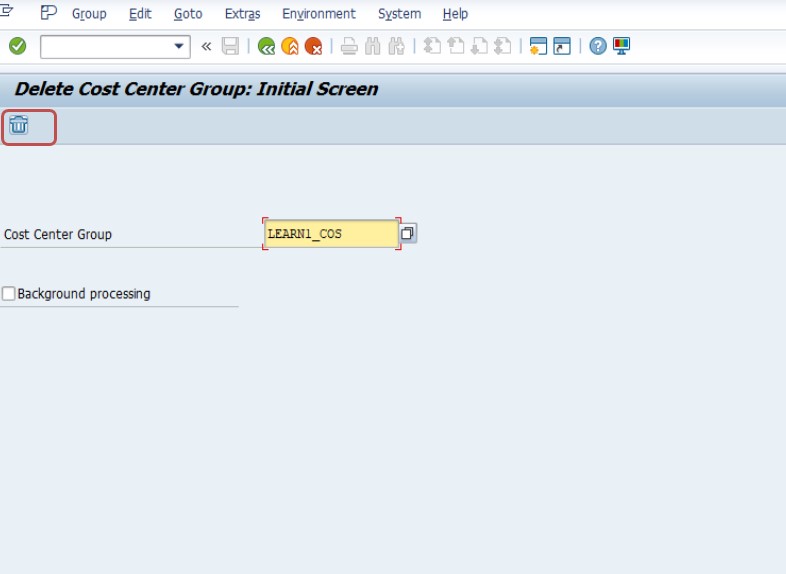
✅ SAVE-Review the entered details for accuracy.
✅ Seen a confirmation message indicating that the COST CENTER GROUP has been deleted successfully.
✅ NOTE-
✅ 1)By following these steps, you should be able to reset and delete the necessary groups in the controlling area, allowing you to proceed with changing the chart of accounts..
-How To Import Data(LSMW) LEGACY SYSTEM MIGRATION WORKBENCH