SAP FICO ERROR TUTORIALS-
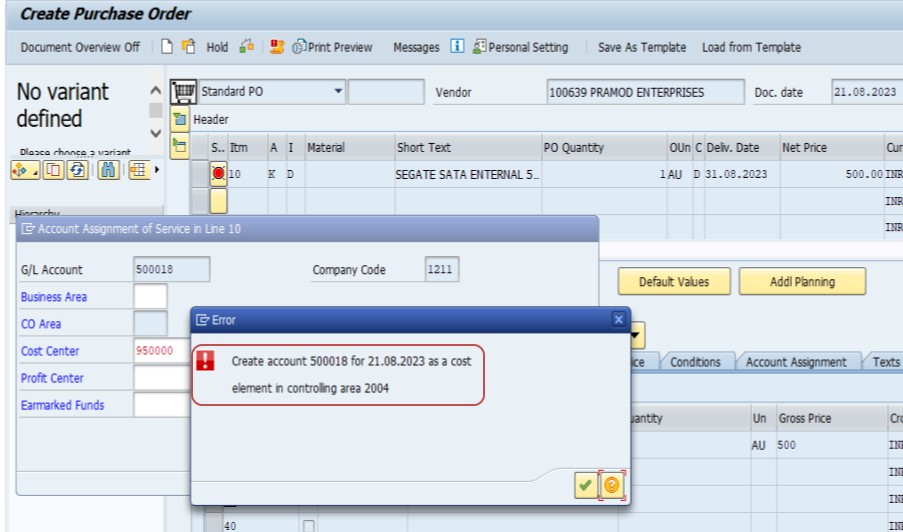
✅ SOLUTION-
In sap 6.0 a cost Element , you want need to use transaction code KA01. Here are the detailed steps you like follow to create a cost element 500018 for the date 21.08.2023 in controlling area 2004:✅ FOLLOW STEPS-
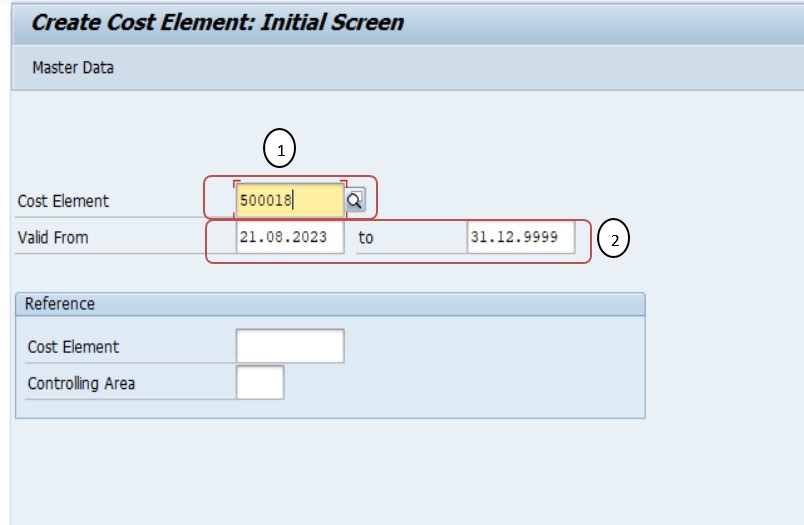
✅ GO TO TCODE- KA01
✅ SPRO-> Controlling -> Cost Element Accounting -> Master Data -> Cost Elements -> Automatic Creation of Primary and Secondary Cost Elements
✅ SELECT- 1)COST ELEMENT-500018
✅ SELECT - 2)VALID FROM- 21.08.2023 TO 31.12.9999
✅ 1)Enter the basic data: Name- cons -quality checm
✅ Enter the basic data: Description - cons -quality checmicals
✅ "Create Cost Element"
✅ 2)Choose Cost Element Category:
✅ choose "01" for Primary Costs/Revenue if this cost element pertains to direct expenses or income
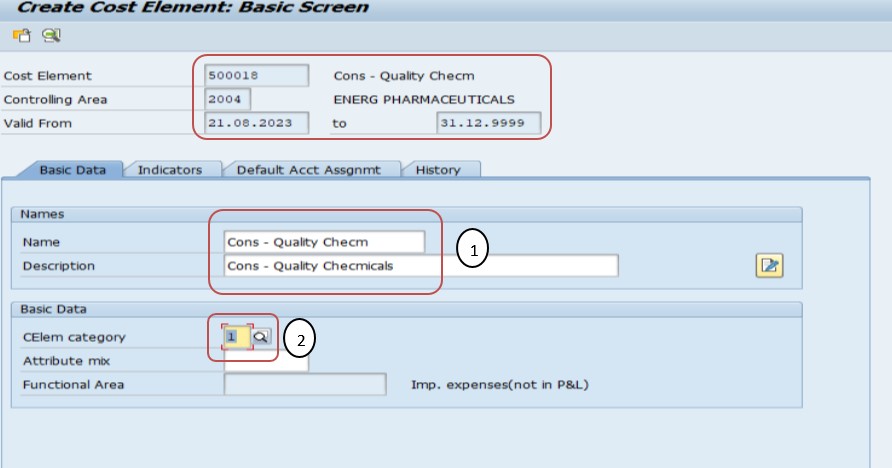
✅ SAVE-Review the entered details for accuracy.
✅ Seen a confirmation message indicating that the cost element has been created successfully.
✅ NOTE-
✅ 1)Ensure that the account 500018 exists in the financial accounting module before creating it as a cost element in controlling.
✅ 2)The cost element category defines the nature of the cost element and its behavior in controlling.
✅ 3)If necessary, verify that the controlling area 2004 is properly configured and active.
-How To Import Data(LSMW) LEGACY SYSTEM MIGRATION WORKBENCH