SAP FICO ERROR TUTORIALS-
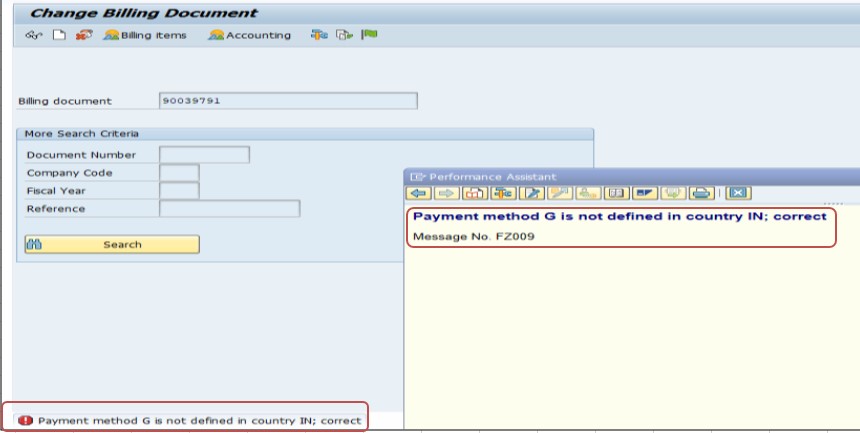
✅ Common error message "Payment method G is not defined in country IN" occurs when the payment method (G) being used is not configured for the specified country (IN in this case) in SAP ECC AND HANA.Payment methods are country-specific in SAP, so they must be explicitly defined and configured for each country where they are used.
✅ SOLUTION-FBZP (Payment Program Configuration).
✅ 1)Define the Payment Method for the Country-✅ FOLLOW STEPS-
✅ GO TO TCODE- FBZP
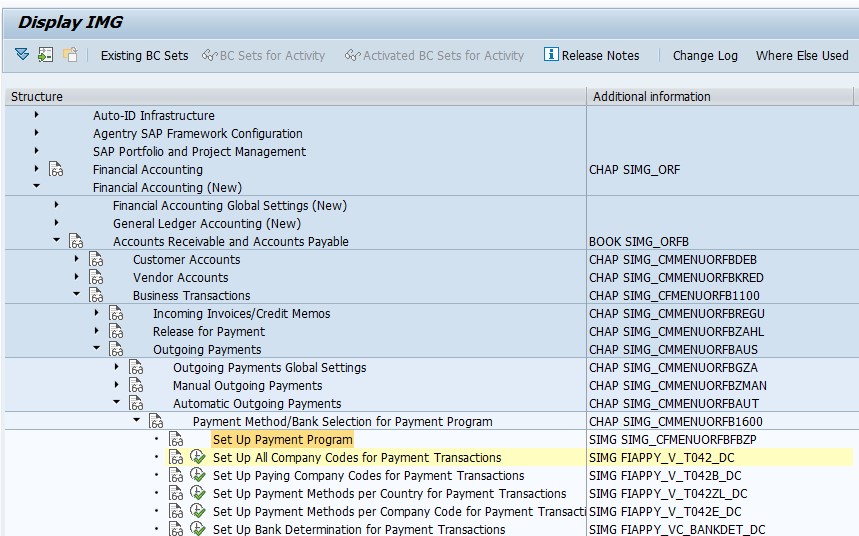
✅ SPRO > Financial Accounting > Accounts Receivable and Accounts Payable > Business Transactions > Outgoing Payments > Automatic Outgoing Payments > Payment Program > Maintain Configuration
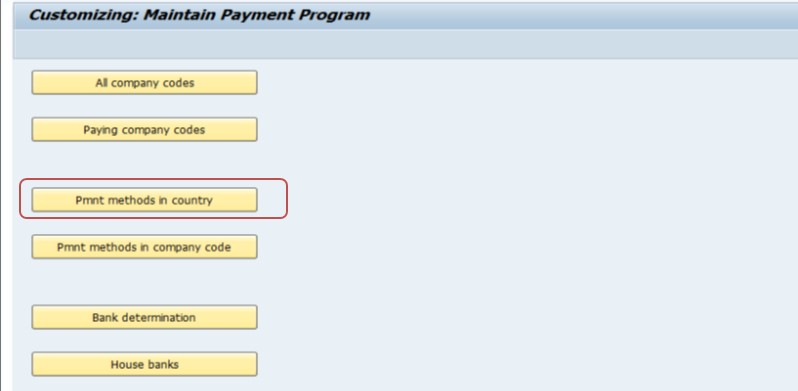
✅ Select Payment Methods in Country.
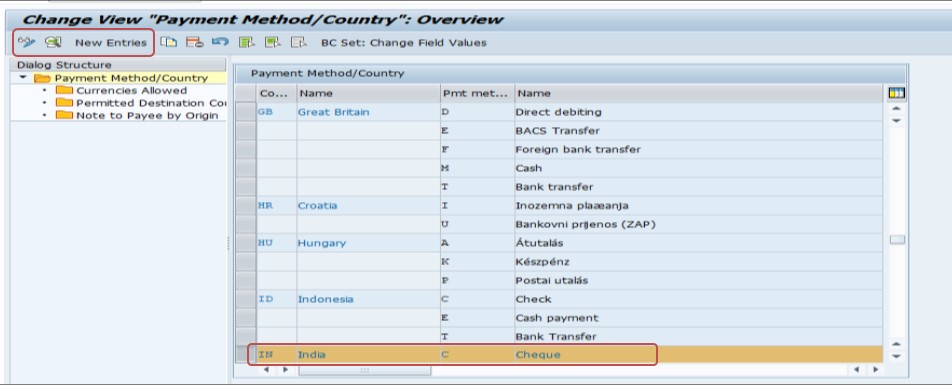
✅ select the country code (IN) and click New Entries.
✅ Define the payment method (G) and specify its attributes.
✅ Payment Method Name: e.g., "Online Payment".
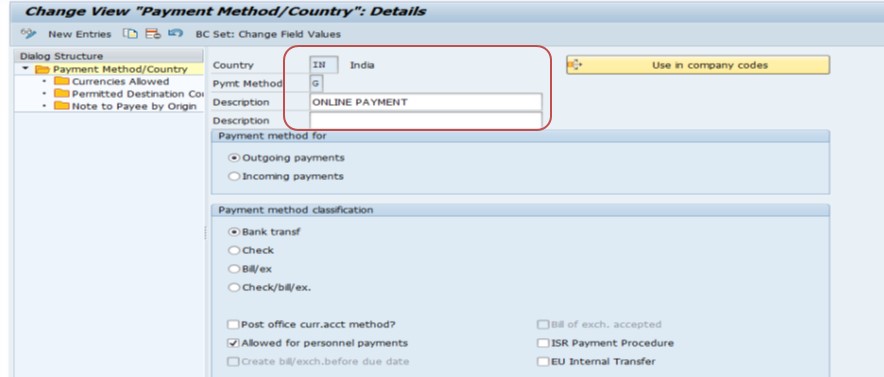
✅ SAVE
✅ NOTE-this error can check the consistency of the configurations across the different areas of the payment program, and sure no conflicting settings exist for the payment method.
-How To Import Data(LSMW) LEGACY SYSTEM MIGRATION WORKBENCH