SAP PP ERROR TUTORIALS-
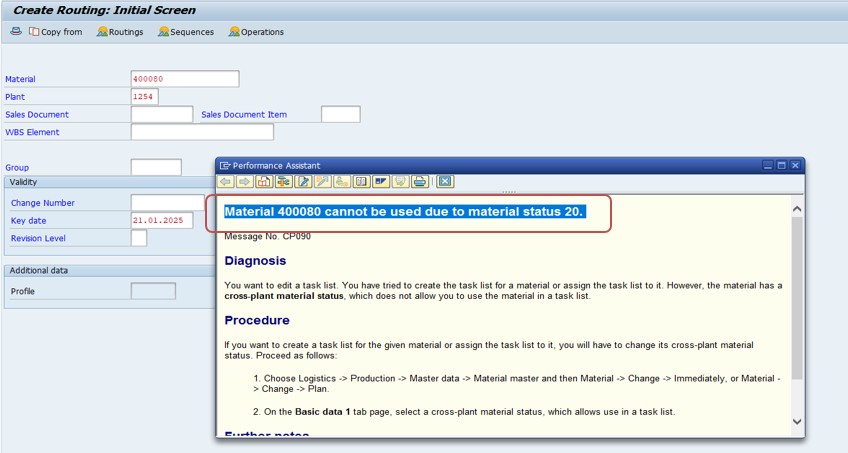
✅ Common error message The error message "The error message "Material 400080 cannot be used due to material status 20" in SAP typically indicates that the material in question is restricted from being used in certain business processes because of its assigned material status. Material status 20 represents a specific configuration in the system, and its impact on transactions depends on how it's defined in your SAP system.
✅ Possible Errors:-
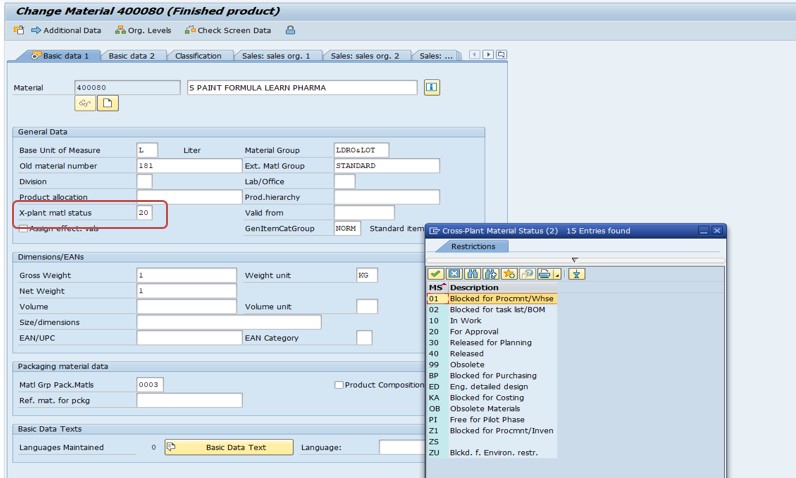
✅ Check Material Status-MM02..
✅ Verify Status Configuration-OMS4..
✅ FOLLOW STEPS-
✅ SOLUTION 1- MM02
✅ 1)GO TO MATERIAL-400080-✅ Go to the Basic Data 1 tab and look for the Material Status field.
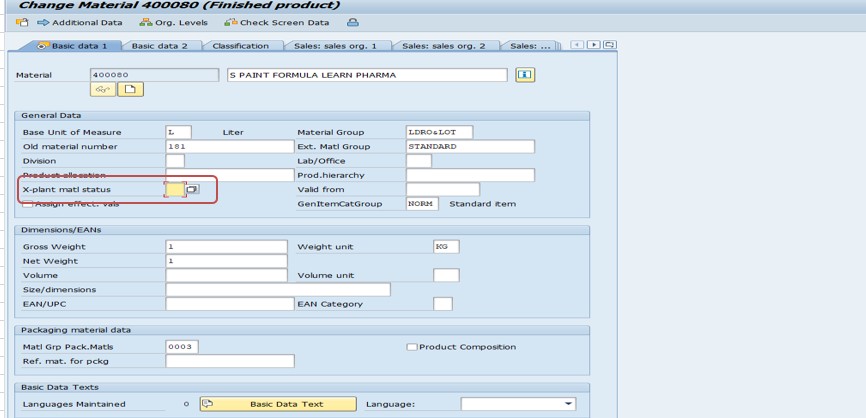
✅ Note down the status code (in this case, 20).ALSO REMOVE OR BLANK
SAVE-
✅ SOLUTION 2-OMS4
✅ Use transaction OMS4 to check the configuration for material status 20.
✅ Look at the settings for various processes like Sales, Purchasing, Production, etc.
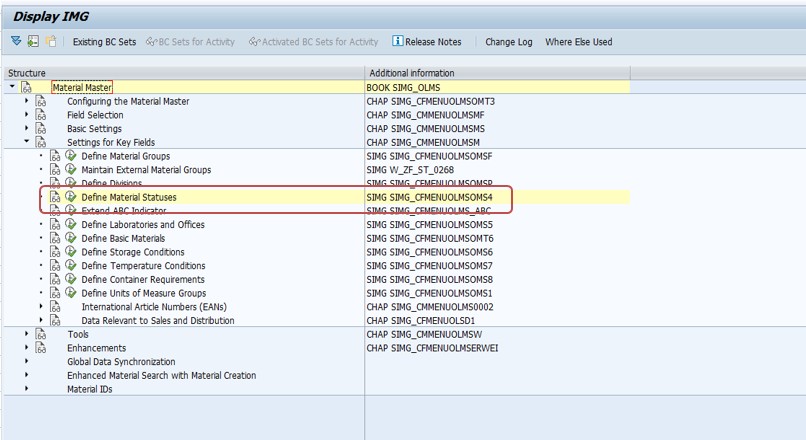
✅ Determine which processes are blocked for the material due to this status.
SAVE-
-How To Import Data(LSMW) LEGACY SYSTEM MIGRATION WORKBENCH