SAP S/4HANA Migration: Full Guide with Simple Steps
SAP S/4HANA migration is one of the most important subjects in the SAP world right now. Many companies are moving from older SAP systems-for example SAP ECC 6.0 (SAP ERP 6.0)-to the new SAP S/4HANA system. This guide explains what the migration means, why it is needed, and every step involved, from readiness check to go-live, along with the tools, migration types, a real planning scenario, common Drawbacks, and a post-go-live checklist.
✅ SAP S/4HANA Migration
SAP S/4HANA migration is one of the most important subjects in the SAP world today. Many companies are moving from older SAP systems-for example SAP ECC 6.0 (SAP ERP 6.0)-to the new SAP S/4HANA system, and it naturally raises a few questions: what exactly is this migration, why is it needed, and what are the steps involved?
SAP S/4HANA is the latest ERP (Enterprise Resource Planning) system from SAP. Breaking down the name itself helps explain what makes it different:
- SAP-the company name
- S-Simple
- 4-4th generation
- HANA-High-performance Analytical Appliance
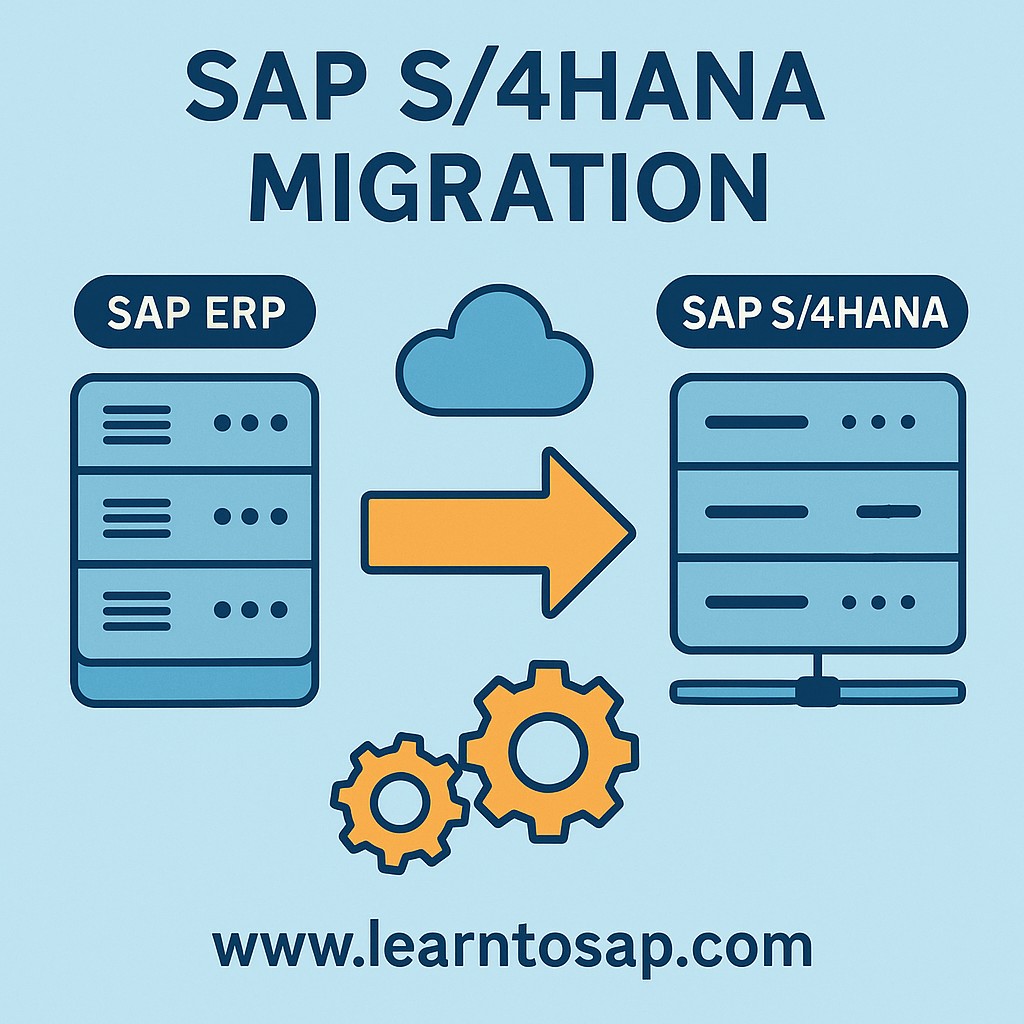
Unlike a traditional SAP support pack upgrade, an S/4HANA migration touches the database layer, the data model, the user interface (moving from SAP GUI transactions toward Fiori apps), and in many cases the underlying business processes themselves. That is why it is treated as a full project with its own phases, tools, and governance rather than a routine technical patch.
✅ Main Benefits of Migrating
The three headline benefits companies point to when justifying an S/4HANA migration are real-time analytics and reporting, faster data processing, and easy integration with cloud and AI tools. Each of these deserves a closer look, since they explain why organizations are willing to take on a multi-month migration project rather than staying on SAP ECC indefinitely.
1) Real-time analytics and reporting
SAP S/4HANA runs on the SAP HANA in-memory database, which stores and processes data in memory rather than reading it from disk for every query. In SAP ECC, many reports relied on separate aggregate tables that were updated periodically, meaning the numbers a user saw were not always current to the second. In S/4HANA, transactional and analytical data sit on the same simplified data model, so reports like stock overviews, financial statements, and sales analytics reflect live data without waiting for a batch job to refresh a summary table.
2) Faster data processing
Because SAP HANA eliminates the traditional separation between the application layer's calculations and the database layer's storage, many operations that used to require moving large volumes of data between the database and the application server can now be pushed down and executed directly inside the database. This code push-down approach, combined with column-store data compression, is what gives S/4HANA its noticeably faster response times for large-volume transactions such as MRP runs, financial closing, and large batch postings.
3) Easy integration with cloud and AI tools
S/4HANA was designed with open APIs and a Fiori-based user experience that plugs more naturally into SAP's cloud portfolio-including SAP Analytics Cloud, SAP Integration Suite, and various embedded machine-learning capabilities-than the older SAP GUI-centric ECC architecture did. For companies planning to adopt predictive analytics, chatbots, or automated approval workflows, S/4HANA provides a far more natural foundation than trying to bolt those capabilities onto a legacy ECC landscape.
✅ Types of SAP S/4HANA Migration
1) System Conversion (Brownfield)
This approach moves the existing ECC system to S/4HANA, keeping old customizations and data intact. Companies that are already happy with their processes and do not want to redesign how they work generally favor this route, since it preserves years of configuration, historical transactions, and user familiarity while upgrading the underlying technology.
2) New Implementation (Greenfield)
This approach starts fresh with a clean S/4HANA system and re-designs business processes across all modules. It is the right fit for companies that have accumulated years of workaround customizations in ECC and want a genuine clean-slate opportunity to adopt SAP's best-practice processes rather than carrying forward historical complexity.
3) Selective Data Transition
This is a mix of both approaches above, allowing a company to migrate select parts of ECC to S/4HANA rather than an all-or-nothing switch. It is very useful for large or global businesses that need to phase the migration by company code, region, or business unit, rather than cutting over the entire enterprise landscape in a single event.
| Approach | Best For | Effort Level | Historical Data |
|---|---|---|---|
| Brownfield (System Conversion) | Organizations satisfied with current processes, want speed | Lower-technical conversion, less redesign | Fully retained |
| Greenfield (New Implementation) | Organizations wanting a clean, best-practice-aligned system | Higher-full process redesign | Selectively migrated or left in a legacy archive |
| Selective Data Transition | Large, multi-entity, or multi-country organizations | Medium to high-depends on scope | Selectively migrated per entity or module |
Choosing between these three is usually the single biggest decision in an S/4HANA project, because it drives the project timeline, budget, testing scope, and change-management effort far more than any individual technical tool choice does.
💼 Real-World Scenario: How Pramod Industries Planned Its S/4HANA Migration
Pooja Mishra, the SAP Basis lead at Pramod Industries in Pune, was asked by leadership to evaluate whether the company's fifteen-year-old SAP ECC 6.0 landscape should move to S/4HANA. His first move was not to pick a migration tool-it was to run the SAP Readiness Check against the production system to get a data-driven picture of scope: how much custom code existed, which simplification items were relevant, and which Fiori apps would be needed to replace commonly used GUI transactions.
The readiness report showed that Pramod Industries had a moderate amount of custom code in MM and FI, but very little in SD, and that most of their historical customizations were still actively used rather than legacy clutter. Based on that, Suresh recommended a Brownfield system conversion rather than a full Greenfield rebuild, since the company's processes were sound and a full redesign would have added months of unnecessary rework. This decision-grounded in an actual readiness assessment rather than a general preference-is exactly the kind of evidence-based planning step that keeps S/4HANA projects on schedule and on budget.
🔧 Key Tools Used in SAP S/4HANA Migration
Note key: it can be, primarily, these four tools: SAP Readiness Check, SAP Transformation Navigator, SAP Migration Cockpit, and ABAP Test Cockpit (ATC). Each plays a distinct role at a different stage of the project.
| Tool | Role in the Project |
|---|---|
| SAP Readiness Check | Self-service analysis of the current ECC system-reports custom code compatibility, add-on compatibility, relevant simplification items, and required Fiori apps before the project scope is finalized. |
| SAP Transformation Navigator | Helps map the current SAP and non-SAP landscape to a recommended future-state S/4HANA architecture and transition path based on the company's specific starting point. |
| SAP Migration Cockpit | Loads master and transactional data into S/4HANA using predefined or custom migration objects, commonly used in Greenfield and Selective Data Transition projects. |
| ABAP Test Cockpit (ATC) | Scans custom ABAP code for S/4HANA compatibility issues such as obsolete syntax or deprecated data dictionary objects, so the technical team can estimate remediation effort early. |
Running these tools in roughly this order-Readiness Check and Transformation Navigator during planning, ATC during custom code analysis, and Migration Cockpit during the actual data load-keeps each phase grounded in real system data rather than assumptions.
✅ Follow Step-by-Step SAP S/4HANA Migration Process
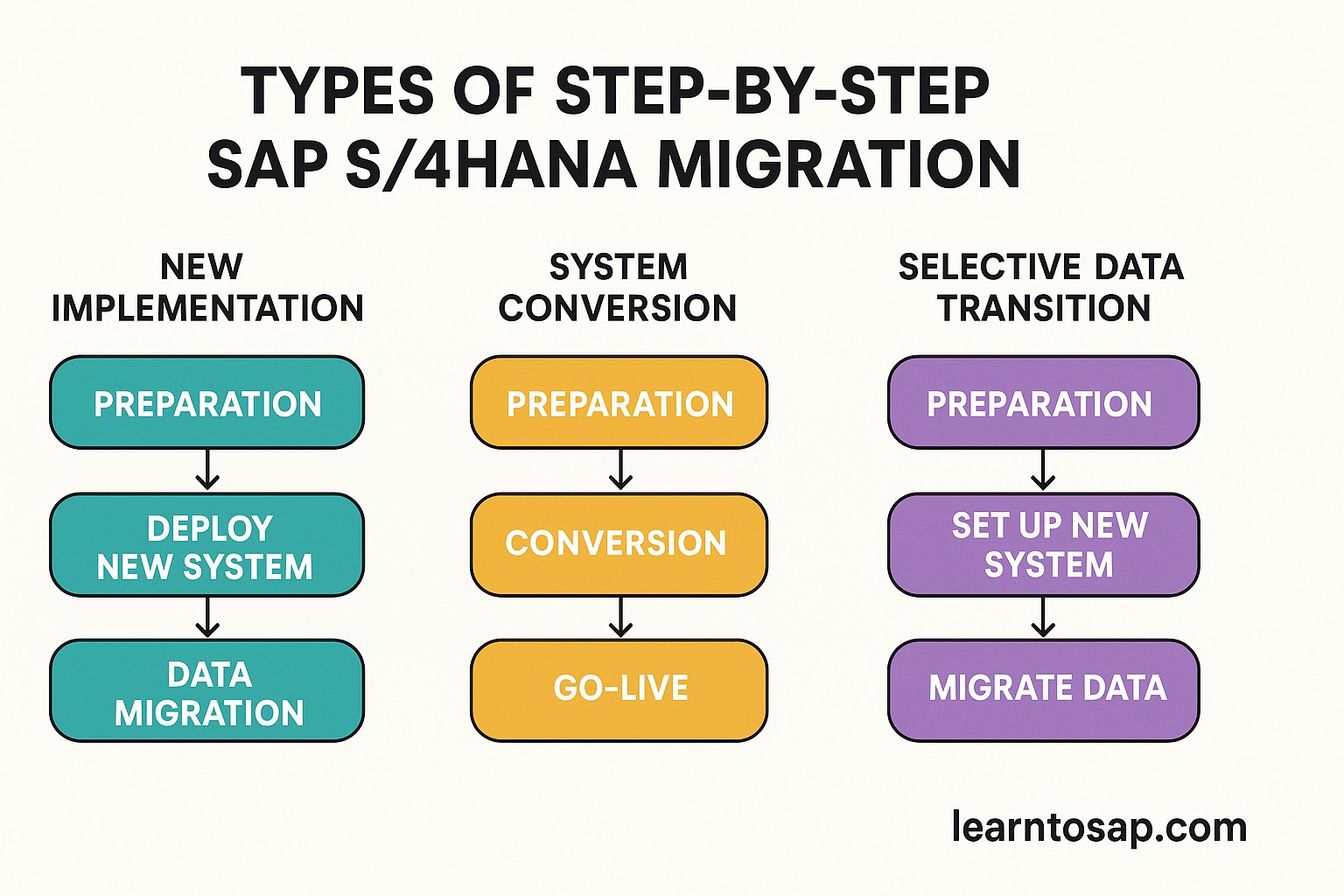
Planning and Assessment
First analyze the current SAP ECC 6.0 ERP system, then identify custom code and integrations, and check whether your server or system landscape is compatible with S/4HANA. Once that picture is clear, choose which type of migration-Brownfield, Greenfield, or Selective Data Transition-best suits the business.
This phase typically produces a scoping document, a high-level project timeline, and an initial budget estimate. Skipping or rushing this step is one of the most common reasons S/4HANA projects run over budget later, because effort discovered mid-project-such as unexpectedly high custom code remediation-is far more disruptive to plan around than effort identified up front through tools like SAP Readiness Check.
System Preparation
Think first about whether you need to upgrade ECC to the latest supported version before migration. Then archive old data where appropriate, and confirm the system is technically ready for the migration itself.
Archiving is worth taking seriously at this stage-every gigabyte of historical data carried into the new system adds to migration runtime and storage cost, and much of it may already be eligible for archiving under standard SAP data retention rules. Teams that archive aggressively before migration often see noticeably shorter downtime windows during the actual technical conversion step later.
Custom Code Analysis
First find incompatible code using ABAP Test Cockpit, then modify or remove code that is no longer used.
In practice, this step often reveals that a meaningful portion of "custom" code in a mature ECC system has not actually been executed in years. Rather than adapting every flagged object for S/4HANA compatibility, many project teams use usage-tracking data alongside ATC results to decide what genuinely needs remediation versus what can simply be retired, which meaningfully reduces the technical workload.
Infrastructure Setup
Choose the system deployment model-on-premise, cloud, or hybrid-then set up the SAP HANA database, and prepare new hardware or the cloud environment accordingly.
This decision has long-term operational implications beyond the migration project itself: cloud deployments shift ongoing infrastructure management to the hosting provider and typically offer easier scaling, while on-premise deployments give the organization full control but require in-house HANA administration expertise going forward.
Technical Migration (Sandbox)
The migration is first performed and checked in a sandbox or test environment, moving ECC 6.0 data into the S/4HANA data model.
A sandbox run is not optional in a well-run project-it is the rehearsal that surfaces data conversion errors, simplification-item conflicts, and downtime estimates before the real cutover. Most experienced teams run the technical migration in sandbox multiple times, refining the process and timing each pass, before ever attempting it against production.
Functional and Integration Testing
Test all relevant modules-for example SAP FI, MM, SD, PP, and HR-and check that all reports, transactions, and interfaces are working correctly.
Integration testing deserves particular attention here, since S/4HANA's simplified data model can change how certain interfaces and custom reports behave even when the underlying business logic has not changed. Testing should cover not just core SAP transactions but also any third-party systems, EDI interfaces, and custom Z-programs that depend on table structures affected by the S/4HANA simplification list.
Go-Live
Confirm all changes from the old system have been accounted for, then switch over to SAP S/4HANA as the live production system.
Go-live is followed by a hypercare period-typically two to four weeks of heightened support-during which the project team stays on standby to resolve any issues users encounter as they adjust to the new Fiori-based interface and any process changes. Planning for hypercare staffing and a clear escalation path before go-live, rather than scrambling to arrange it afterward, makes a measurable difference to how smoothly the first few weeks on the new system go.
📊 SAP ECC vs SAP S/4HANA: What Actually Changes
It helps to see the underlying differences side by side, since much of the migration effort exists specifically to bridge these gaps rather than being arbitrary project overhead.
| Aspect | SAP ECC 6.0 | SAP S/4HANA |
|---|---|---|
| Database | Runs on any major RDBMS (Oracle, DB2, SQL Server, etc.) | Runs exclusively on SAP HANA, an in-memory column-store database |
| Data Model | Separate transactional tables and aggregate reporting tables | Simplified universal data model (e.g. single line-item tables like ACDOCA for finance) |
| User Interface | Primarily SAP GUI transactions | Primarily Fiori web apps, with SAP GUI still available for many transactions |
| Reporting | Batch-refreshed aggregate reports | Real-time reporting directly against live transactional data |
| Extensibility | Classic ABAP development and BAPIs | ABAP plus modern extensibility via APIs, side-by-side extensions, and SAP BTP |
Every row in this table is also a source of migration effort: a different database means a technical conversion project; a simplified data model means custom reports and interfaces need review; a Fiori-first interface means user training; and real-time reporting means legacy batch-report logic may no longer be needed at all. Understanding this mapping is what lets a project team scope a migration realistically instead of treating it as a single undifferentiated task.
👥 Who Should Read This Guide
This guide is written for the range of people who typically need to understand SAP S/4HANA migration at different levels of depth. SAP Basis and technical consultants like Pooja Mishra will find the tool sequencing and infrastructure considerations useful when scoping a real project. Functional consultants across FI, MM, SD, and PP can use the migration-type comparison to understand how their module's configuration and customizations will be treated under Brownfield versus Greenfield approaches. Business stakeholders and project sponsors benefit from the cost, timeline, and risk sections when building a business case or evaluating vendor proposals. And SAP students or professionals preparing for interviews get a structured, end-to-end view of a process that is otherwise scattered across dozens of SAP notes, blog posts, and partner presentations.
Regardless of which group you fall into, the core takeaway is the same: SAP S/4HANA migration is a well-defined, repeatable process once you understand the decision points-migration type, tooling, custom code scope, and cutover planning-rather than an intimidating black box, and the seven-step process in this guide reflects how experienced project teams actually sequence the work in practice.
❗ Common Drawbacks. in SAP S/4HANA Migration Projects
- Underestimating custom code remediation effort by skipping or rushing ABAP Test Cockpit analysis during planning.
- Carrying forward poor-quality master data unchanged, which then surfaces as reporting and integration errors after go-live.
- Treating the Fiori interface as a cosmetic change rather than budgeting real time for user training and change management.
- Under-scoping the cutover rehearsal, leading to a longer-than-planned production downtime window during go-live.
- Choosing Greenfield for the sake of a "clean system" without weighing the redesign effort against the organization's actual appetite for process change.
- Not archiving old data before migration, which unnecessarily lengthens technical migration runtime and inflates storage requirements.
- Postponing integration testing with third-party and custom interfaces until late in the project, when issues are far more expensive to fix.
💰 Cost and Timeline Considerations
SAP S/4HANA migration cost and duration depend heavily on system size, the amount of custom code, the chosen migration type, and whether the target deployment is on-premise, cloud, or hybrid. As a general pattern across the industry:
| Factor | Impact on Cost / Timeline |
|---|---|
| Migration type (Brownfield vs Greenfield) | Brownfield is typically faster and cheaper; Greenfield costs more due to full process redesign and testing. |
| Custom code volume | Higher custom code volume increases both ATC remediation cost and testing scope. |
| Number of company codes / countries | More entities increase testing, localization, and cutover coordination effort. |
| Deployment model | Cloud deployments can reduce upfront hardware cost but shift spend to ongoing subscription fees. |
| Data volume and archiving maturity | Well-archived systems migrate faster and cost less than systems carrying years of unarchived history. |
Because of this variability, most organizations commission a formal scoping exercise-often built on SAP Readiness Check output-before committing to a fixed budget or go-live date, rather than relying on generic industry benchmarks alone.
🎯 Post-Go-Live Checklist
- Staff a dedicated hypercare support team for two to four weeks immediately following go-live.
- Monitor system performance and background job runtimes closely during the first few closing cycles.
- Track user adoption of new Fiori apps and follow up with targeted training where usage lags expectations.
- Reconcile financial and inventory balances between the legacy system and S/4HANA to confirm data migration accuracy.
- Collect and triage user-reported issues into a structured backlog rather than treating every request as urgent.
- Schedule a formal post-implementation review thirty to sixty days after go-live to capture lessons learned for future rollouts.
📚 Quick Glossary of SAP S/4HANA Migration Terms
- SUM (Software Update Manager): The SAP tool used to perform technical upgrades and conversions, including the DMO option for combined database migration and S/4HANA conversion.
- DMO (Database Migration Option): A SUM function that combines HANA database migration with the S/4HANA application conversion in one procedure.
- Simplification Item: An SAP-documented change in data model or functionality between ECC and S/4HANA that may require configuration or process adjustment.
- Fiori: SAP's modern web-based user interface framework, used increasingly in place of classic SAP GUI transactions in S/4HANA.
- Hypercare: A defined period of intensified support immediately after go-live to resolve issues quickly as users adapt to the new system.
- Cutover: The planned sequence of activities that moves a system from the old environment to the new one at go-live, including final data loads and system switch-over.
🎯 Conclusion
SAP S/4HANA migration is a significant undertaking, but it does not have to be an unpredictable one. Starting with a genuine readiness assessment, choosing the migration type that matches your organization's actual appetite for process change, working through custom code and infrastructure decisions deliberately, and rehearsing the technical migration and cutover before go-live are what separate smooth S/4HANA projects from difficult ones. Whether you are an SAP consultant scoping a client engagement, an end user trying to understand what is coming, or a student studying the order of operations for the first time, the seven-step process and tools covered in this guide give you the full picture of how a real S/4HANA migration comes together from planning through hypercare.
SAP's own end-of-mainstream-maintenance timeline for classic ECC systems has made this topic increasingly urgent for organizations that have not yet started planning, which is part of why S/4HANA migration remains one of the most searched and discussed subjects in the SAP ecosystem. Rather than waiting until a mandatory deadline forces a rushed timeline, the organizations that get the best outcomes tend to be the ones that treat readiness assessment as a proactive planning exercise years in advance-giving them the freedom to choose the right migration type deliberately, budget realistically, and sequence the work described in this guide without the added pressure of a fixed external deadline driving every decision.