HTML QR Code Tag: Create & Embed QR Codes in HTML Using JavaScript (Step-by-Step Guide)
HTML Tutorials · HTML QR Code Tag · Introduction
How to Create an HTML QR Code Tag for Your Website: Simple QR Code Generator with HTML, CSS & JavaScript
🔸HTML How to generate and display QR codes using various methods, including JavaScript libraries, Google Chart API, and inline SVG QR code in HTML, you can use a JavaScript library like QRCode.js or a CDN. Here's a simple example using QRCode.js via CDN
What Is a QR Code, and Is There an HTML QR Code Tag?
🔸 Despite the "HTML QR Code Tag" wording that people search for, there is no <qrcode> element in HTML. A QR (Quick Response) code is a two-dimensional matrix of black and white squares, called modules, that encodes a short piece of data — usually a web address, but also plain text, a phone number, a Wi-Fi login, or a contact card. Because HTML only describes page structure, the actual pattern has to be calculated by code. That is the answer to the third FAQ question below: HTML alone does not generate QR codes, but JavaScript can be used to create them, and the result is then placed into an ordinary <div>, <canvas>, <img>, or inline <svg> element.
How a QR Code Is Built: Modules, Finder Patterns, and Versions
🔸 Looking closely at any QR code reveals a fixed anatomy. Three large nested squares sit in the top-left, top-right, and bottom-left corners; these finder patterns let a scanner detect the code and work out its rotation instantly, which is why a QR code scans from any angle. Alternating dark and light lines called timing patterns run between them so the scanner can measure the grid, larger codes add smaller alignment squares to correct for a curved or tilted surface, and narrow strips of format information record the error-correction level in use. Everything left over holds the message itself plus the redundant error-correction data.
🔸 The size of the grid is called the version. Version 1 is a 21 by 21 grid of modules, and each higher version adds four modules per side, up to version 40 at 177 by 177. A short web address fits comfortably in a low version, while a long paragraph forces a higher version with tiny, densely packed modules that are harder to scan. QRCode.js chooses the smallest version that can hold your text at the correction level you request, so the amount of data you encode directly controls how complex the finished code looks.
Four Ways to Get a QR Code Into an HTML Page
| Method | How It Works | Notes |
|---|---|---|
| JavaScript library (QRCode.js) | A script calculates the pattern in the browser and draws it into a container | No server or API needed; used throughout this tutorial |
| Inline SVG | The pattern is written as <rect> shapes inside an <svg> element | Stays perfectly sharp at any size; ideal for print |
| Google Chart API (external image URL) | An <img> whose src points to an online generator | Mentioned in the intro above, but Google's chart image service is deprecated and unreliable — avoid it for anything new |
| Server-side generation | Your backend produces a PNG or SVG file that the page simply displays | Best when the data is sensitive or you need identical output everywhere |
🔸 The JavaScript-library route is the simplest for beginners because everything happens inside the visitor's browser: the text you want to encode never has to be sent to a third-party website, which also answers the second FAQ question — yes, you can generate QR codes without any API.
✅ Example 1: QR Code from Text Input (User Enters Data):-
Generate QR from Input
<!DOCTYPE html>
<html>
<head>
  <script src="https://cdnjs.cloudflare.com/ajax/libs/qrcodejs/1.0.0/qrcode.min.js"></script>
</head>
<body>
  <h3>Generate QR from Input</h3>
  <input type="text" id="text" placeholder="Enter text">
  <button onclick="generateQRCode()">Generate</button>
  <div id="qrcode"></div>

  <script>
    function generateQRCode() {
      const text = document.getElementById("text").value;
      document.getElementById("qrcode").innerHTML = ""; // Clear previous
      new QRCode(document.getElementById("qrcode"), text);
    }
  </script>
</body>
</html>
🔸 The demo above is the real thing, running the same three steps as the code: read the text field's value, clear whatever QR code was drawn last time (otherwise each click would stack a new code beneath the old one), then pass the container element and the text to new QRCode(). Type any text or link, press Generate, and scan the result with your phone's camera.
✅ Example 2: QR Code with Color and Logo (Advanced):-
Styled QR Code
<!DOCTYPE html>
<html>
<head>
  <script src="https://cdnjs.cloudflare.com/ajax/libs/qrcodejs/1.0.0/qrcode.min.js"></script>
  <style>
    #qrcode img {
      border: 5px solid #007bff;
      padding: 10px;
      background: white;
    }
  </style>
</head>
<body>
  <h3>Styled QR Code</h3>
  <div id="qrcode"></div>
  <script>
    new QRCode(document.getElementById("qrcode"), {
      text: "https://www.learntosap.com",
      width: 200,
      height: 200,
      colorDark: "#000000",
      colorLight: "#ffffff",
      correctLevel: QRCode.CorrectLevel.H
    });
  </script>
</body>
</html>
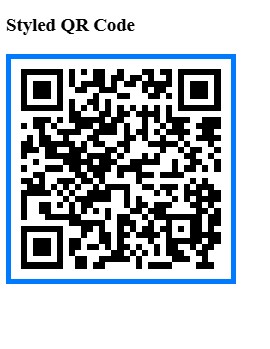
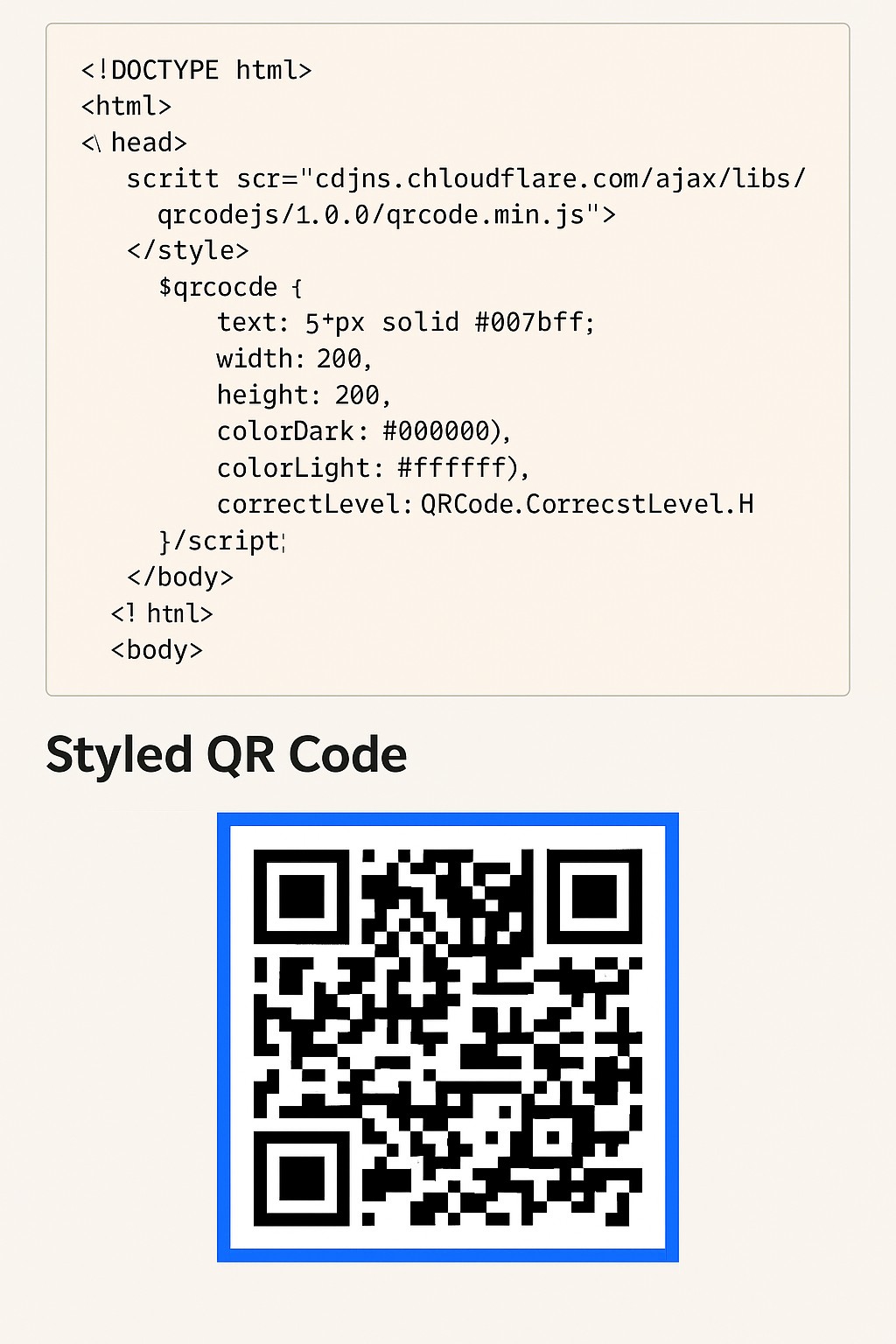
🔸 Here the second argument to new QRCode() is an options object instead of a plain string. The CSS rule adds a blue frame and white padding around the generated image, and correctLevel: QRCode.CorrectLevel.H selects the highest error-correction level — the setting that makes it safe to cover part of the code with a logo, as the next sections explain.
QRCode.js Options Reference
| Option | Purpose | Example Value |
|---|---|---|
| text | The data to encode | "https://www.learntosap.com" |
| width / height | Size of the generated code in pixels | 200 |
| colorDark | Color of the dark modules | "#000000" |
| colorLight | Color of the light background | "#ffffff" |
| correctLevel | Error-correction strength | QRCode.CorrectLevel.H |
What Can You Encode? Common QR Data Formats
🔸 A QR code stores plain text, and it is the phone's scanning app that decides what to do with it. Certain text patterns are recognized as actions, so the same new QRCode() call can produce a website link, a phone dialer, or a Wi-Fi login depending only on the string you pass in.
| Purpose | Text to Encode |
|---|---|
| Website link | https://www.learntosap.com |
| Phone call | tel:+15551234567 |
| mailto:hello@example.com | |
| Text message | SMSTO:+15551234567:Hello |
| Map location | geo:37.7749,-122.4194 |
| Wi-Fi network | WIFI:T:WPA;S:MyNetwork;P:secret;; |
🔸 Support for some of these formats varies slightly between scanning apps, so test each one on the devices your audience actually uses.
Understanding QR Error Correction Levels
🔸 Every QR code carries redundant data so that it can still be read when part of it is dirty, scratched, or covered. The level you choose trades that resilience against density: more redundancy means a more complex, more tightly packed pattern for the same message.
| Level | Approx. Damage Recovered | Best For |
|---|---|---|
| L (Low) | ~7% | Clean screens, short links, maximum capacity |
| M (Medium) | ~15% | General web use (a good default) |
| Q (Quartile) | ~25% | Printed material that may get handled |
| H (High) | ~30% | Codes with a logo overlay or rough environments |
How to Add a Logo to a QR Code
🔸 The heading of Example 2 promises "Color and Logo," and the styled example above covers the color and the high correction level that a logo depends on. The logo itself is added by layering an element over the center of the finished code. Because level H can lose roughly 30% of its area and still scan, a small badge in the middle is safe — provided it stays well under that limit.
<style>
  .logo-qr { position: relative; display: inline-block; }
  .logo-qr .logo-badge {
    position: absolute;
    top: 50%; left: 50%;
    transform: translate(-50%, -50%);
    width: 44px; height: 44px;
    background: #fff;
    border-radius: 8px;
  }
</style>

<div class="logo-qr">
  <div id="qrcode"></div>
  <div class="logo-badge"><img src="logo.png" alt="Logo" width="36"></div>
</div>
🔸 Keep the logo to roughly a fifth of the code's width at most, always test the finished result with several phones, and never place anything over the three large corner squares — those "finder patterns" are how a scanner locates and orients the code in the first place.
Letting Visitors Download the QR Code
🔸 QRCode.js draws into the container as a <canvas> and also as an <img> whose src is a data URL, which makes a download button only a few lines long.
<a id="download" download="qrcode.png">Download QR Code</a>

<script>
  const box = document.getElementById("qrcode");
  new QRCode(box, "https://www.learntosap.com");

  setTimeout(() => {
    const img = box.querySelector("img");
    document.getElementById("download").href = img.src;
  }, 100);
</script>
🔸 The short delay gives the library a moment to finish creating the image before its address is copied into the link. The download attribute then tells the browser to save the file instead of navigating to it.
Real-World Uses for Generated QR Codes
| Use Case | What Gets Encoded |
|---|---|
| Business cards and flyers | Your website or portfolio URL |
| Event tickets and check-in | A unique ticket or attendee ID |
| Restaurant menus | A link to the digital menu page |
| Wi-Fi sharing | A Wi-Fi network string such as WIFI:T:WPA;S:MyNetwork;P:secret;; |
| Contact sharing | A vCard with name, phone, and email |
| Payments and app downloads | A payment link or app-store URL |
Static vs Dynamic QR Codes
🔸 Everything generated in this tutorial is a static QR code: the destination is baked directly into the pattern, so once a code is printed or published it can never be changed. A dynamic code instead encodes a short redirect link on a domain you control, such as a page on your own site, and that page forwards visitors to the real destination. The pattern stays the same forever while you remain free to change where it leads, fix a broken link, or count visits on the redirect page.
| Type | Encodes | Best For |
|---|---|---|
| Static | The final data itself | Wi-Fi logins, contact cards, permanent links, offline use |
| Dynamic | A short redirect URL you control | Printed marketing, menus, packaging, anything whose destination may change |
Choosing a QR Code Library
| Library | Output | Notes |
|---|---|---|
| QRCode.js (qrcodejs) | Canvas and image | Used in this tutorial; tiny and beginner-friendly |
| qrcode-generator | SVG, image tag, or data URL | Handy when you want vector output for print |
| kjua | Canvas, image, or SVG | Supports built-in text or image labels in the center |
| Server-side libraries | PNG or SVG files | Best when generating codes in bulk or from private data |
Generating a Vector (SVG) QR Code
🔸 Raster output is fine on screen, but a printed QR code looks noticeably crisper as a vector. A library that can emit SVG, such as qrcode-generator, produces markup you can drop straight into the page, and it scales to any size without blurring.
<script src="https://cdn.jsdelivr.net/npm/qrcode-generator@1.4.4/qrcode.js"></script>

<div id="qr-svg"></div>

<script>
  const qr = qrcode(0, "M");            // 0 = choose the version automatically
  qr.addData("https://www.learntosap.com");
  qr.make();
  document.getElementById("qr-svg").innerHTML = qr.createSvgTag(4);
</script>
🔸 Check the library's documentation for the current release number before you copy the CDN address, since the version shown here may have moved on.
Making a QR Code Responsive
🔸 QRCode.js gives the generated image a fixed pixel size, which can overflow a narrow phone screen inside a tight layout. Two lines of CSS let it shrink to fit its container while keeping its square proportions:
#qrcode img,
#qrcode canvas {
  max-width: 100%;
  height: auto;
}
🔸 Just be careful not to let the code shrink below a comfortably scannable size; if the container is very small, it is better to scroll or reflow the layout than to squeeze the code.
QR Code Performance on the Page
🔸 The QRCode.js library is only a few kilobytes, but it is still one more network request, so it helps to load it only on pages that actually show a code. Generating a code is fast enough to run on demand, as the Generate button in Example 1 does, so there is no need to create dozens of codes up front. If a page must display many codes at once, such as a printable sheet of tickets, generate them in a loop after the page has loaded rather than blocking the first paint, and consider producing them on the server so that visitors never download the library at all.
Making QR Codes Scan Reliably
- 🔸 Keep strong contrast: dark modules on a light background. Inverting the colors or using pale foreground colors is the most common reason a code fails to scan.
- 🔸 Leave a quiet zone — a blank margin of about four modules on every side. The white padding in Example 2's CSS does exactly this job.
- 🔸 Don't render the code too small. Around 150 to 200 pixels is a comfortable minimum on screens, and printed codes should be at least a couple of centimeters square.
- 🔸 Encode as little data as possible. A short link produces a simple, large-module pattern that scans faster than a long paragraph of text.
- 🔸 Test with more than one scanning app and on both iPhone and Android before publishing.
QR Code Security and Privacy
🔸 A QR code is opaque to the human eye, which is why criminals sometimes paste malicious codes over legitimate ones. When you publish a code, encode a link on a domain you control, consider showing the destination as visible text beside the code, and never point it at anything you wouldn't be comfortable having a visitor open. Generating the code in the browser, as this tutorial does, also means whatever text a visitor types into the input never leaves their device.
Accessibility Considerations
🔸 A QR code is unusable for someone who cannot see it or cannot point a camera at it, so always provide a plain text alternative: the same link as an ordinary hyperlink, or a short caption explaining where the code leads. If the generated <img> carries meaning, give it a helpful alt attribute rather than leaving it empty.
Common Mistakes with HTML QR Codes
- 🔸 Forgetting to clear the container: without innerHTML = "", each click of Generate appends another code below the previous one, as Example 1 avoids.
- 🔸 Using the same id twice on a page: both examples in the original code use id="qrcode", which works only when they live on separate pages; on one page the ids must be unique.
- 🔸 Calling new QRCode() before the library loads: the script tag must come before the code that uses it, or you'll see "QRCode is not defined."
- 🔸 Covering too much with a logo: an oversized overlay exceeds the error-correction budget and the code stops scanning.
- 🔸 Encoding an unreachable address: a code that points to a localhost or staging URL is useless once it is printed.
HTML QR Code Best Practices
- 🔸 Load the library from a trustworthy CDN, or self-host the file for full control and better performance.
- 🔸 Choose correction level M by default and H only when a logo or harsh printing conditions call for it.
- 🔸 Keep the encoded data short; use a URL on your own site instead of long raw text.
- 🔸 Always pair a code with a visible link or caption for people who can't scan.
- 🔸 Prefer SVG output for print, since it scales without blurring.
- 🔸 Test the final result on real devices before distributing it.
Try It Yourself (Copy This Code and Paste. See how it works). Edit the text or options in the live playground below and watch the code update.
Live Code Preview
Practice Exercises: Test HTML QR Codes
- Rebuild Example 1, then add a second button that clears the QR code without generating a new one.
- Change Example 2's colorDark to a deep blue and confirm it still scans; then try a pale yellow and see it fail.
- Switch correctLevel from H to L and compare how much denser or sparser the pattern looks.
- Encode a Wi-Fi string and a phone number (tel:+1234567890) and scan each with your phone.
- Add the download link from this tutorial and save your generated code as a PNG.
Frequently Asked Questions About HTML QR Codes
How to create a QR code in HTML?
You can create a QR code using JavaScript libraries like QRCode.js.
Can I generate QR codes without API?
Yes, you can use JavaScript libraries to generate QR codes without APIs.
Is QR code supported in HTML?
HTML alone does not generate QR codes, but JavaScript can be used to create them.
What is the best error correction level for a QR code?
Level M (about 15% recovery) is a good default for most web use. Choose level H (about 30% recovery) when you plan to place a logo over the center or expect the code to be printed on surfaces that may get scuffed.
Why won't my QR code scan?
The most common causes are low contrast between the dark and light colors, no quiet zone (blank margin) around the code, a code rendered too small, or too much data packed into it. Test with more than one scanning app.
Conclusion
🔸 Creating a QR code on a web page comes down to three moving parts: include a small JavaScript library, point it at a container element with the text or link you want to encode, and style the result so it stays high-contrast with a clear margin. The two examples above cover the essentials — a generator that reacts to what a visitor types, and a styled, high-correction code ready for a logo — while the sections on error correction, security, and accessibility keep the result both scannable and trustworthy. Try the live playground, then generate a code for your own site and test it on your phone.