SAP MM ERROR TUTORIALS-
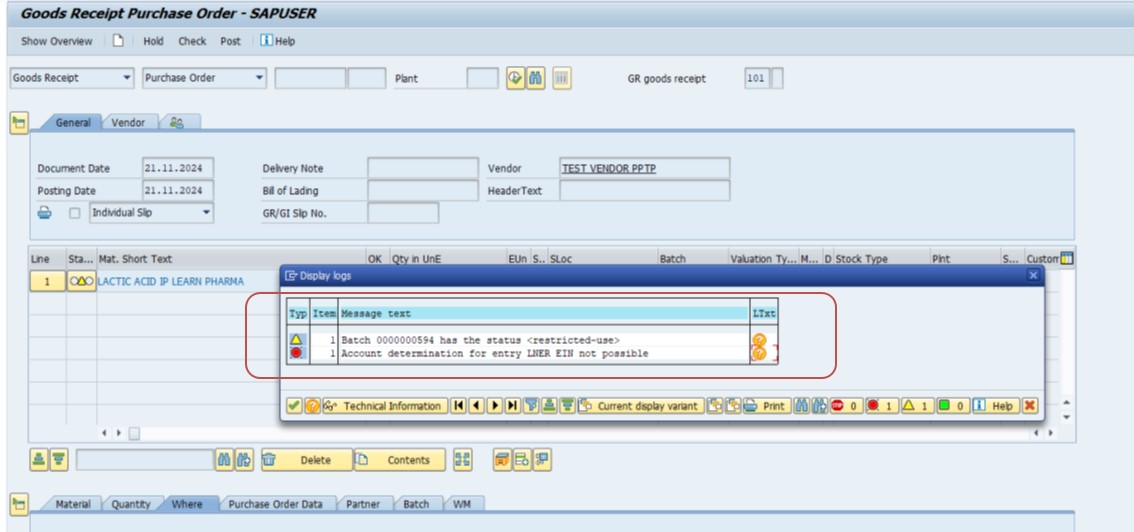
✅ Common Error Message."Account determination for entry LNER EIN not possible" in SAP occurs when the system cannot find the appropriate General Ledger (GL)(purchase a/c) account for the specified combination of valuation class and transaction key (EIN) during inventory-related postings. This is specifically related to account determination for delivery costs or freight charges in the Goods Receipt (GR) process...
✅ FOLLOW STEPS-
✅ Solution-TCODE -FIRST CHECK GL CODE CREATING OR NOT-FS00
✅ CREATE GL-PACKING PURCHASE A/C-500099
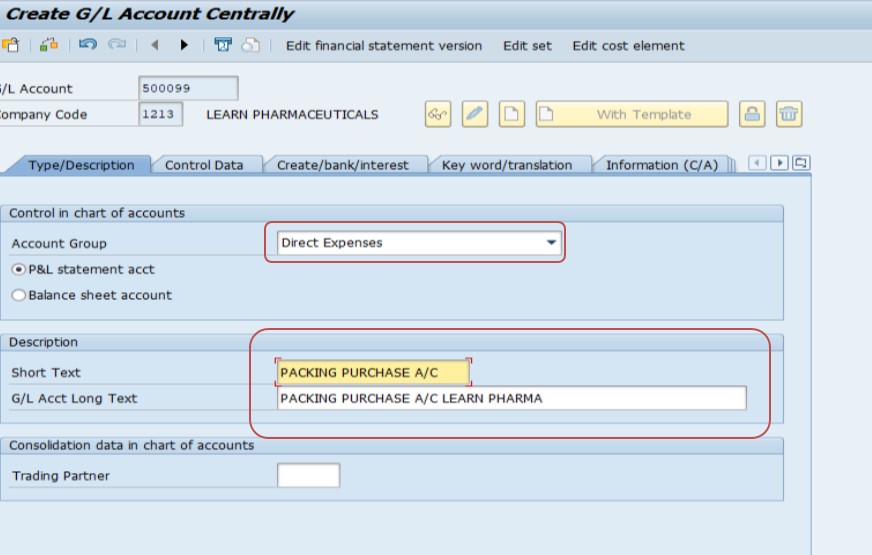
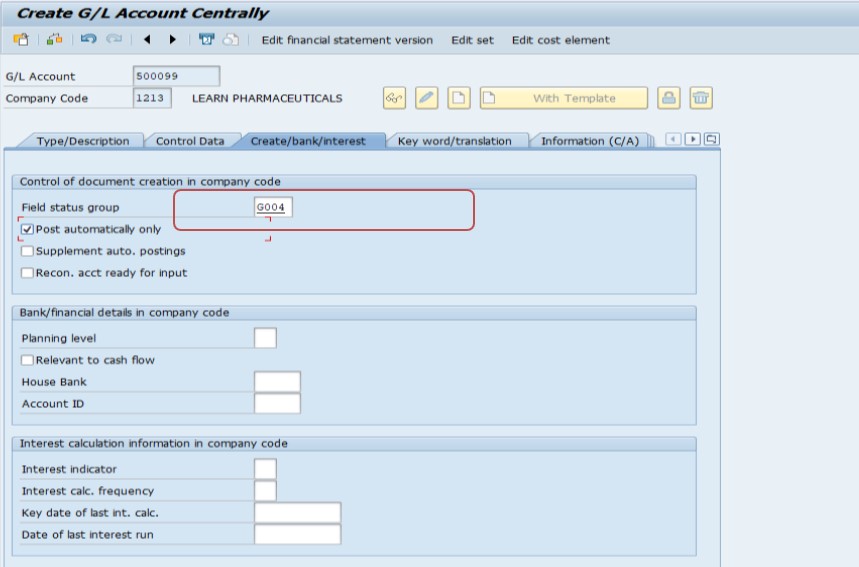
✅ Solution-TCODE -OMWB
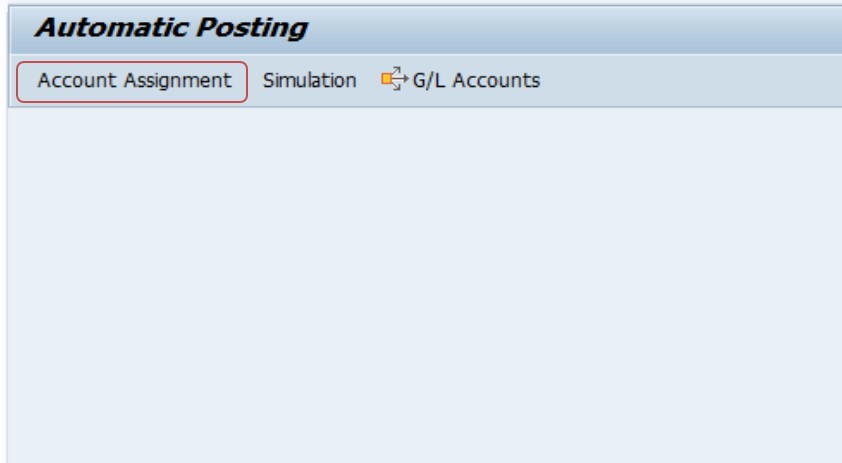
✅ FOLLOW PATH-SPRO → Materials Management → Valuation and Account Assignment → Account Determination → Account Determination Without Wizard → Configure Automatic Postings-OMWB
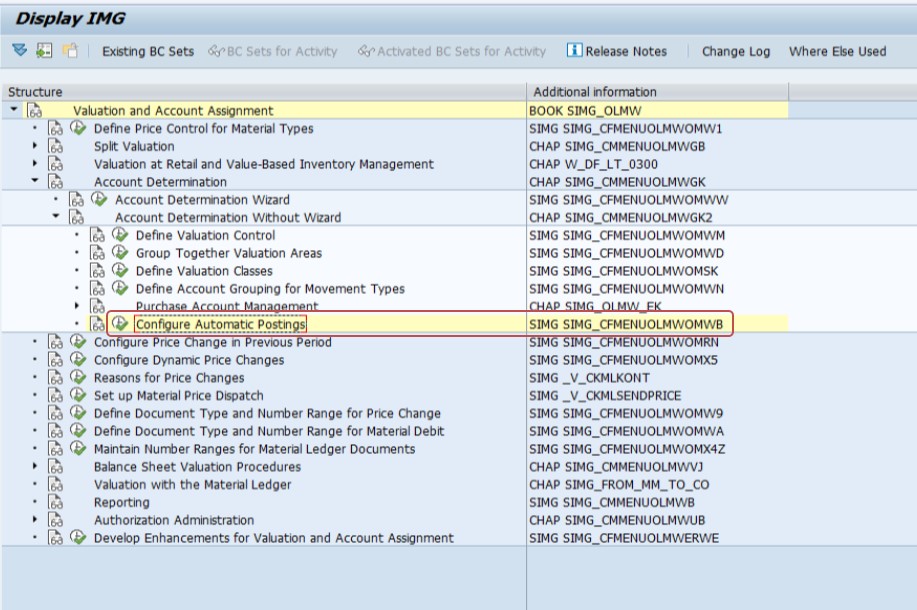
✅ SELECT ACCOUNT ASSIGNMENT-
✅ Check the material master valuation class and related settings.
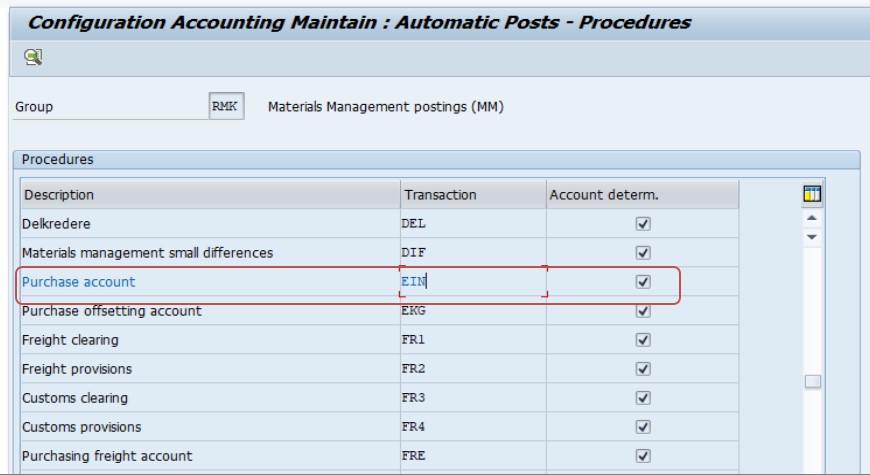
✅ Determine which combination of chart of accounts, valuation area, and valuation class needs to be mapped for EIN in OBYC.
✅ Example Configuration in OBYC/OMWB
✅ TRANASACTION KEY- EIC, VALUATION CLASS 3000- RAW MATERIAL
✅ TRANASACTION KEY- EIC, VALUATION CLASS 3050- PACKAGING
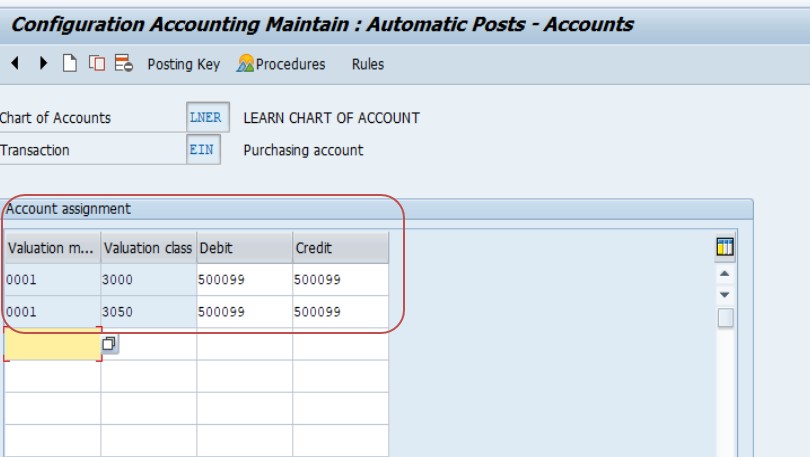
✅ SELECT-CHART OF ACCOUNT-LNER THEN
✅ SELECT WRX-GR/IR CLEARING A/C EXAMPLE-SELECT- VALUATION CLASS-3000, DEBIT-500099, CREDIT-500099
✅ EXAMPLE-SELECT- VALUATION CLASS-3050, DEBIT-500099, CREDIT-500099
✅ SAVE.