SQL OR Operator – Filter Records with Multiple Conditions (2026-27)
The SQL OR operator is used to filter records where at least one of the specified conditions is true. Unlike AND which requires every condition to be true, OR is more permissive — a row is returned if any one condition passes. This makes OR ideal when you want to retrieve records from multiple categories, names, or value ranges at once. In this beginner-friendly guide you will learn the OR syntax, see four real working examples — OR with departments, salary, names, and combined with AND — plus the most common mistakes to avoid.
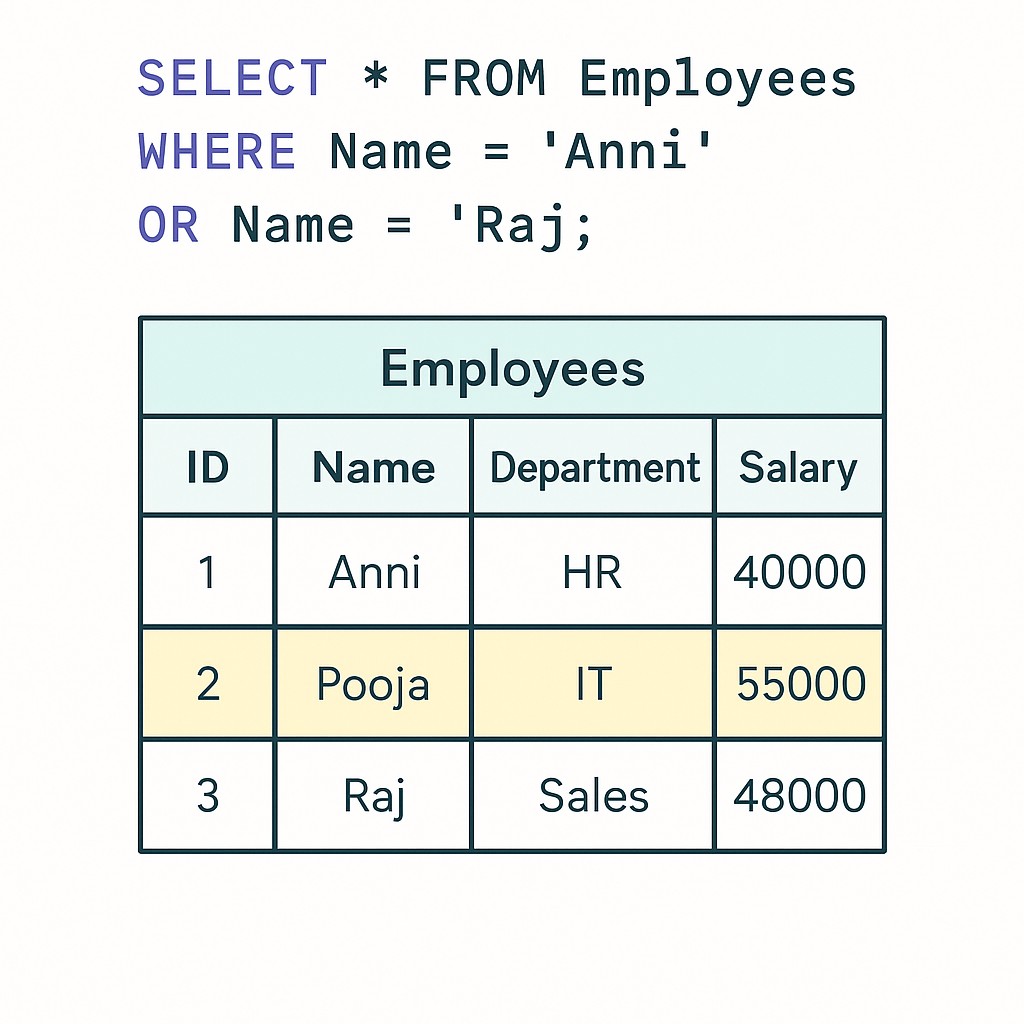
✅ What is the SQL OR Operator?
✅ The SQL OR operator is a logical operator used inside a WHERE clause to filter rows.
✅ A row is returned if at least one condition is true — even if the others are false.
✅ OR is more permissive than AND and typically returns more rows.
✅ Sample Employees Table:-
| ID | Name | Department | Salary | City |
|---|---|---|---|---|
| 1 | ANNI | IT | 10000 | Mumbai |
| 2 | POOJA | IT | 90000 | Pune |
| 3 | RAJ | Sales | 5000 | Pune |
| 4 | SUJAN | HR | 8000 | Delhi |
| 5 | MEENA | HR | 12000 | Mumbai |
✅ SQL OR Syntax
SELECT column1, column2, ...
FROM table_name
WHERE condition1 OR condition2 OR condition3 ...;
✅ SELECT:- Columns you want to retrieve.
✅ FROM:- The table to query data from.
✅ WHERE:- Starts the filtering section.
✅ OR:- Joins conditions — at least one must be true for the row to be returned.
✅ Example 1 – Department is IT OR Sales
✅ SELECT Query:-
SELECT * FROM Employees
WHERE Department = 'IT' OR Department = 'Sales';
✅ Result:-
| ID | Name | Department | Salary | City |
|---|---|---|---|---|
| 1 | ANNI | IT | 10000 | Mumbai |
| 2 | POOJA | IT | 90000 | Pune |
| 3 | RAJ | Sales | 5000 | Pune |
✅ Example 2 – Salary > 10000 OR Department is Sales
✅ SELECT Query:-
SELECT * FROM Employees
WHERE Salary > 10000 OR Department = 'Sales';
✅ Result:-
| ID | Name | Department | Salary | City |
|---|---|---|---|---|
| 2 | POOJA | IT | 90000 | Pune |
| 3 | RAJ | Sales | 5000 | Pune |
| 5 | MEENA | HR | 12000 | Mumbai |
✅ Example 3 – Name is ANNI OR RAJ
✅ SELECT Query:-
SELECT * FROM Employees
WHERE Name = 'ANNI' OR Name = 'RAJ';
✅ Result:-
| ID | Name | Department | Salary | City |
|---|---|---|---|---|
| 1 | ANNI | IT | 10000 | Mumbai |
| 3 | RAJ | Sales | 5000 | Pune |
IN instead: WHERE Name IN ('ANNI', 'RAJ') is cleaner and gives the same result.
✅ Example 4 – OR Combined with AND
You can mix OR and AND in one query. Always use parentheses to group OR conditions correctly.
✅ SELECT Query:-
SELECT * FROM Employees
WHERE City = 'Pune'
  AND (Department = 'IT' OR Department = 'Sales');
✅ Result:-
| ID | Name | Department | Salary | City |
|---|---|---|---|---|
| 2 | POOJA | IT | 90000 | Pune |
| 3 | RAJ | Sales | 5000 | Pune |
WHERE City = 'Pune' AND Department = 'IT' OR Department = 'Sales' means (City = 'Pune' AND Department = 'IT') OR Department = 'Sales' — which returns ALL Sales employees regardless of city. Parentheses prevent this.
✅ OR vs AND – Key Differences
| Feature | SQL OR | SQL AND |
|---|---|---|
| Condition requirement | AT LEAST ONE must be true | ALL conditions must be true |
| Rows returned | More rows (permissive) | Fewer rows (restrictive) |
| One false condition | Row still returned if another is true | Row excluded |
| Use case | IT or Sales employees | IT employees in Pune |
| Best with | Same column, multiple values | Different columns, all required |
✅ OR vs IN – When to Use Each
When you are checking the same column against multiple values, IN is a cleaner alternative to multiple OR conditions.
| Feature | OR | IN |
|---|---|---|
| Same result? | Yes | Yes |
| Readability | Gets messy with 4+ values | Clean with any number of values |
| Performance | Similar | Often faster with indexes |
| Example | Dept='IT' OR Dept='HR' OR Dept='Sales' | Dept IN ('IT','HR','Sales') |
Salary > 50000 OR City = 'Pune'). Use IN when checking one column against many values (Department IN ('IT','HR','Sales')).
✅ Key Points to Remember
✅ At least ONE condition must be true — OR is permissive, AND is restrictive.
✅ Chain as many OR conditions as needed — no limit on how many you use.
✅ Always use parentheses when mixing AND and OR — prevents logic errors.
✅ AND is evaluated before OR — without parentheses A AND B OR C means (A AND B) OR C.
✅ Use IN for cleaner code — when checking the same column against multiple values.
✅ Text values need single quotes — WHERE Department = 'IT' not = IT.
✅ Common SQL OR Mistakes to Avoid
Wrong:
WHERE City = 'Pune' AND Department = 'IT' OR Department = 'Sales'Correct:
WHERE City = 'Pune' AND (Department = 'IT' OR Department = 'Sales')Without parentheses the query returns all Sales employees regardless of city.
Wrong:
WHERE Department = 'IT' OR 'Sales'Correct:
WHERE Department = 'IT' OR Department = 'Sales'Each OR condition must include the full column name, operator, and value.
If you need employees who are in IT AND earn over 50000, using OR gives all IT employees plus all high earners — not what you want. Think clearly about whether you need any condition or all conditions.
Wrong:
WHERE Dept='IT' OR Dept='HR' OR Dept='Sales' OR Dept='Finance'Correct:
WHERE Dept IN ('IT','HR','Sales','Finance')Use IN for cleaner, more readable, and often faster queries.
✅ Frequently Asked Questions (FAQ)
WHERE Department = 'IT' OR Department = 'HR' OR Department = 'Sales'. Any one true condition includes the row in results.WHERE City = 'Pune' AND (Department = 'IT' OR Department = 'HR'). Without parentheses AND is evaluated before OR, which can give unexpected results.WHERE Department IN ('IT', 'HR', 'Sales') is cleaner and faster than three OR conditions on the same column.WHERE Salary > 50000 OR JoinDate > '2024-01-01'