SQL NOT Operator – Complete Beginner's Guide with Examples (2026)
The SQL NOT operator is used to negate or reverse a condition in a WHERE clause — it returns only the rows for which the condition is FALSE. NOT is one of the most flexible tools in SQL and can be combined with IN, LIKE, BETWEEN, NULL and comparison operators to precisely exclude unwanted data. In this beginner-friendly guide you will learn the NOT syntax, see six real examples with results, understand the key differences from other operators, and learn the most common mistakes to avoid.
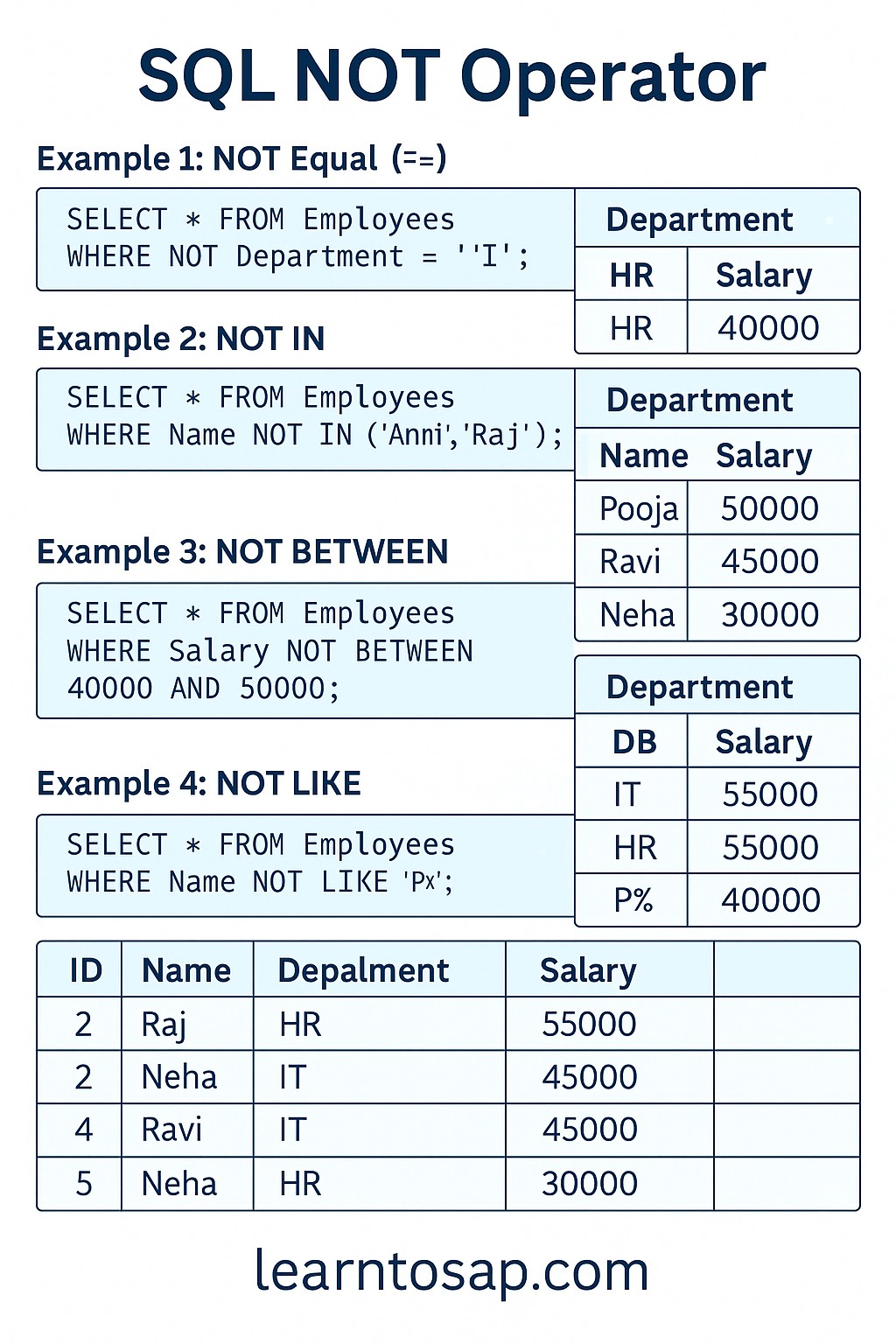
✅ What is the SQL NOT Operator?
✅ The SQL NOT operator is a logical operator that reverses the result of a condition in a WHERE clause.
✅ It returns rows where the condition evaluates to FALSE — in other words, it excludes the matching rows instead of including them.
✅ NOT can be combined with IN, LIKE, BETWEEN, IS NULL, and comparison operators like =, >, <.
WHERE NOT Department = 'IT' — SQL returns everyone except IT employees.
✅ Sample Employees Table used in all examples below:-
| ID | Name | Department | Salary | City | |
|---|---|---|---|---|---|
| 1 | ANNI | IT | 10000 | Mumbai | anni@mail.com |
| 2 | POOJA | IT | 9000 | Pune | pooja@mail.com |
| 3 | RAJ | SALES | 5000 | Delhi | NULL |
| 4 | SUJAN | HR | 8000 | Pune | sujan@mail.com |
| 5 | MEENA | SALES | 12000 | Mumbai | NULL |
✅ SQL NOT Syntax
SELECT column1, column2, ...
FROM table_name
WHERE NOT condition;
✅ SELECT:- Columns you want to retrieve.
✅ FROM:- The table to query data from.
✅ WHERE:- Starts the filtering section.
✅ NOT:- Reverses the condition — returns rows where the condition is FALSE.
✅ All Forms of SQL NOT – Quick Reference Table
| Form | Meaning | Example |
|---|---|---|
WHERE NOT condition | Reverses any single condition | WHERE NOT Department = 'IT' |
NOT IN (...) | Excludes rows matching any value in a list | WHERE Name NOT IN ('Anni', 'Raj') |
NOT BETWEEN x AND y | Excludes rows within a range | WHERE Salary NOT BETWEEN 5000 AND 9000 |
NOT LIKE 'pattern' | Excludes rows matching a text pattern | WHERE Name NOT LIKE 'A%' |
IS NOT NULL | Returns only rows where column has a value | WHERE Email IS NOT NULL |
NOT (condition1 OR condition2) | Reverses a combined condition group | WHERE NOT (Dept='IT' OR Dept='HR') |
✅ Example 1 – NOT Equal (WHERE NOT)
Retrieve all employees who are NOT in the IT department.
✅ SELECT Query:-
SELECT * FROM Employees
WHERE NOT Department = 'IT';
✅ Result:-
| ID | Name | Department | Salary | City |
|---|---|---|---|---|
| 3 | RAJ | SALES | 5000 | Delhi |
| 4 | SUJAN | HR | 8000 | Pune |
| 5 | MEENA | SALES | 12000 | Mumbai |
WHERE NOT Department = 'IT' is equivalent to WHERE Department != 'IT' or WHERE Department <> 'IT'. All three produce the same result — use whichever is clearest.
✅ Example 2 – NOT IN
Retrieve all employees whose name is NOT in a given list. NOT IN is more efficient than chaining multiple != conditions.
✅ SELECT Query:-
SELECT * FROM Employees
WHERE Name NOT IN ('ANNI', 'RAJ');
✅ Result:-
| ID | Name | Department | Salary | City |
|---|---|---|---|---|
| 2 | POOJA | IT | 9000 | Pune |
| 4 | SUJAN | HR | 8000 | Pune |
| 5 | MEENA | SALES | 12000 | Mumbai |
WHERE Name != 'ANNI' AND Name != 'RAJ', NOT IN lets you exclude any number of values cleanly in one expression. Especially useful for long exclusion lists.
✅ Example 3 – NOT BETWEEN
Retrieve all employees whose salary falls outside the range 5000 to 9000.
✅ SELECT Query:-
SELECT * FROM Employees
WHERE Salary NOT BETWEEN 5000 AND 9000;
✅ Result:-
| ID | Name | Department | Salary | City |
|---|---|---|---|---|
| 1 | ANNI | IT | 10000 | Mumbai |
| 5 | MEENA | SALES | 12000 | Mumbai |
BETWEEN 5000 AND 9000 includes 5000 and 9000 themselves. So NOT BETWEEN 5000 AND 9000 excludes 5000 and 9000 as well — RAJ (5000) and POOJA (9000) and SUJAN (8000) are all excluded.
✅ Example 4 – NOT LIKE
Retrieve all employees whose name does NOT start with the letter 'A'. NOT LIKE is the opposite of the LIKE pattern-matching operator.
✅ SELECT Query:-
SELECT * FROM Employees
WHERE Name NOT LIKE 'A%';
✅ Result:-
| ID | Name | Department | Salary | City |
|---|---|---|---|---|
| 2 | POOJA | IT | 9000 | Pune |
| 3 | RAJ | SALES | 5000 | Delhi |
| 4 | SUJAN | HR | 8000 | Pune |
| 5 | MEENA | SALES | 12000 | Mumbai |
NOT LIKE 'A%' — does NOT start with A |
NOT LIKE '%a' — does NOT end with a |
NOT LIKE '%ann%' — does NOT contain "ann"
✅ Example 5 – IS NOT NULL
Retrieve all employees who have an email address (i.e. the Email column is not empty).
✅ SELECT Query:-
SELECT * FROM Employees
WHERE Email IS NOT NULL;
✅ Result:-
| ID | Name | Department | Salary | |
|---|---|---|---|---|
| 1 | ANNI | IT | 10000 | anni@mail.com |
| 2 | POOJA | IT | 9000 | pooja@mail.com |
| 4 | SUJAN | HR | 8000 | sujan@mail.com |
WHERE Email != NULL or WHERE Email <> NULL — these always return zero rows because NULL cannot be compared using = or !=. Always use IS NOT NULL to check for non-empty values.
✅ Example 6 – NOT Combined with AND / OR
Use NOT with parentheses to negate an entire group of conditions at once.
✅ SELECT Query – Exclude both IT and HR departments:-
SELECT * FROM Employees
WHERE NOT (Department = 'IT' OR Department = 'HR');
✅ Result:-
| ID | Name | Department | Salary | City |
|---|---|---|---|---|
| 3 | RAJ | SALES | 5000 | Delhi |
| 5 | MEENA | SALES | 12000 | Mumbai |
✅ SELECT Query – NOT with AND condition:-
SELECT * FROM Employees
WHERE NOT Department = 'IT'
  AND Salary > 6000;
✅ Result:-
| ID | Name | Department | Salary | City |
|---|---|---|---|---|
| 4 | SUJAN | HR | 8000 | Pune |
| 5 | MEENA | SALES | 12000 | Mumbai |
NOT (Department = 'IT' OR Department = 'HR') is logically equivalent to Department != 'IT' AND Department != 'HR'. Both produce the same result — use whichever is more readable.
✅ Key Points to Remember
✅ NOT reverses any condition — it returns rows where the condition is FALSE.
✅ Works with any operator — NOT IN, NOT LIKE, NOT BETWEEN, IS NOT NULL, and plain NOT.
✅ Use IS NOT NULL — never != NULL — NULL cannot be compared with = or !=.
✅ Use parentheses when combining NOT + AND/OR — prevents logic errors and makes intent clear.
✅ NOT IN vs multiple != — NOT IN ('A','B','C') is cleaner than != 'A' AND != 'B' AND != 'C'.
✅ NOT BETWEEN excludes endpoints — both the lower and upper bounds are excluded from results.
✅ NOT LIKE uses wildcards — % matches any characters, _ matches a single character.
✅ Common SQL NOT Mistakes to Avoid
Wrong:
WHERE Email != NULL — always returns 0 rows.Correct:
WHERE Email IS NOT NULLNULL is not a value — it cannot be compared with = or != operators. Always use IS NOT NULL.
Wrong:
WHERE NOT Department = IT — causes a syntax error.Correct:
WHERE NOT Department = 'IT'Text values must always be wrapped in single quotes.
Wrong:
WHERE NOT Department = 'IT' OR Department = 'HR' — SQL reads this as (NOT Department = 'IT') OR (Department = 'HR') which is likely not what you intended.Correct:
WHERE NOT (Department = 'IT' OR Department = 'HR')
The smaller value must come first in BETWEEN.
Wrong:
WHERE Salary NOT BETWEEN 9000 AND 5000 — may return unexpected results.Correct:
WHERE Salary NOT BETWEEN 5000 AND 9000
If a NULL exists inside a NOT IN list, the query returns no rows.
Example:
WHERE Name NOT IN ('ANNI', NULL) returns 0 rows because SQL cannot determine if any value equals NULL.Always ensure your NOT IN list contains no NULL values.
✅ Frequently Asked Questions (FAQ)
!=) excludes a single value: WHERE Department != 'IT'. NOT IN excludes multiple values at once: WHERE Department NOT IN ('IT', 'HR'). NOT IN is cleaner and more efficient when excluding several values.WHERE Salary NOT BETWEEN 5000 AND 9000 returns rows where Salary is less than 5000 or greater than 9000. Both 5000 and 9000 themselves are excluded.WHERE Name NOT LIKE 'A%' returns all rows where the Name does NOT start with the letter A. Use % for any number of characters and _ for exactly one character.WHERE NOT (Department = 'IT' OR Department = 'HR') returns all employees who are in neither IT nor HR departments.WHERE Email IS NOT NULL returns only rows where the Email column has data. Never use != NULL — it always returns zero rows. Always use IS NOT NULL.