HTML Colspan & Rowspan Explained: How to Merge Table Cells the Right Way
By Pramod Behera · Updated: September 14, 2026 · 21 min read
- Why Colspan & Rowspan Are Essential
- Introduction to Colspan & Rowspan
- What is colspan?
- What is rowspan?
- Examples With Colspan
- Examples With Rowspan
- Combining Colspan and Rowspan Together
- Tag Breakdown
- How the Browser Calculates Spans
- Real-World Use Cases
- Practical Example: A Class Timetable
- Practical Example: An Invoice Table
- Accessibility Considerations
- Colspan, Rowspan, and Responsive Tables
- Common Mistakes to Avoid
- Best Practices Checklist
- Try It Yourself – Live Code Preview
- Practice Exercises
- Frequently Asked Questions
✅ Why Colspan & Rowspan Are Essential in HTML Tables
✅ Introduction to HTML Table Colspan & Rowspan Tag
HTML tables allow developers and Coders to manage data in a structured grid format. While basic tables are straightforward, sometimes you need cells that stretch across multiple columns or rows.This time HTML Table Colspan & Rowspan Tag attributes come into work main role.Colspan merges cells horizontally, while rowspan merges cells vertically—works you create complicate structured layouts, such as timetables, invoices, also comparison charts.
Without these two attributes, every HTML table would be forced into a perfectly uniform grid, with no way to represent a heading that logically covers several columns, or a single label that applies across several rows. Real-world data almost never fits that rigid shape — a school timetable has subjects that repeat across multiple periods, an invoice has one item description that applies to several charge lines, and a comparison chart often needs a merged heading spanning multiple sub-columns beneath it. Colspan and rowspan are the two attributes that let plain HTML tables represent all of these shapes without a single line of JavaScript or any external library.
✅ HTML Table Colspan & Rowspan Tag -
🔷 What is colspan? -
✅colspan allows a cell to span across multiple columns:-
🔷 What is rowspan? -
- rowspan allows a cell to span across multiple rows:-
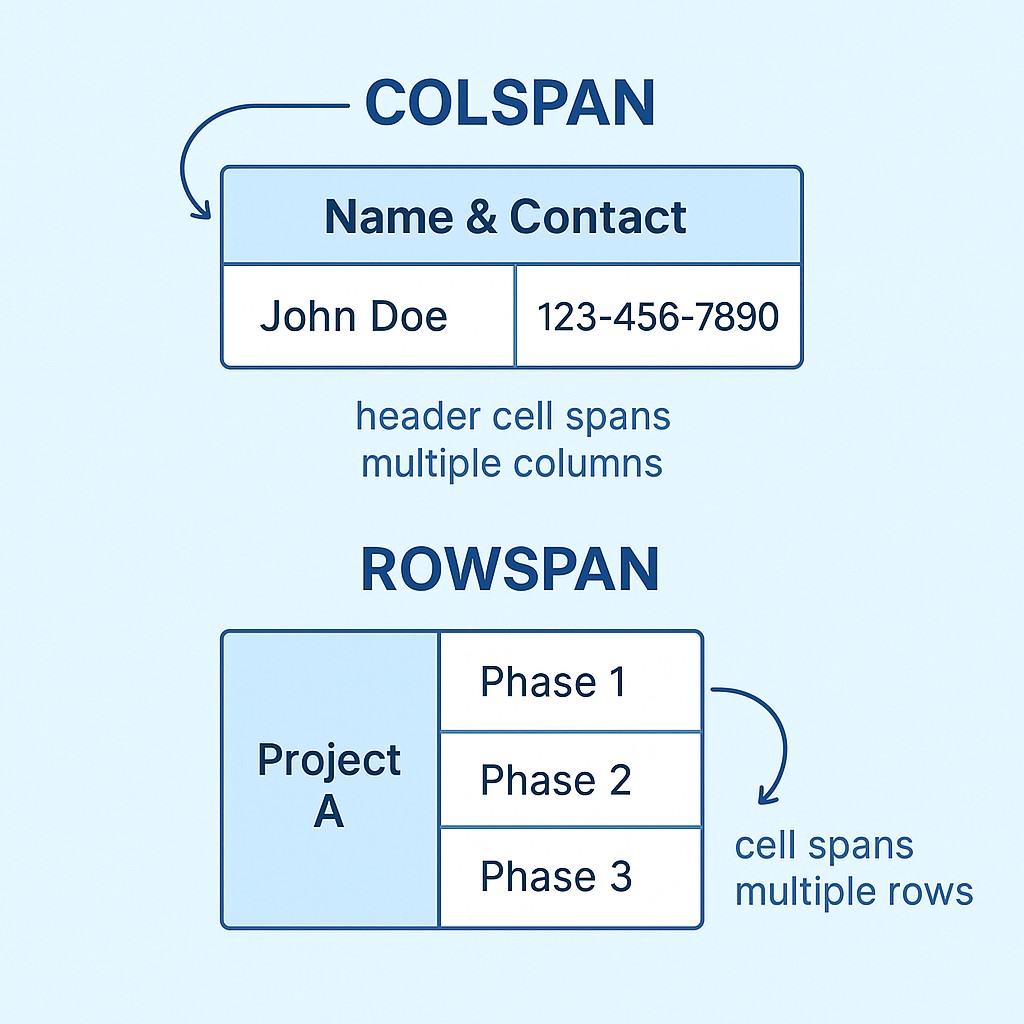
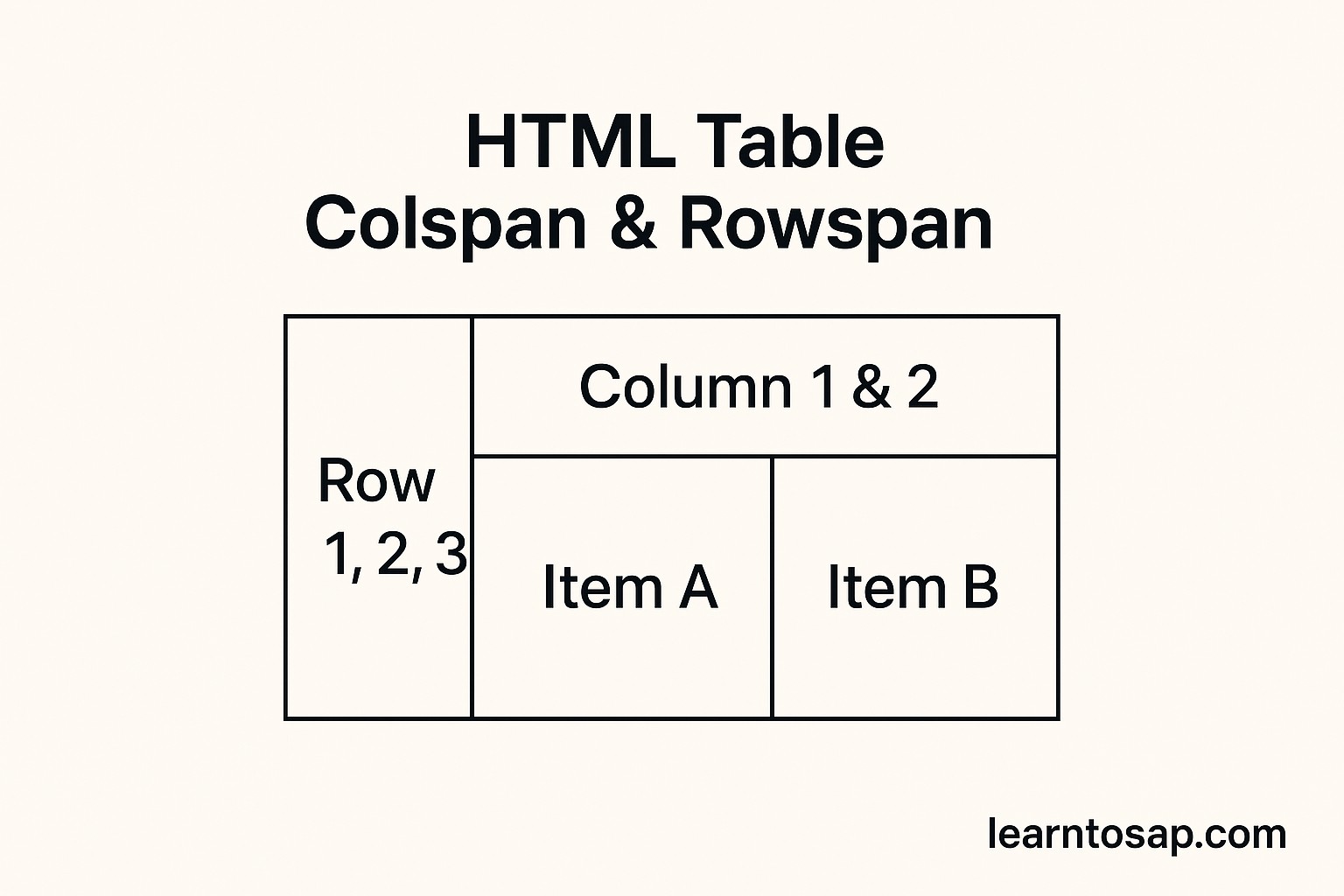
✅ 2- Examples of HTML tables using colspan and rowspan each, with explanations so you can see how they work.and Follow Steps-
✅ Examples with colspan-👇
<table border="1">
  <tr>
    <th colspan="2">Name & Contact</th>
  </tr>
  <tr>
    <td>Pramod Behera</td>
    <td>123-456-7890</td>
  </tr>
</table>| Name & Contact | |
|---|---|
| Pramod Behera | 123-456-7890 |
🧰 Examples with colspan- 2– Merging 3 columns-👇
<table border="1">
  <tr>
    <th colspan="3">Employee Details</th>
  </tr>
  <tr>
    <td>ID</td>
    <td>Name</td>
    <td>Department</td>
  </tr>
</table>| Employee Details | ||
|---|---|---|
| ID | Name | Department |
🧰 Examples with rowspan- 1 – Merging 2 rows:👇
<table border="1">
  <tr>
    <td rowspan="2">Math</td>
    <td>Pramod</td>
  </tr>
  <tr>
    <td>Pooja</td>
  </tr>
</table>- Math Pramod
- Pooja
🧰 Examples with rowspan 2 – Merging 3 rows:-👇
<table border="1">
  <tr>
    <td rowspan="3">Project A</td>
    <td>Phase 1</td>
  </tr>
  <tr>
    <td>Phase 2</td>
  </tr>
  <tr>
    <td>Phase 3</td>
  </tr>
</table>- Project A Phase 1
- Phase 2
- Phase 3
Combining Colspan and Rowspan Together
A single cell can carry both attributes at once, letting it stretch across multiple columns and multiple rows simultaneously. This is common in complex report headers, such as a "Q1 Totals" cell that spans both the "January/February/March" columns and two stacked category rows beneath it.
<table border="1">
  <tr>
    <th rowspan="2" colspan="1">Region</th>
    <th colspan="3">Q1 Sales</th>
  </tr>
  <tr>
    <th>Jan</th>
    <th>Feb</th>
    <th>Mar</th>
  </tr>
  <tr>
    <td>North</td>
    <td>120</td>
    <td>134</td>
    <td>150</td>
  </tr>
</table>
Notice that the "Region" header uses rowspan="2" to cover both header rows, while "Q1 Sales" uses colspan="3" to sit above its three month columns — and critically, the second header row does not repeat a cell for "Region," since the rowspan above it already occupies that position.
🔍 Tag Breakdown-
-) Table Tag Breakdown -
| Tag | Purpose |
|---|---|
| <table> | Defines the table |
| <tr> | Table row |
| <th> | Table header (bold + centered by default) |
| <td> | Table data (cell content) |
| <caption> | Defines a table caption |
| <colgroup> | Specifies a group of one or more columns in a table for formatting |
| <col> | Specifies column properties for each column within a colgroup element |
| <thead> | Groups the header content in a table |
| <tbody> | Groups the body content in a table |
How the Browser Calculates Spans
It helps to think of an HTML table as an invisible grid the browser builds row by row. Every <tr> normally contributes one cell to each column, left to right, in the order its <td> or <th> elements appear. The moment a cell carries colspan="2", the browser consumes two column slots for that one cell instead of one, shifting every following cell in that row two slots to the right. The moment a cell carries rowspan="2", the browser reserves that column position in the next row too, so the following row must NOT include a cell for that column — it's already filled by the cell above. Getting this "budget" of slots wrong, either by leaving a redundant cell in or forgetting to shift subsequent columns, is the single most common source of broken or misaligned tables.
Real-World Use Cases
| Use Case | Which Attribute | Why |
|---|---|---|
| Class timetable with a subject spanning 2 periods | rowspan | Same subject repeats vertically down the time column |
| Invoice line item description covering multiple charge rows | rowspan | One description applies to several detail rows beneath it |
| Report header like "Q1 Sales" above three month columns | colspan | One heading logically groups several columns |
| Comparison chart with a merged "Features" banner row | colspan | A section title spans the full table width |
| Pricing table with a "Most Popular" ribbon cell | colspan and rowspan | Emphasizes one plan across both a wide and tall region |
Practical Example: A Class Timetable
Timetables are the textbook use case for rowspan, since the same subject or teacher frequently occupies two or three consecutive periods in a row.
<table border="1">
  <tr>
    <th>Period</th>
    <th>Monday</th>
    <th>Tuesday</th>
  </tr>
  <tr>
    <td>1</td>
    <td rowspan="2">Mathematics</td>
    <td>Science</td>
  </tr>
  <tr>
    <td>2</td>
    <td>History</td>
  </tr>
</table>
Here, "Mathematics" occupies periods 1 and 2 on Monday without repeating the cell, while Tuesday's schedule continues to change every period as normal.
Practical Example: An Invoice Table
Colspan is the natural fit for an invoice's summary row, where a "Total" label needs to visually span several of the item columns before the final amount column.
<table border="1">
  <tr>
    <th>Item</th>
    <th>Qty</th>
    <th>Price</th>
  </tr>
  <tr>
    <td>Notebook</td>
    <td>2</td>
    <td>$6</td>
  </tr>
  <tr>
    <td colspan="2">Total</td>
    <td>$6</td>
  </tr>
</table>
The "Total" cell spans the Item and Qty columns, leaving only the final Price column to display the actual total figure, exactly matching the layout of a real paper receipt.
Accessibility Considerations
Merged cells can confuse screen readers if the underlying structure isn't clear, since assistive technology relies on consistent column and row counts to announce a cell's position correctly. Where possible, pair colspan and rowspan with scope or headers attributes on complex tables, and keep merged regions to header rows and summary rows rather than scattering them randomly through data rows, which keeps the table's logical structure easy for both sighted users and screen readers to follow.
Colspan, Rowspan, and Responsive Tables
Merged cells add extra complexity when a table needs to become responsive on small screens, since the "stack rows as cards" technique (converting each row into a block) doesn't handle spanned cells gracefully. For tables that rely heavily on colspan and rowspan, wrapping the table in a horizontally scrolling container (overflow-x: auto) is generally the safer responsive strategy, since it preserves the merged layout exactly as designed rather than trying to reflow it.
Common Mistakes to Avoid
❌ Mistake 1 – Leaving a redundant cell in a spanned row
If a rowspan already fills a column's slot, the next row must not include another cell for that same column, or the table shifts out of alignment.
❌ Mistake 2 – Miscounting total columns
Every row's cell count, once colspan values are added up, must equal the table's true column total, or the grid renders unevenly.
❌ Mistake 3 – Overusing merged cells
Excessive colspan and rowspan usage makes a table's underlying structure hard to read in the HTML source and harder to maintain later.
❌ Mistake 4 – Forgetting it works differently to CSS grid-span
Table colspan/rowspan only affects the literal table grid; it has no relationship to CSS Grid's separate grid-column or grid-row properties.
❌ Mistake 5 – Not testing after edits
Adding or removing a single row in a table that uses rowspan can silently break the whole layout if the span values aren't rechecked.
Best Practices Checklist
✔️ 1) Sketch the grid before coding it
Draw the intended table on paper first so you know exactly which cells need colspan or rowspan.
✔️ 2) Always remove cells a span replaces
Never leave an extra td or th where a rowspan or colspan already occupies that slot.
✔️ 3) Keep merges to headers and summaries where possible
This keeps the table easier to read and maintain for both developers and assistive technology.
✔️ 4) Double-check column totals per row
Add up each row's actual + spanned columns and confirm it matches the table's true width.
✔️ 5) Test after every structural change
Re-verify the table renders correctly any time a row or column is added, removed, or reordered.
Try It Yourself (Copy This Code and Paste. See how it works)
Live Code Preview
Practice Exercises: Test Colspan and Rowspan
- Build a 3-row invoice table where the last row's "Total" label spans two columns using colspan.
- Create a timetable where one subject spans 3 consecutive periods vertically using rowspan.
- Build a table header row where a single cell uses both colspan="2" and rowspan="2" at once.
- Deliberately leave in a redundant td after a rowspan cell and observe how the table misaligns.
- Recreate the Q1 Sales report header example above using your own quarterly data.
Frequently Asked Questions About HTML Colspan & Rowspan
What is colspan in HTML?
Colspan is an attribute placed on a td or th element that makes a single cell stretch horizontally across multiple columns in the same row.
What is rowspan in HTML?
Rowspan is an attribute placed on a td or th element that makes a single cell stretch vertically across multiple rows in the same column.
Can I use colspan and rowspan on the same cell?
Yes. A single cell can carry both attributes at once, letting it span multiple columns and multiple rows simultaneously, though this requires careful planning of the surrounding rows.
What happens if I forget to remove a cell that colspan or rowspan replaces?
The table will render with extra, misaligned columns because the browser still expects a cell in that position. Any row a rowspan or colspan swallows must have that redundant td or th removed.
Do colspan and rowspan work with th as well as td?
Yes, both attributes work identically on th header cells and td data cells.
Is there a limit to how many columns or rows a cell can span?
There is no strict HTML limit, but the value cannot exceed the total number of columns or rows actually present in the table, or the layout will render incorrectly.