SAP MM ERROR TUTORIALS-
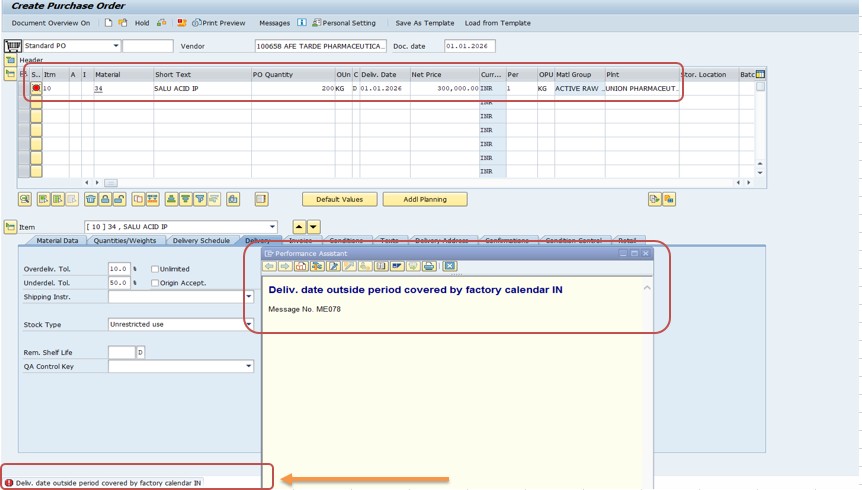
Common Error Message...Message No.: ME078 This error usually appears in Purchase Order (ME21N / ME22N / ME223N) or Purchase Requisition while entering the Delivery Date....
✅Understand the Issue-
The delivery date you entered does not fall within the valid working period of the Factory Calendar assigned to India (IN) OR validity Period was Expired.
✅Reasons for the Error Message No.: ME078:
1)Factory calendar is not maintained for that future year
2)Calendar missing working days / holidays setup
3)Also Wrong factory calendar assigned to the plant or purchasing org
✅ FOLLOW STEPS-
✅ 1) Solution- Extend Factory Calendar
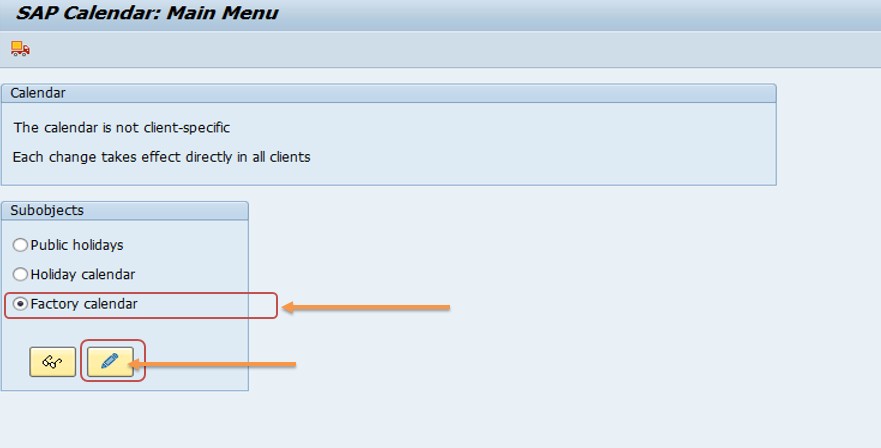
✅ Go to Transaction Code: SCAL
T-code: SCAL → Factory Calendar → Change → Recalculate / Generate Calendar → Enter year 2026 → Save
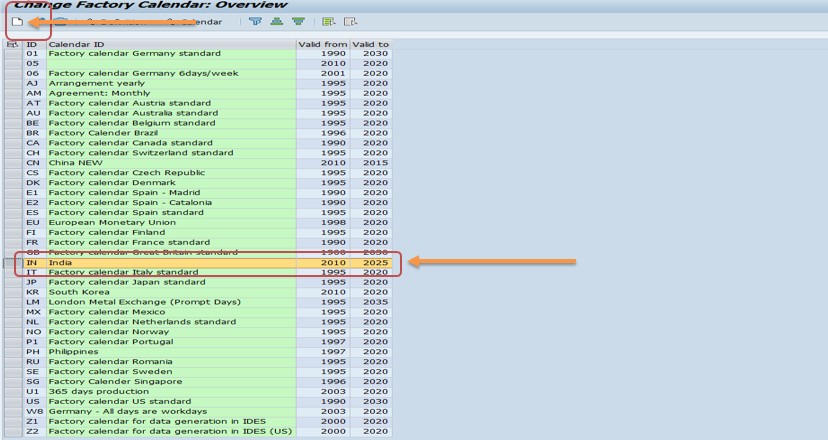
✅ Click - CREATE
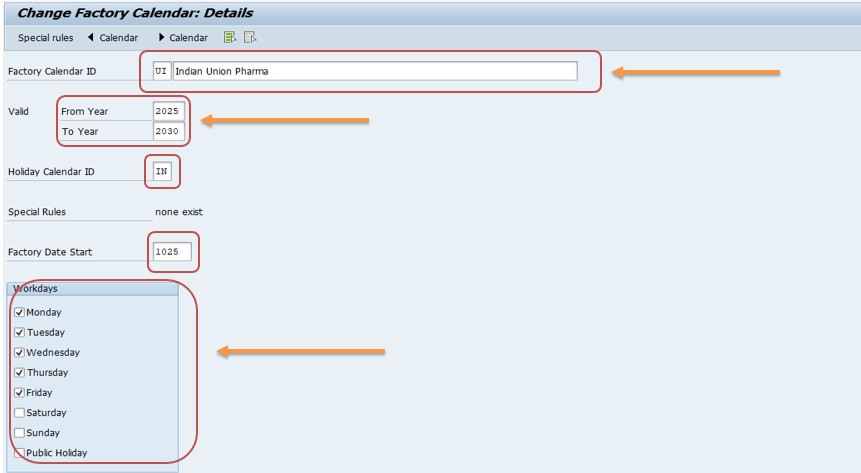
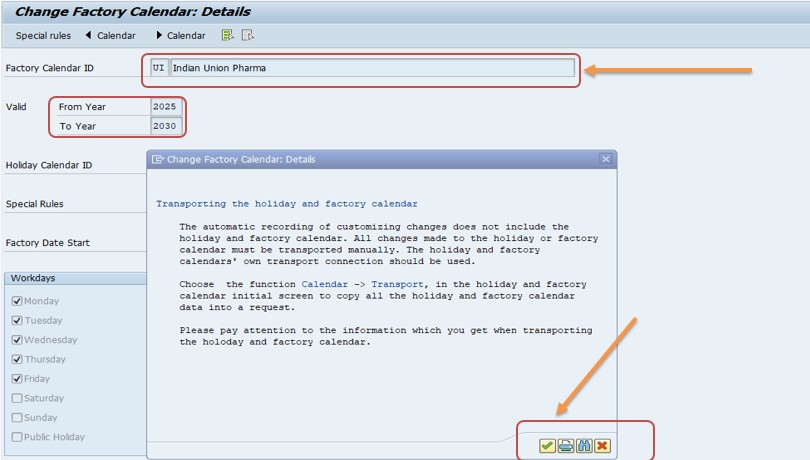
✅ Enter your Nwe Factory Calendar ID-UI
✅ Extend Validity Period-2025-2030
✅ Calendar ID-UI (Indian Union Pharma)
✅ Valid-2025-2030
✅ Holiday ID-IN (selected your public holiday calender, you must enter a public holiday calendar for your region)
✅ Factory Date Start-1025 (All days in the factory calendar which are defined as working days are counted from this number)
✅ Workdays-Tick (Which You Want Work)
SAVE.
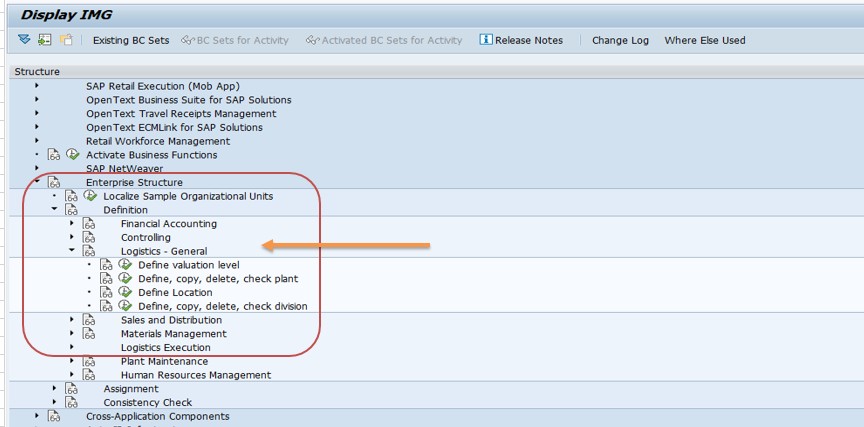
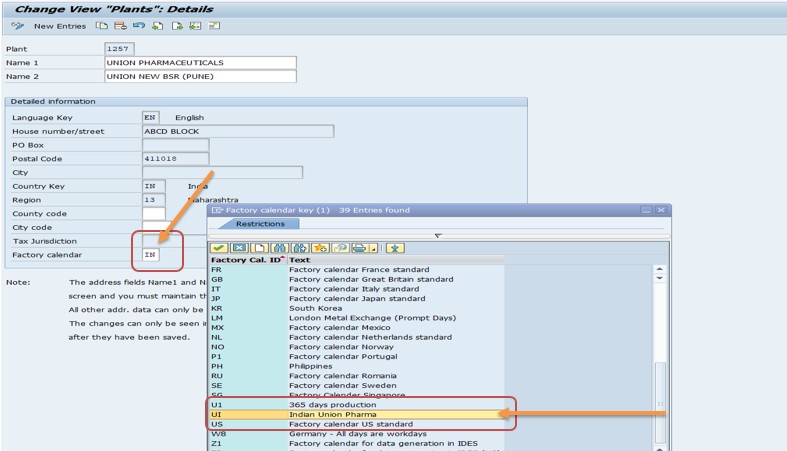
Path → SPRO → SAP Reference IMG → Enterprise Structure → Definition → Logistics – General → Copy, Delete, Check Plant
select-Defien Path
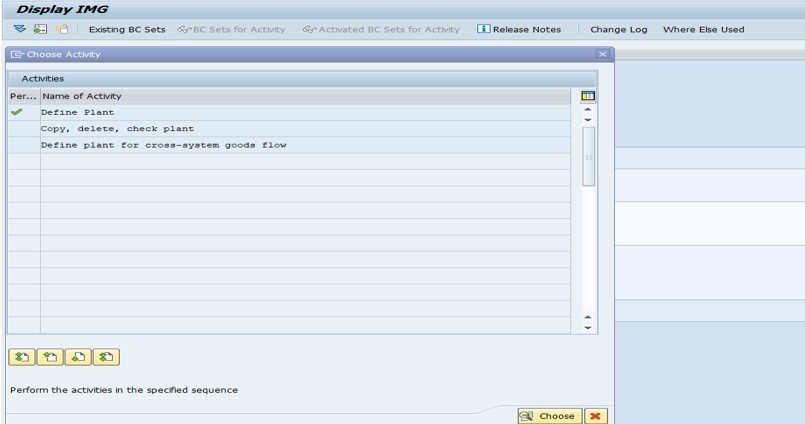
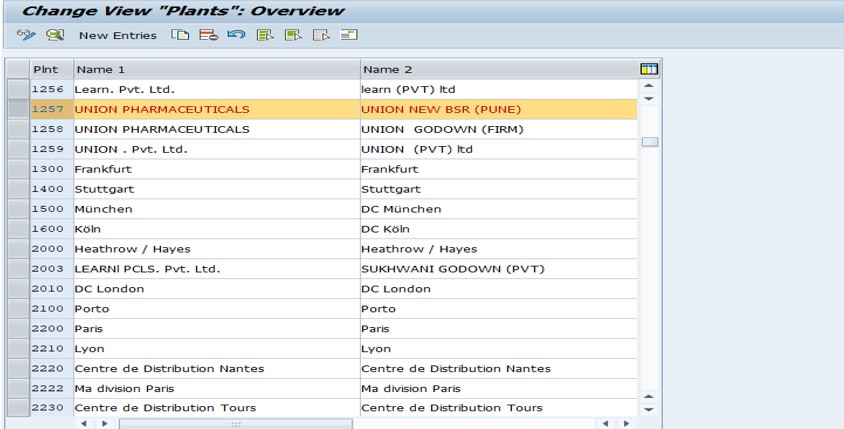
✅ Select-Plant-1257
✅ change Factory calendar-IN TO UI (change this)
✅ SAVE
-Display G/L Account Balance Display-FAGLB03
-Valuation class 3000 not allowed for material type SAMSUNG RAW MATERIAL
-Ship.condition 02 loading grp 0003 plant 3005 StLoc FIN Not defined