SQL Wildcard Characters – Complete Guide with Examples (2026-27)
SQL wildcard characters are special symbols used with the LIKE operator in a WHERE clause to search for specific patterns in text columns. The two main wildcards are % (percent) — which matches any number of characters — and _ (underscore) — which matches exactly one character. In this beginner-friendly guide you will learn every wildcard symbol with real examples — starts-with, ends-with, contains, exact-length, NOT LIKE, combined patterns — plus a complete wildcard reference table, key points, and common mistakes to avoid.
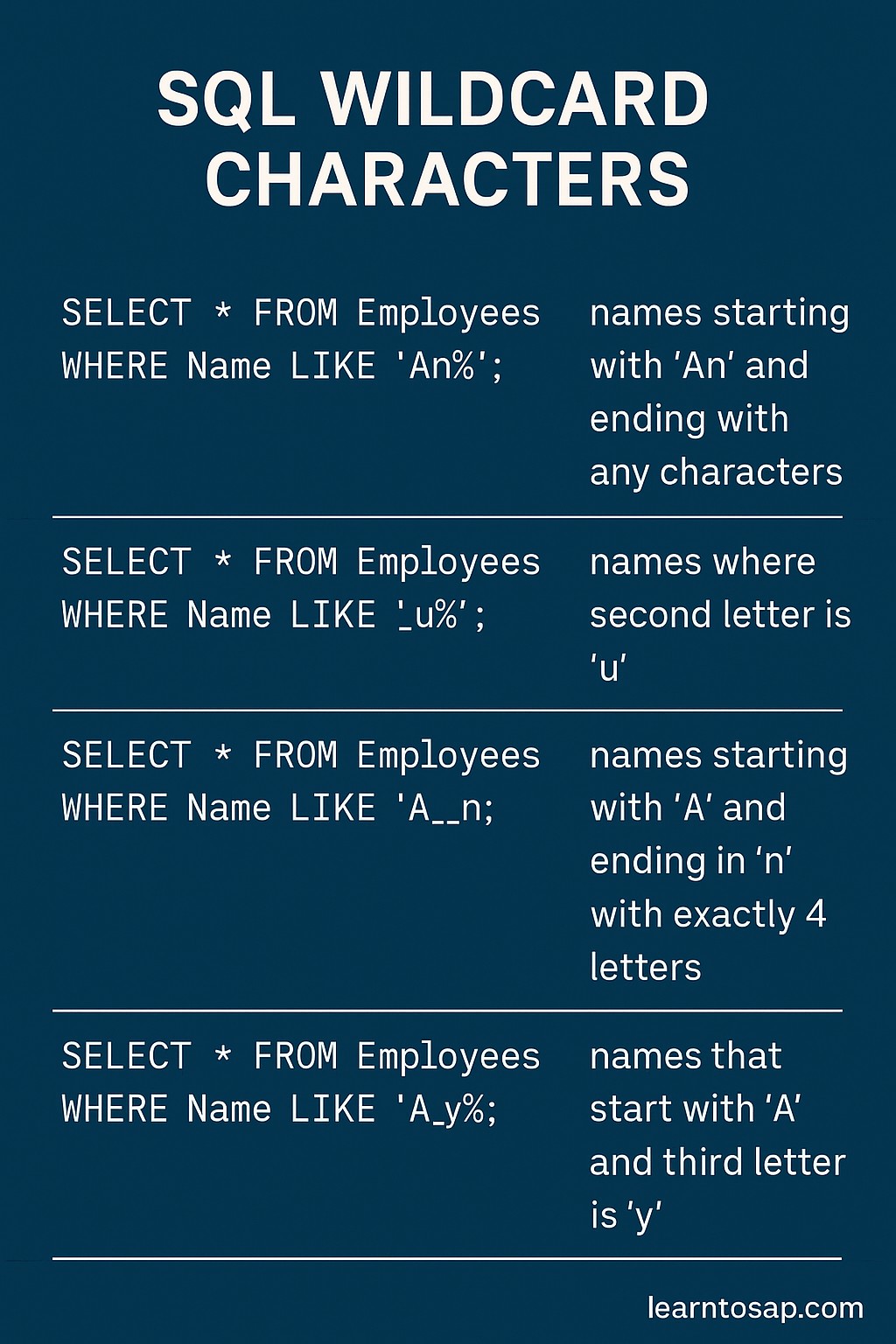
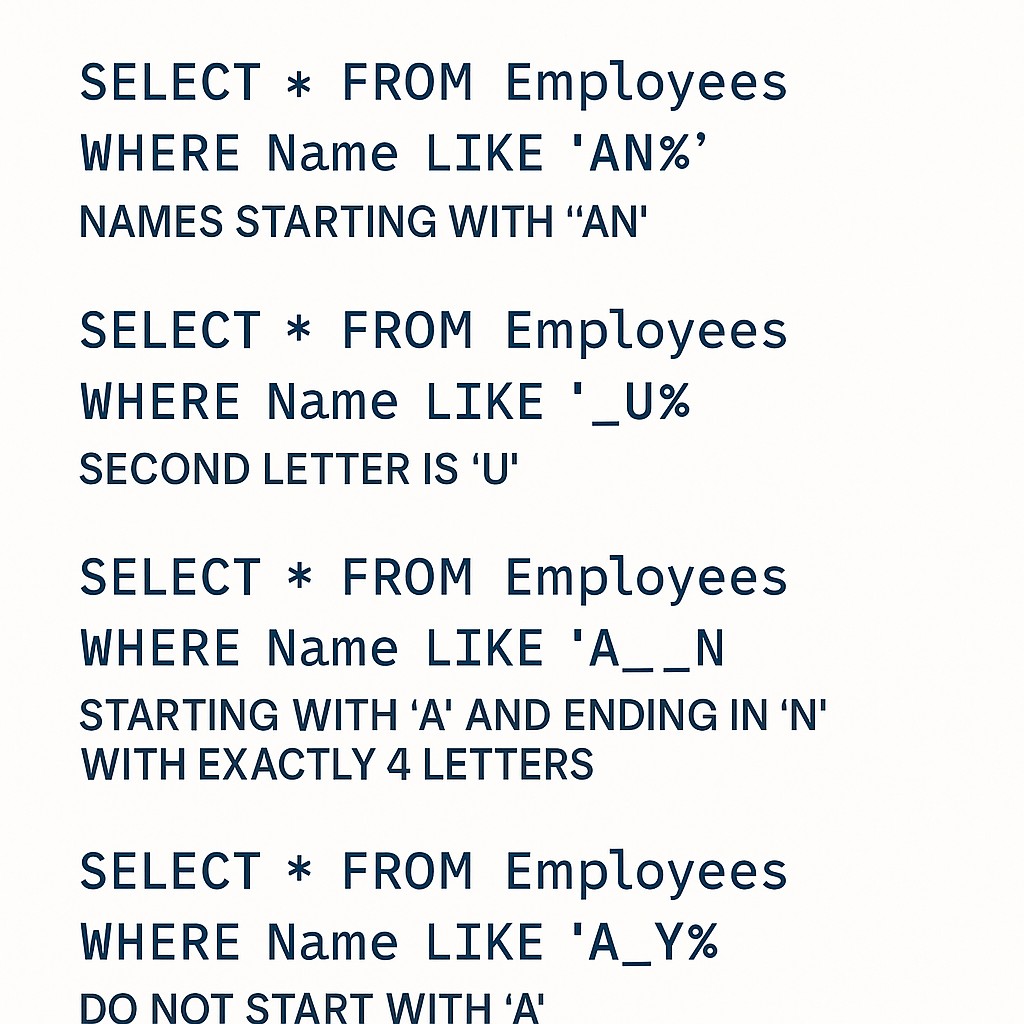
✅ What are SQL Wildcard Characters?
✅ SQL wildcard characters are special symbols used inside the LIKE operator to search for patterns in text columns rather than exact values.
✅ They allow you to find rows where a column value starts with, ends with, contains, or matches a specific pattern of characters.
✅ The two main wildcards available in all SQL databases are % and _.
✅ Additional wildcards [ ] and [^ ] are supported in SQL Server and MS Access only — not in MySQL or PostgreSQL.
→ Find all employees whose name starts with 'A' —
LIKE 'A%'→ Find all email addresses from Gmail —
LIKE '%@gmail.com'→ Find all products with 'pro' anywhere in the name —
LIKE '%pro%'→ Find all 5-character names —
LIKE '_____' (5 underscores)
✅ Sample Employees Table – used in all examples below:-
| ID | Name | Department | Salary | City |
|---|---|---|---|---|
| 1 | ANNI | IT | 10000 | Mumbai |
| 2 | POOJA | IT | 9000 | Pune |
| 3 | SUJAN | HR | 5000 | Delhi |
| 4 | BOULT | HR | 8000 | Pune |
| 5 | MEENA | Sales | 12000 | Mumbai |
| 6 | PRAMOD | IT | 15000 | Bangalore |
| 7 | NILESH | Sales | 7000 | Delhi |
✅ SQL LIKE Syntax with Wildcards
SELECT column1, column2, ...
FROM table_name
WHERE column_name LIKE 'pattern';
✅ LIKE:- Operator that enables pattern matching using wildcard characters.
✅ 'pattern':- A text pattern enclosed in single quotes containing wildcards and/or literal characters.
✅ NOT LIKE Syntax (exclude pattern):-
SELECT column1, column2, ...
FROM table_name
WHERE column_name NOT LIKE 'pattern';= for exact matches: WHERE Name = 'ANNI'. Use LIKE for pattern matching: WHERE Name LIKE 'A%' matches ANNI, ARJUN, ARUN, and any name starting with A.
✅ SQL Wildcard Characters – Complete Reference Table
| Symbol | Name | Matches | Example Pattern | Matches | Database Support |
|---|---|---|---|---|---|
% | Percent | Zero or more characters | 'A%' | A, AN, ANNI, ARJUN | All databases |
_ | Underscore | Exactly one character | '_nni' | ANNI, Bnni, Cnni | All databases |
[ ] | Bracket | Any single char in the set | '[AP]%' | ANNI, POOJA (starts A or P) | SQL Server, MS Access only |
[^ ] | Caret Bracket | Any char NOT in the set | '[^AP]%' | Names NOT starting with A or P | SQL Server, MS Access only |
✅ Example 1 – % Prefix: Names Starting with 'A'
Find all employees whose name starts with the letter 'A'. The % after A matches any characters following it:
✅ SELECT Query:-
SELECT * FROM Employees
WHERE Name LIKE 'A%';
✅ Result Show:-
| ID | Name | Department | Salary | City |
|---|---|---|---|---|
| 1 | ANNI | IT | 10000 | Mumbai |
'A%' means: starts with A, followed by any number of characters. Only ANNI starts with A. POOJA, SUJAN, BOULT, MEENA, PRAMOD, NILESH are all excluded.
✅ Example 2 – % Suffix: Names Ending with 'n'
Find all employees whose name ends with the letter 'n'. The % before n matches any characters before it:
✅ SELECT Query:-
SELECT * FROM Employees
WHERE Name LIKE '%n';
✅ Result Show:-
| ID | Name | Department | Salary | City |
|---|---|---|---|---|
| 3 | SUJAN | HR | 5000 | Delhi |
'A%' → starts with A |
'%n' → ends with n |
'%ou%' → contains 'ou' |
'A%n' → starts with A AND ends with n
✅ Example 3 – % Both Sides: Names Containing 'ou'
Find all employees whose name contains 'ou' anywhere — beginning, middle, or end:
✅ SELECT Query:-
SELECT * FROM Employees
WHERE Name LIKE '%ou%';
✅ Result Show:-
| ID | Name | Department | Salary | City |
|---|---|---|---|---|
| 4 | BOULT | HR | 8000 | Pune |
'%ou%' means: any characters, then 'ou', then any characters. Only BOULT contains 'ou'. POOJA contains 'oo' not 'ou', so it is excluded.
✅ Example 4 – _ Wildcard: Find Names with Exactly 5 Characters
Find all employees whose name is exactly 5 characters long. Each _ represents exactly one character:
✅ SELECT Query:-
SELECT * FROM Employees
WHERE Name LIKE '_____';
(5 underscores = exactly 5 characters)
✅ Result Show:-
| ID | Name | Department | Salary | City |
|---|---|---|---|---|
| 3 | SUJAN | HR | 5000 | Delhi |
| 4 | BOULT | HR | 8000 | Pune |
| 5 | MEENA | Sales | 12000 | Mumbai |
_____ (5 underscores) matches any name of exactly 5 characters.
✅ Example 5 – _ Wildcard: Match Specific Character Position
Find all employees whose name has any first character, followed by exactly 'nni':
✅ SELECT Query:-
SELECT * FROM Employees
WHERE Name LIKE '_nni';
✅ Result Show:-
| ID | Name | Department | Salary | City |
|---|---|---|---|---|
| 1 | ANNI | IT | 10000 | Mumbai |
✅ Example – 4-letter name starting with 'A', ending with 'I':-
SELECT * FROM Employees
WHERE Name LIKE 'A__I';
✅ Result Show:-
| ID | Name | Department | Salary | City |
|---|---|---|---|---|
| 1 | ANNI | IT | 10000 | Mumbai |
'_nni' → 4 chars total, last 3 are 'nni' |
'A__I' → 4 chars, starts A ends I |
'P___A' → 5 chars, starts P ends A (POOJA) |
'___' → exactly 3 chars any letters
✅ Example 6 – Combined % and _ Pattern
Combine % and _ in one pattern. Find all employees whose name starts with 'P', has at least one character in the middle, and ends with 'A':
✅ SELECT Query:-
SELECT * FROM Employees
WHERE Name LIKE 'P%A';
✅ Result Show:-
| ID | Name | Department | Salary | City |
|---|---|---|---|---|
| 2 | POOJA | IT | 9000 | Pune |
✅ Example – Names with exactly 6 characters starting with 'P':-
SELECT * FROM Employees
WHERE Name LIKE 'P_____';
(P + 5 underscores = exactly 6 characters starting with P)
✅ Result Show:-
| ID | Name | Department | Salary | City |
|---|---|---|---|---|
| 6 | PRAMOD | IT | 15000 | Bangalore |
'P_____' (P + 5 underscores) matches exactly this 6-character name starting with P. POOJA (5 chars) is excluded because it has only 4 characters after P.
✅ Example 7 – NOT LIKE: Exclude a Pattern
NOT LIKE returns all rows where the column value does NOT match the specified pattern — the opposite of LIKE:
✅ Example – Names NOT starting with 'A':-
SELECT * FROM Employees
WHERE Name NOT LIKE 'A%';
✅ Result Show:-
| ID | Name | Department | Salary | City |
|---|---|---|---|---|
| 2 | POOJA | IT | 9000 | Pune |
| 3 | SUJAN | HR | 5000 | Delhi |
| 4 | BOULT | HR | 8000 | Pune |
| 5 | MEENA | Sales | 12000 | Mumbai |
| 6 | PRAMOD | IT | 15000 | Bangalore |
| 7 | NILESH | Sales | 7000 | Delhi |
✅ Example – Names NOT containing 'ou':-
SELECT * FROM Employees
WHERE Name NOT LIKE '%ou%';
✅ Result Show:-
| ID | Name | Department | Salary | City |
|---|---|---|---|---|
| 1 | ANNI | IT | 10000 | Mumbai |
| 2 | POOJA | IT | 9000 | Pune |
| 3 | SUJAN | HR | 5000 | Delhi |
| 5 | MEENA | Sales | 12000 | Mumbai |
| 6 | PRAMOD | IT | 15000 | Bangalore |
| 7 | NILESH | Sales | 7000 | Delhi |
% at the beginning of a pattern (e.g. '%ou%' or '%n') forces a full table scan — the database must check every row. For large tables this is slow. If performance is critical, consider full-text search indexing instead of LIKE with leading %.
✅ Example 8 – LIKE Combined with AND (Name + City Pattern)
Find employees whose name starts with 'P' AND whose city starts with 'P':
✅ SELECT Query:-
SELECT * FROM Employees
WHERE Name LIKE 'P%'
  AND City LIKE 'P%';
✅ Result Show:-
| ID | Name | Department | Salary | City |
|---|---|---|---|---|
| 2 | POOJA | IT | 9000 | Pune |
✅ Example – Find IT employees with 4-letter names:-
SELECT * FROM Employees
WHERE Department = 'IT'
  AND Name LIKE '____';
(4 underscores = exactly 4 characters)
✅ Result Show:-
| ID | Name | Department | Salary | City |
|---|---|---|---|---|
| 1 | ANNI | IT | 10000 | Mumbai |
✅ LIKE vs = (Equals) Comparison
| Feature | LIKE with Wildcard | = (Equals) |
|---|---|---|
| Match type | Pattern matching (partial match) | Exact match only |
| Use case | Starts-with, ends-with, contains | Exact value match |
| Example | WHERE Name LIKE 'A%' | WHERE Name = 'ANNI' |
| Returns | ANNI, ARJUN, ARUN, etc. | Only ANNI (exact) |
| Performance | Slower on large tables with leading % | Faster — uses index directly |
| Case sensitivity | Depends on database collation | Depends on database collation |
| NULL values | NULL column never matches LIKE | NULL column never = value |
✅ Key Points to Remember
✅ % matches zero or more characters — can be placed before, after, or on both sides of a literal: 'A%', '%n', '%ou%'.
✅ _ matches exactly one character — use multiple underscores to match exact-length values: '_____' = exactly 5 chars.
✅ LIKE always works with single quotes — the pattern must be enclosed in single quotes: LIKE 'A%', not LIKE A%.
✅ Combine % and _ for complex patterns — 'A__I' = 4-char name starting with A ending with I.
✅ NOT LIKE excludes the pattern — the opposite of LIKE, returns rows that do NOT match.
✅ [ ] and [^ ] only work in SQL Server / MS Access — not supported in MySQL or PostgreSQL.
✅ Leading % causes full table scan — avoid '%value' or '%value%' on large tables for performance-critical queries.
✅ NULL columns never match LIKE — rows with NULL in the searched column are always excluded.
✅ Case sensitivity depends on database — MySQL is case-insensitive by default; PostgreSQL is case-sensitive (use ILIKE for case-insensitive).
✅ Common SQL Wildcard Mistakes to Avoid
Wrong:
WHERE Name LIKE A% — causes a syntax error.Correct:
WHERE Name LIKE 'A%' — the pattern must always be in single quotes.
WHERE Name LIKE 'ANNI' without wildcards behaves like WHERE Name = 'ANNI' — but is slower because LIKE doesn't use indexes efficiently. Use = for exact matches.
LIKE '_nni' matches exactly 4-char values ending with 'nni'.LIKE '%nni' matches any value ending with 'nni' — of any length.Choose the right wildcard based on whether you need exact character count or any length.
WHERE Name LIKE '%' will NOT return rows where Name is NULL. NULL is never matched by LIKE patterns. Use WHERE Name IS NULL to find NULL rows separately.
WHERE Name LIKE '[AP]%' only works in SQL Server and MS Access.In MySQL: use
REGEXP '^[AP]' instead.In PostgreSQL: use
SIMILAR TO '[AP]%' or REGEXP_MATCH.
✅ Frequently Asked Questions (FAQ)
WHERE Name LIKE 'A%' returns all names starting with A.% matches zero, one, or any number of characters. _ matches exactly one character. Example: 'A%' matches A, AN, ANNI, ARJUN — any length starting with A. 'A_' matches only exactly 2-character values starting with A like AB or AR.WHERE Name LIKE 'A%' returns all rows where the Name column starts with A. Use NOT LIKE to exclude rows matching the pattern.WHERE Name NOT LIKE 'A%' returns all employees whose name does NOT start with A — it is the exact opposite of LIKE. The same wildcards % and _ work inside NOT LIKE patterns.WHERE Name LIKE 'A__I' matches names exactly 4 characters long, starting with A and ending with I (like ANNI). You can also use multiple % signs: '%an%' matches any name containing 'an' anywhere in it.