Python Tutorial-
SAP MB1B Need to move stock restricted-use to unrestricted-use
Introduction-
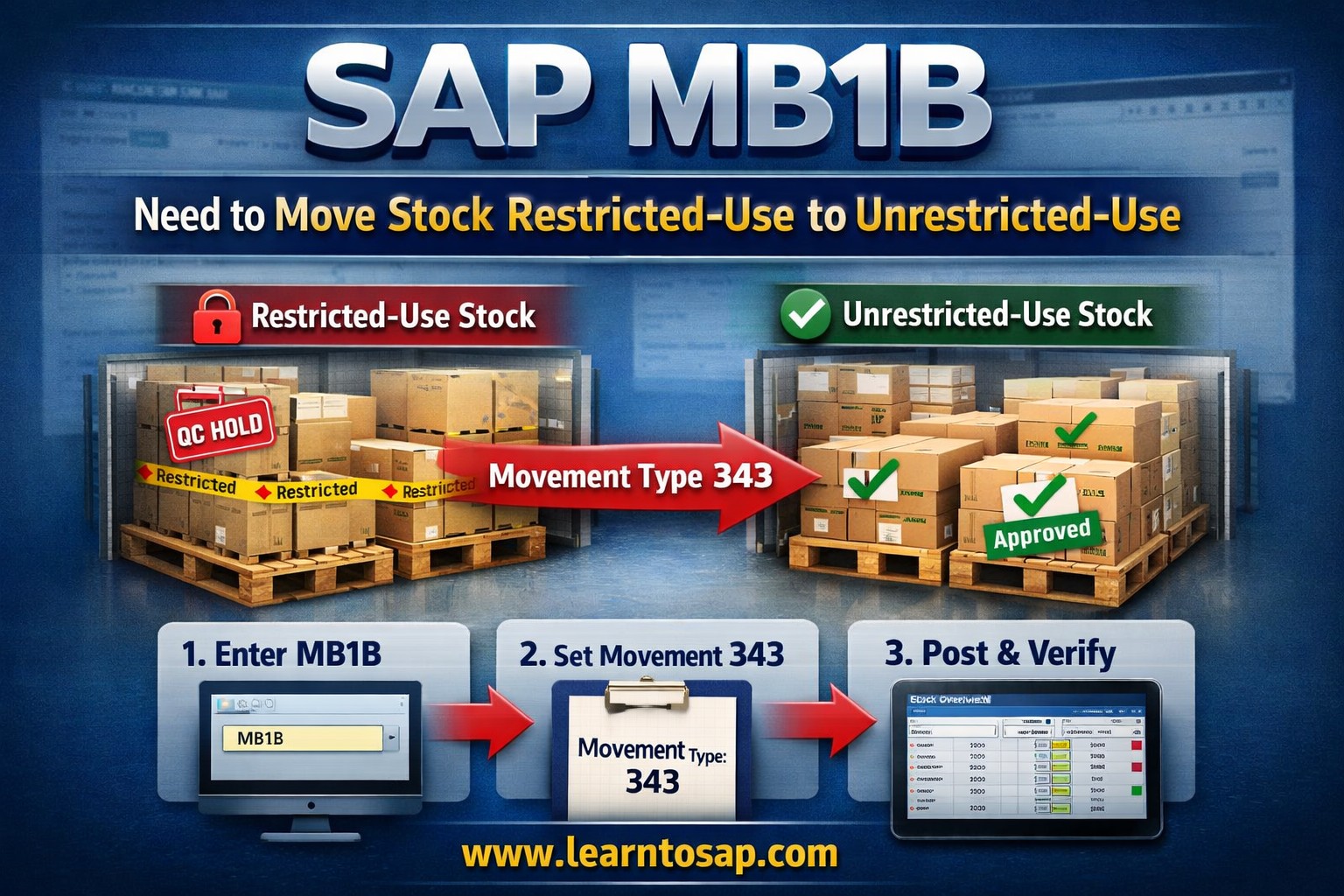
✅ SAP MB1B Stock Transfer Explained: Powerful Steps to Move Restricted-Use to Unrestricted-Use
✅In SAP S4/HANA And Ecc Materials Management (MM), all businesses frequently need to change the status of inventory after inspection or quality approval. One common requirement is SAP MB1B Need to move stock restricted-use to unrestricted-use.This process allows materials that were previously blocked or restricted to become available for production, sales, or consumption basis.Understanding how this transaction works is essential for SAP all end users, warehouse teams, and functional consultants.This turorial explains the SAP MB1B Need to move stock restricted-use to unrestricted-use process step by step, including movement types, business scenarios, common errors, and best practices—all in simple, practical terms.
✅ What Is Restricted-Use Stock in SAP? and How to Move Stock using MB1B
✅ Restricted-use stock— This Material Are not yet fully released for consumption or sale
MB1B In SAP S/4HANA, MB1B is replaced by MIGO, but many systems still use MB1B.
✅ Common Reasons for Restricted-Use Stock.
✅ 1.Built-in ChatGPT Sidebar for Seamless Interaction.
✔️ 1.Pending quality approval.
✔️ 2.Temporary storage after inspection.
✔️ 3.Awaiting management or compliance clearance.
✅ Unrestricted-Use Stock.
✔️ 1.Is This Stock fully approved.
✔️ 2.Also This Stock issued to production.
✔️ 3.Also sold or transferred.
✅ Movement Type Used for Restricted to Unrestricted Stock
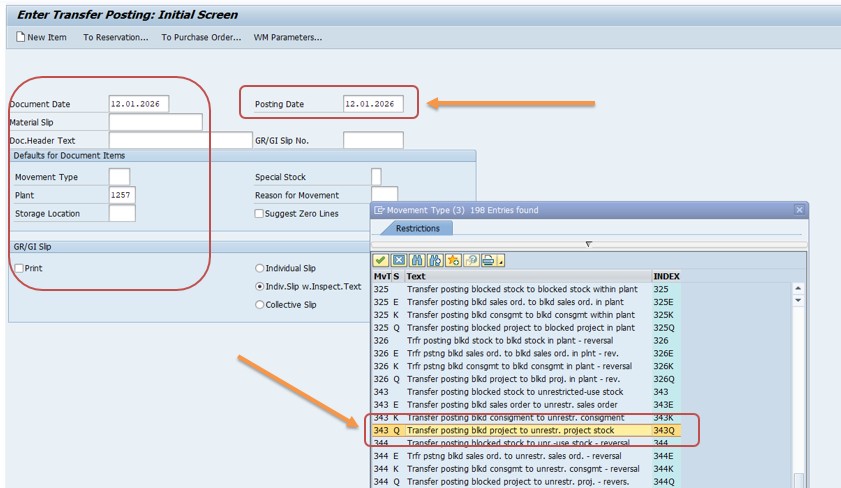
✔️ Follow Steps-
✔️ Go to Transaction: MB1B
✔️ Select Transfer Posting
✔️ Date-12-01-2025, Posting Date-12.01.2025
✔️ Select Movement Type-343
✔️ Select Plant-1257
✔️ Storage Location-UR01
✅ Enter Material Details
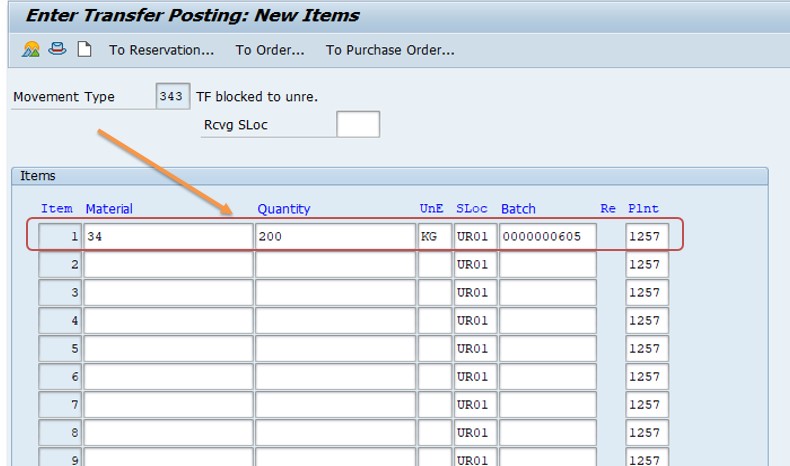
✔️ Enter Maaterial No-34
✔️ Select Qty-200
✔️ Select Une-KG
✔️ Select Storage Location-UR01
✔️ Select Batch-0000000605
✔️ Select Plant-1257
✅ Check Stock Type and Post the Document
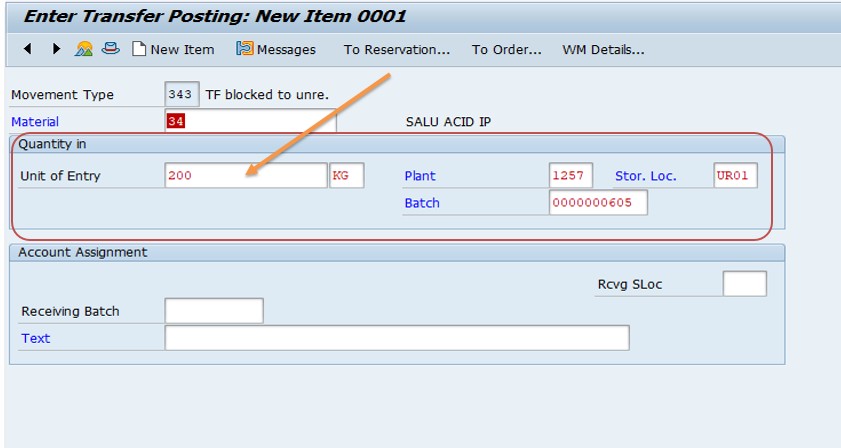
✔️ 1. From: Restricted-Use. To: Unrestricted-Use
✔️ 2. Click Post or SAVE.
✔️ 3. Then Verify Stock-use of T-CODE-Use MMBE or MB52
✔️ 4. Can I reverse this transaction? YES USE movement type 344.
Python Comments Best Practices Case-sensitive language – Think of comments as leaving little notes for your future self (or another developer) who might not remember the full context.Follow- website-www.learntosap.com
1.Can SAP MB1B be used to move stock from restricted-use to unrestricted-use?
2.Is movement type 343 used to convert restricted-use stock to unrestricted-use stock?
3.Can restricted-use stock be viewed in transaction MMBE?
-How To Import Data(LSMW) LEGACY SYSTEM MIGRATION WORKBENCH
-Account Determination Without Wizard
-Tolerance Limit Configuration