SAP FICO ERROR TUTORIALS-
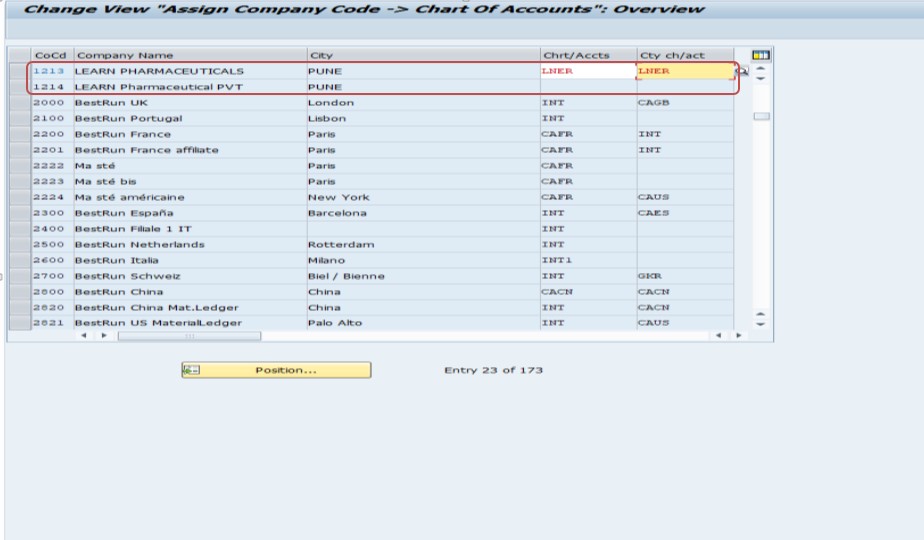
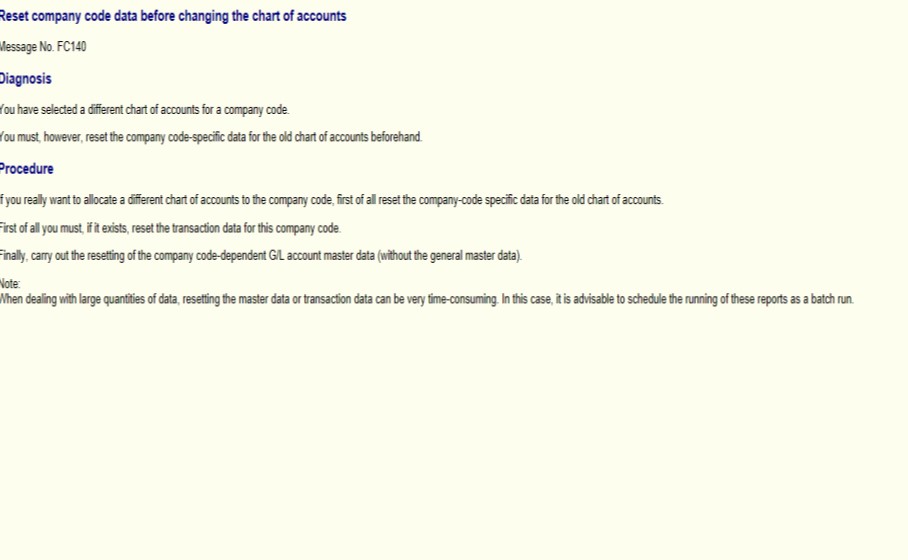
✅ SOLUTION-
✅ FOLLOW STEPS-
✅ GO TO TCODE- OBR1 AND OBR2
✅ SPRO-> Finacial Accounting (New)-> Accounts Receivable and Accounts Payable-> Customer Accounts->Master Data -> Preparations -> Delete Customer Master Data
✅ SELECT- COMPANY CODE-1213- Confirm the reset action. This transaction will reset the following data for the selected company code:
✅ General Ledger (G/L) data
✅ Accounts Receivable and Accounts Payable data
✅ Asset Accounting data
✅ SELECT- PROGRAM CONTROAL-DELETE CO DATA
✅ SELECT- TEST RUN -Confirm the reset action. This transaction will reset the following data for the selected company code:
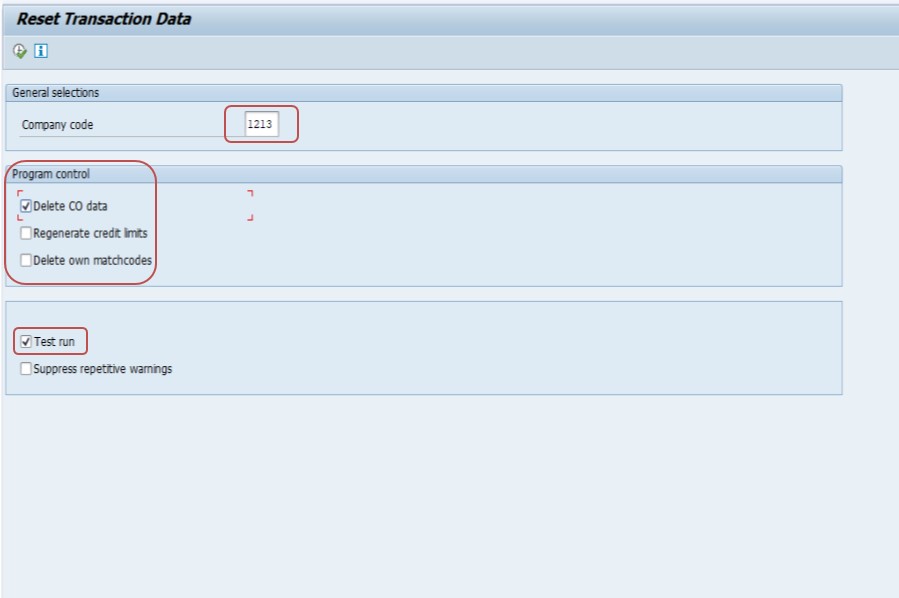
✅ SELECT- EXECUTE
✅ SELECT- OBR2
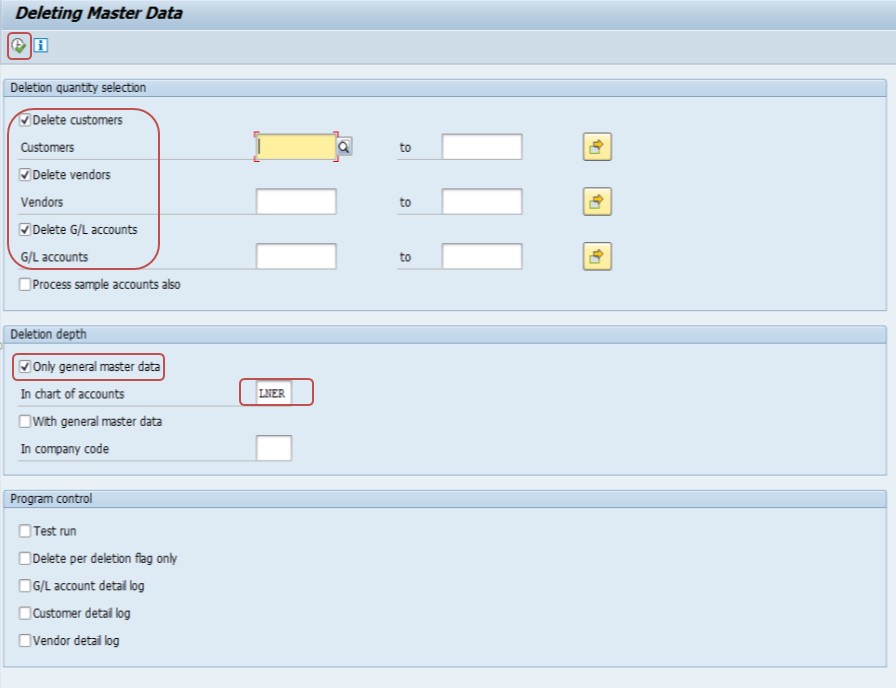
✅ SELECT-POSTING KEY - DELETION QUANTITY SELECTION-CUSTOMER , VENDOR , GL ACCCOUNT
✅ SELECT-DELETION DEPTH- ONLY GENERAL MASTER DATA - LNER (CHART OF ACCOUNT)
✅ SELECT-EXECUTE
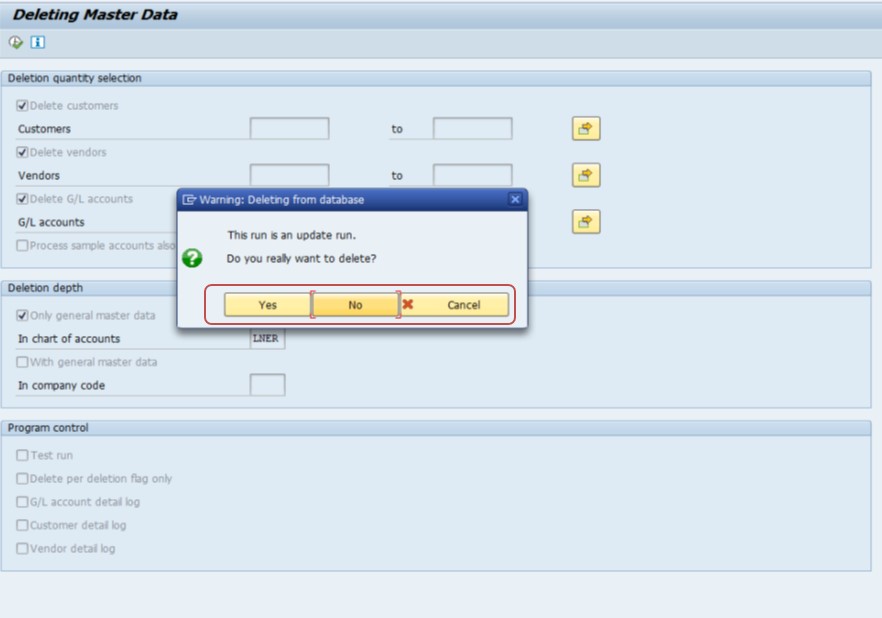
✅ SELECT- YES
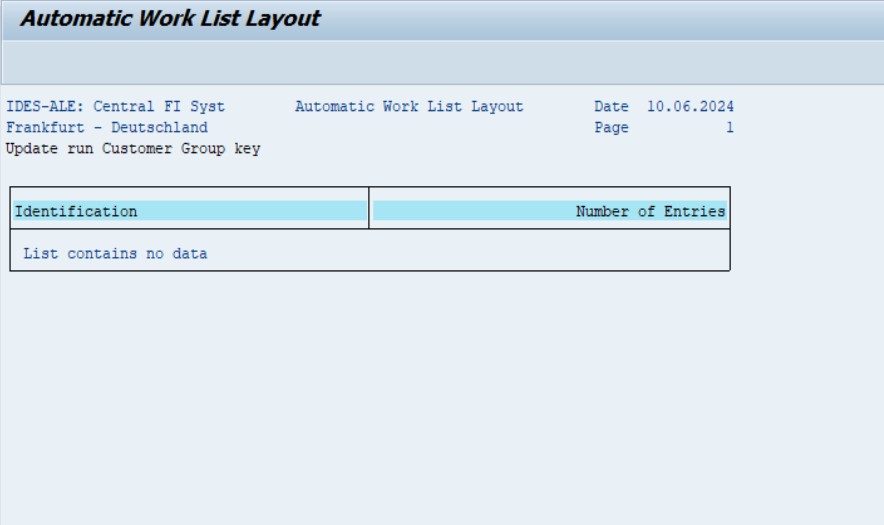
✅ SELECT- LOG DISPLAY
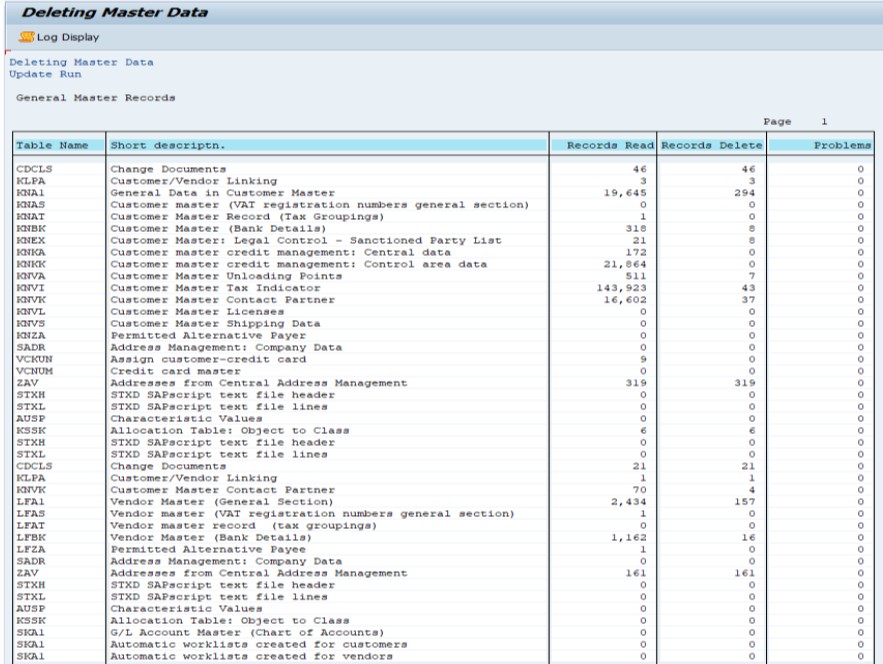
✅ SAVE
✅ Assign Company Code to Chart of Accounts -> General Ledger Accounting (New)-> Master Data > G/L Accounts-> Preparations-> Assign Company Code to Chart of Accounts.
✅ By following these steps, you can reset the company code data and change the chart of accounts in SAP effectively.
-How To Import Data(LSMW) LEGACY SYSTEM MIGRATION WORKBENCH