SAP TUTORIALS-
Message No. FS780 — Define the tax code on level 300
Introduction-

✅Define the tax code on level 300 Message No. FS780-
In This Error Comming for typically appears in SAP FI (Financial Accounting) during tax calculation, usually when you posting a document that involves tax jurisdiction codes (most used in U.S. taxation and Other Country).
✅ What This Error Means
SAP ECC TO S4/HANA is telling you that a tax code must be defined for jurisdiction level 300, but it does not exist, or it is incomplete in your configuration to solve this.
In U.S. tax jurisdictions, SAP uses multiple levels (e.g., State, County, City).Typical hierarchy —
✅ When SAP ECC OR S4/HANA tries to calculate tax, it expects a tax code for each jurisdiction level.If the city-level tax code is missing, you get FS780.
SAP Joule,- Joule is designed to its work to across business roles, making complicated SAP systems feel as easy as chatting with a workmate.
✅Why Comming This Error And How to Fix It (SOLUTION) —
Follow these steps —
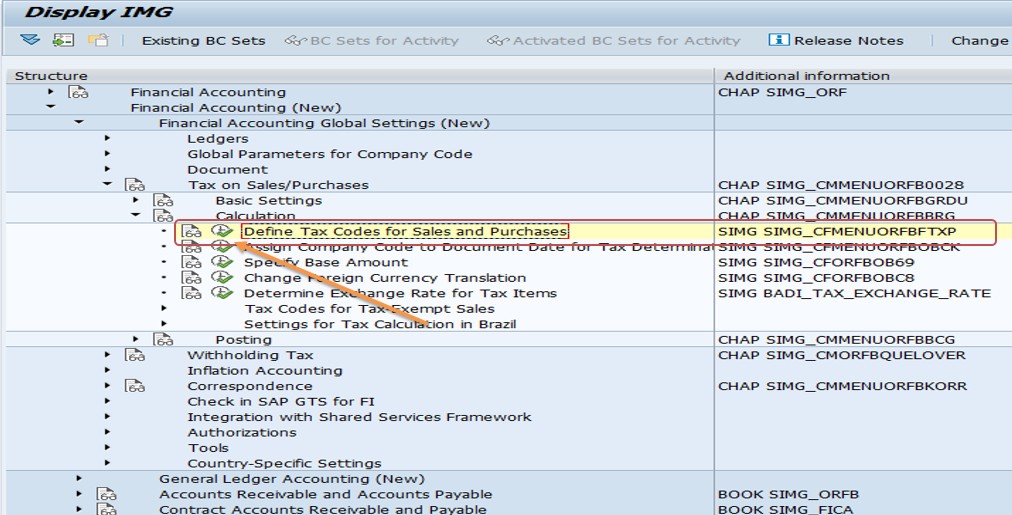
1)- Follow Path - SPRO → IMG → Financial Accounting → Financial Accounting Global Settings → Tax on Sales/Purchases → Basic Settings → Check Calculation Procedure → Define Tax Codes for Sales and Purchases
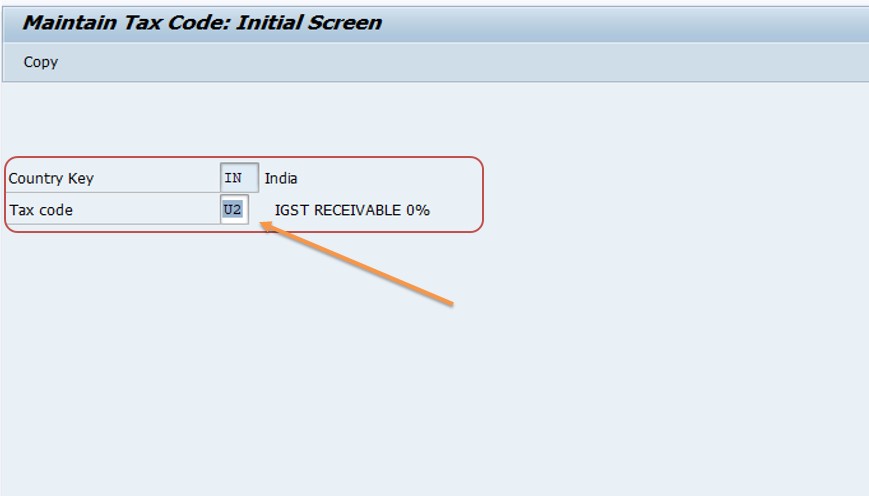
1)- Also use Go to transaction FTXP
2)- Select Country Key-IN
3)- Select Tax Code-U2
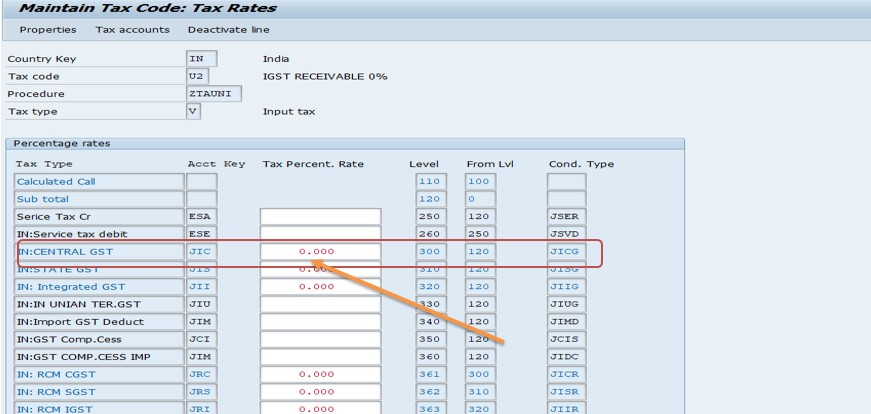
👉 Maintain tax rates for level 300
3)- Choose your tax code (e.g., account key-JIC, TAX PERCENT.RATE- 0%, LEVEL-300, etc.)
3)- Enter the appropriate tax percentage for level 300- 0%
3)- Then Save all Data
1.Tax rates in FTXP cannot have validity (start/end) dates?
2.FTXP is the SAP transaction used to create and maintain tax codes?
3.FTXP is only for SAP S/4HANA and not present in ECC systems?
-How To Create Debit Memo Request