SAP FICO ERROR TUTORIALS-
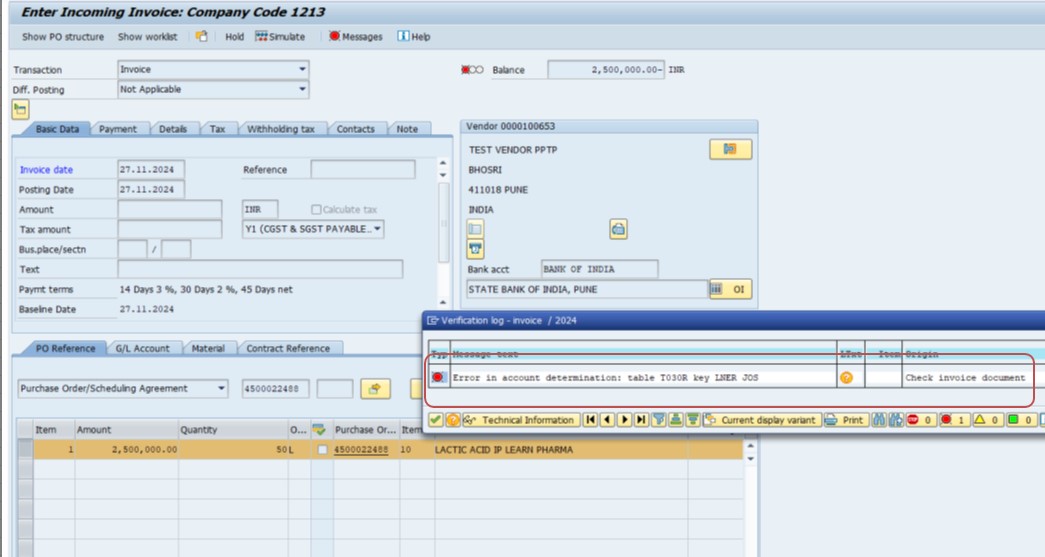
Common error message "The error message you provided indicates an issue with account determination in SAP, specifically related to table T030R and the key LNER JOS."
✅ Verify if the account key JOS is correctly assigned to a GL account.
✅ T030R:- This table configuration of automatic account determination .
✅ LNER:- Refers to the transaction type for which account determination is configured.
✅ JOS:- represent a valuation grouping code, chart of accounts, or some other key configuration value. in the SAP system TO relevant G/L account.
✅ PATH-SPRO → Financial Accounting (New) → Financial Accounting Global Settings (New) → Tax on Sales/Purchases → Account Determination.
✅ SOLUTION-OB40 (CONFIGURE AUTOMATIC POSTING)-
✅ 1)JOS-STATE GST OP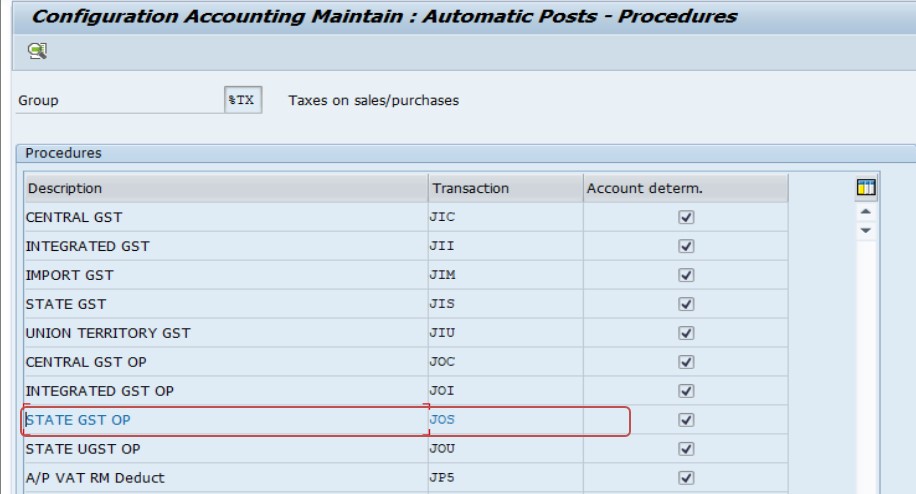
✅ FOLLOW STEPS-
✅ GO TO TCODE-OB40
✅ 1)OB40 SELECT-JOC-STATE GST OP CHECK (GL CODE ASSIGN OR NOT)-
✅ 2)CRAETE GL CODE-FS00-
✅ CRAETE GL CODE- 360056- EXAMPLE CGST&SGST PAYABLE 0%-
✅ CRAETE GL CODE- 360057- EXAMPLE CGST&SGST PAYABLE 5%-
✅ CRAETE GL CODE- 360058- EXAMPLE CGST&SGST PAYABLE 12%-
✅ CRAETE GL CODE- 360072- EXAMPLE CGST&SGST PAYABLE 18%-
✅ CRAETE GL CODE- 360073- EXAMPLE CGST&SGST PAYABLE 28%-
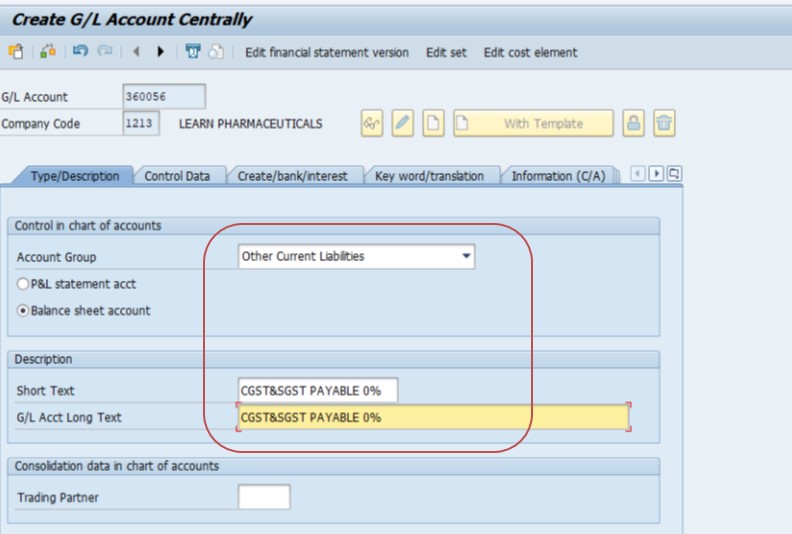
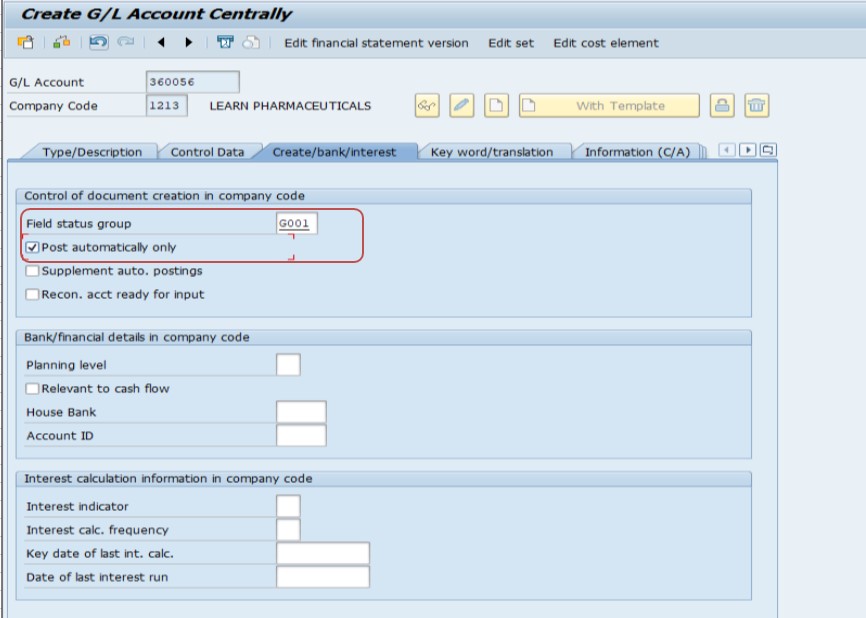
✅ THEN ASSIGN GL CODE -OB40 (CONFIGURE AUTOMATIC POSTING).-JOS-STATE GST OP-
✅ POSTING KEY WITH GL CODE
✅ DEBIT-40 , CREDIT-50, 360056 - EXAMPLE CGST&SGST PAYABLE 0%-
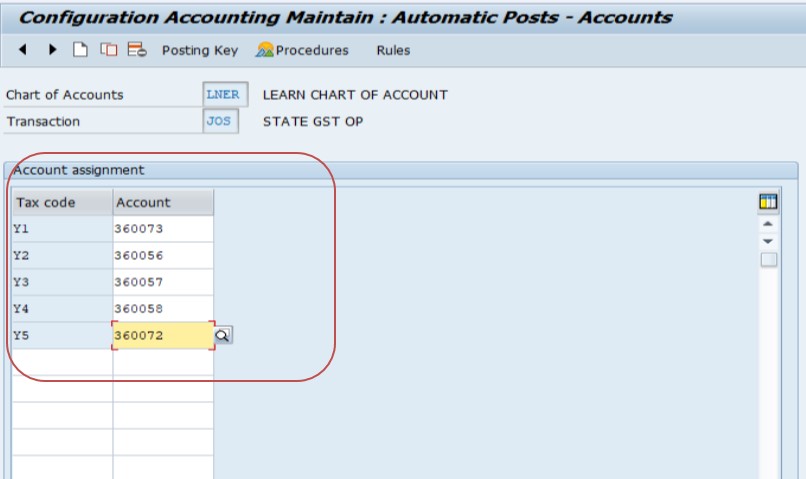
✅ SAVE
-How To Import Data(LSMW) LEGACY SYSTEM MIGRATION WORKBENCH