SAP FICO TUTORIALS-
Dispaly Financial Statement: A Step-by-Step Guide-
Introduction-
✅ What Is the SAP F.01 Transaction Code?-
financial statements is a fundamental requirement for effective decision-making and financial control. SAP FICO (Financial Accounting and Controlling) offers powerful tools to generate financial statements, and one of the most significant transaction codes for this purpose is F.01. In this blog, we will provide a comprehensive guide on how to use F.01 to access and display financial statements within the SAP FICO environment.Whether you’re preparing a Balance Sheet, Profit & Loss (P&L) statement, or Trial Balance, SAP F.01 enables users to visualize the company’s financial position in real time. It’s a go-to report for finance teams, auditors, and controllers who need fast and reliable insights into General Ledger (GL) balances....
✅ GO TO TCODE -F.01
✅ 1)SELECT CHART OF ACCOUNT-ENER
✅ 1)SELECT COMAPNY CODE-1211
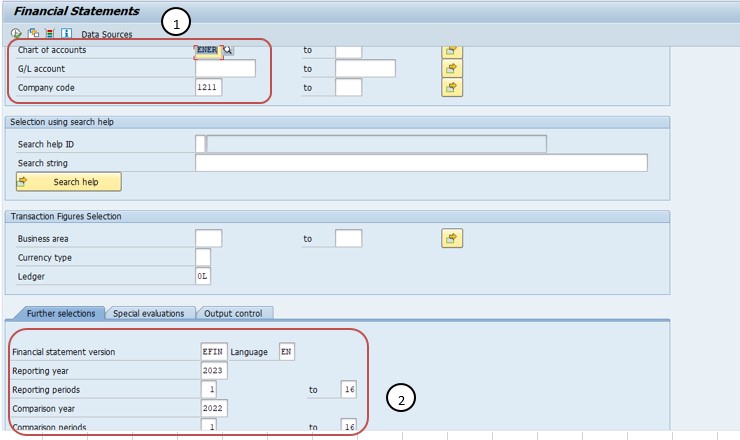
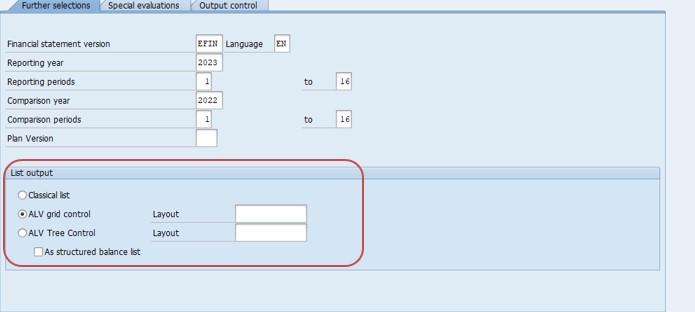
✅ 2)SELECT FINANSIAL STATEMENT VERSION-EFIN
✅ 2)SELECT REPORTING YEAR-2023
✅ 2)SELECT REPORTING PERIODS-1 TO 16
✅ 2)SELECT COMPARISION YEAR-2022
✅ 2)SELECT EXECUTE BUTTON-F8
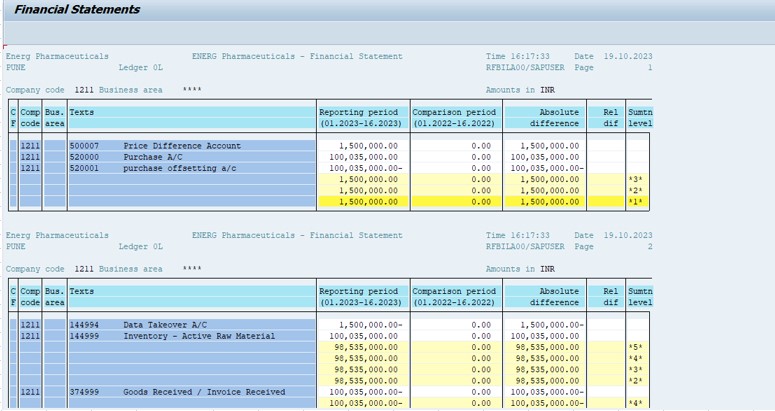
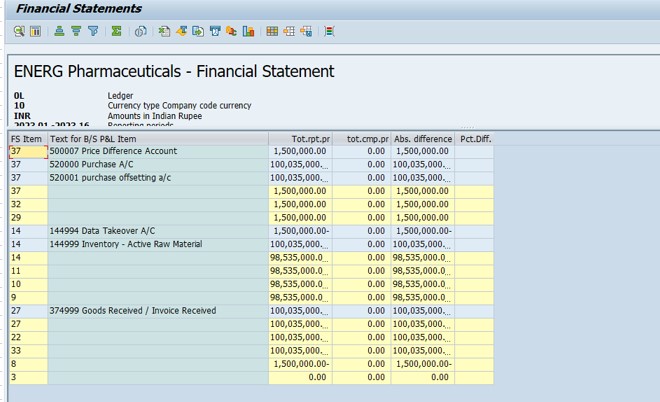
✅ 2)SELECT -ALV TREE CONTROAL-
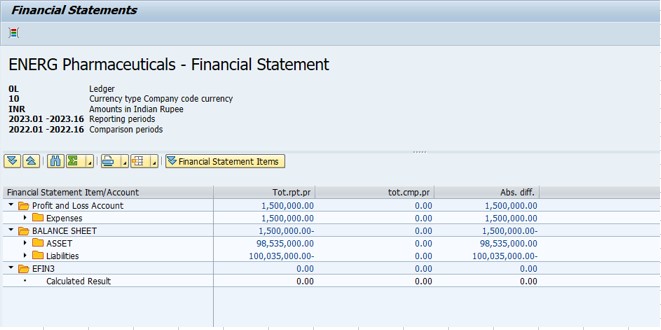
✅ SELECT -SAVE
-How To Import Data(LSMW) LEGACY SYSTEM MIGRATION WORKBENCH