SAP PP ERROR TUTORIALS-
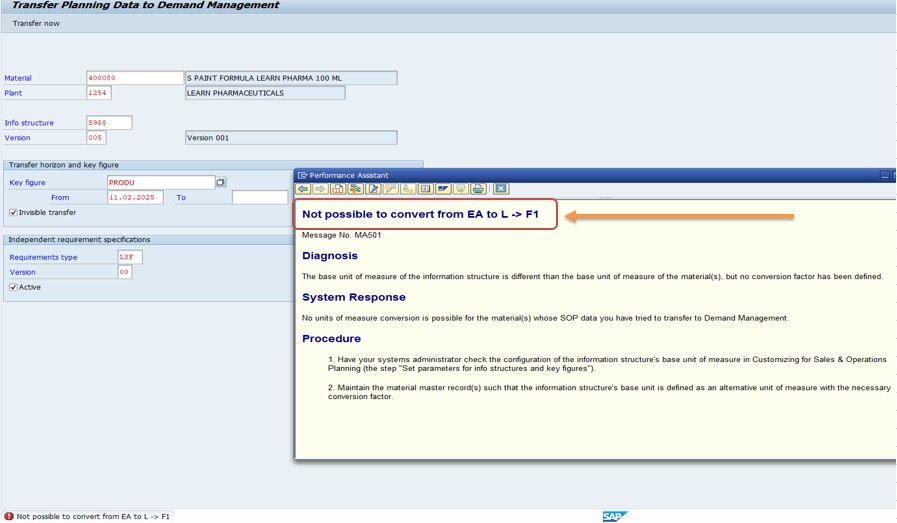
✅ The Common error "Not possible to convert from EA to L -> F1" occurs when you try to convert a material's unit of measure (UoM) from EA (Each) to L (Liters) but no valid conversion is maintained.
✅ Possible Errors:-
✅ Missing UoM Conversion in Material Master..
✅ ncorrect or Missing UoM in Additional Data (MM02 → Additional Data → Units of Measure)..
✅ Unit of Measure Group (CUNI) Not Defined Properly..
✅ FOLLOW STEPS-
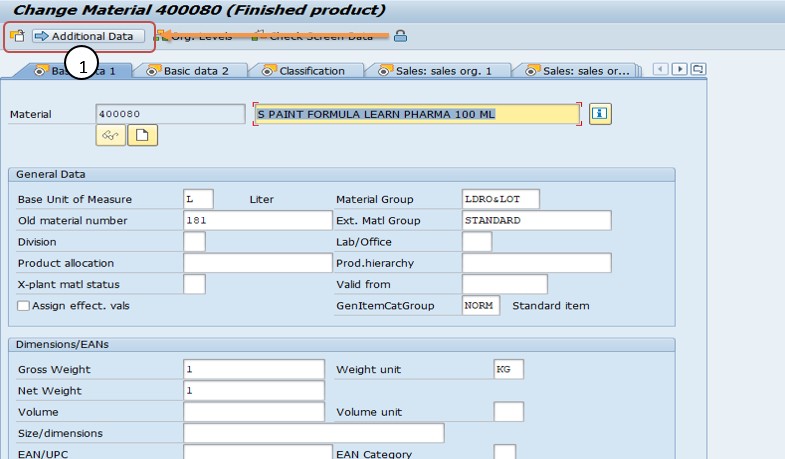
✅ SOLUTION - 1)Go to MM02 and enter the material 400080. Additional Data-
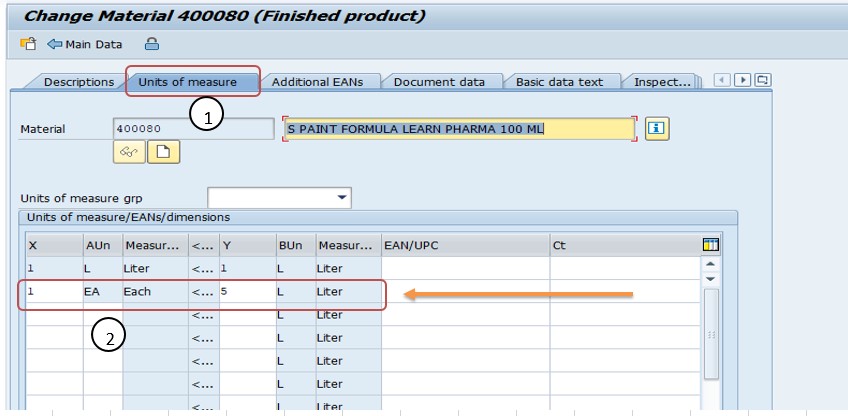
✅ 2)Navigate to Additional Data → Click to Unit of Mesure tab
✅ conversion is missing, maintain it as:- 1 EA = X L (Define the correct ratio, e.g., 1 EA = 5 L).
✅ SAVE-
-How To Import Data(LSMW) LEGACY SYSTEM MIGRATION WORKBENCH