SQL COUNT Function – Complete Guide with Examples (2026-27)
The SQL COUNT() function is an aggregate function that returns the number of rows matching a specified condition. It is one of the most commonly used SQL functions in data analysis, reporting, and everyday database work. COUNT has three main forms: COUNT(*) counts every row including NULLs, COUNT(column) counts only non-NULL values, and COUNT(DISTINCT column) counts only unique values. In this beginner-friendly guide you will learn all three forms with eight real examples — including COUNT with WHERE, GROUP BY, HAVING, aliases, and multiple aggregates — plus key points and common mistakes to avoid.
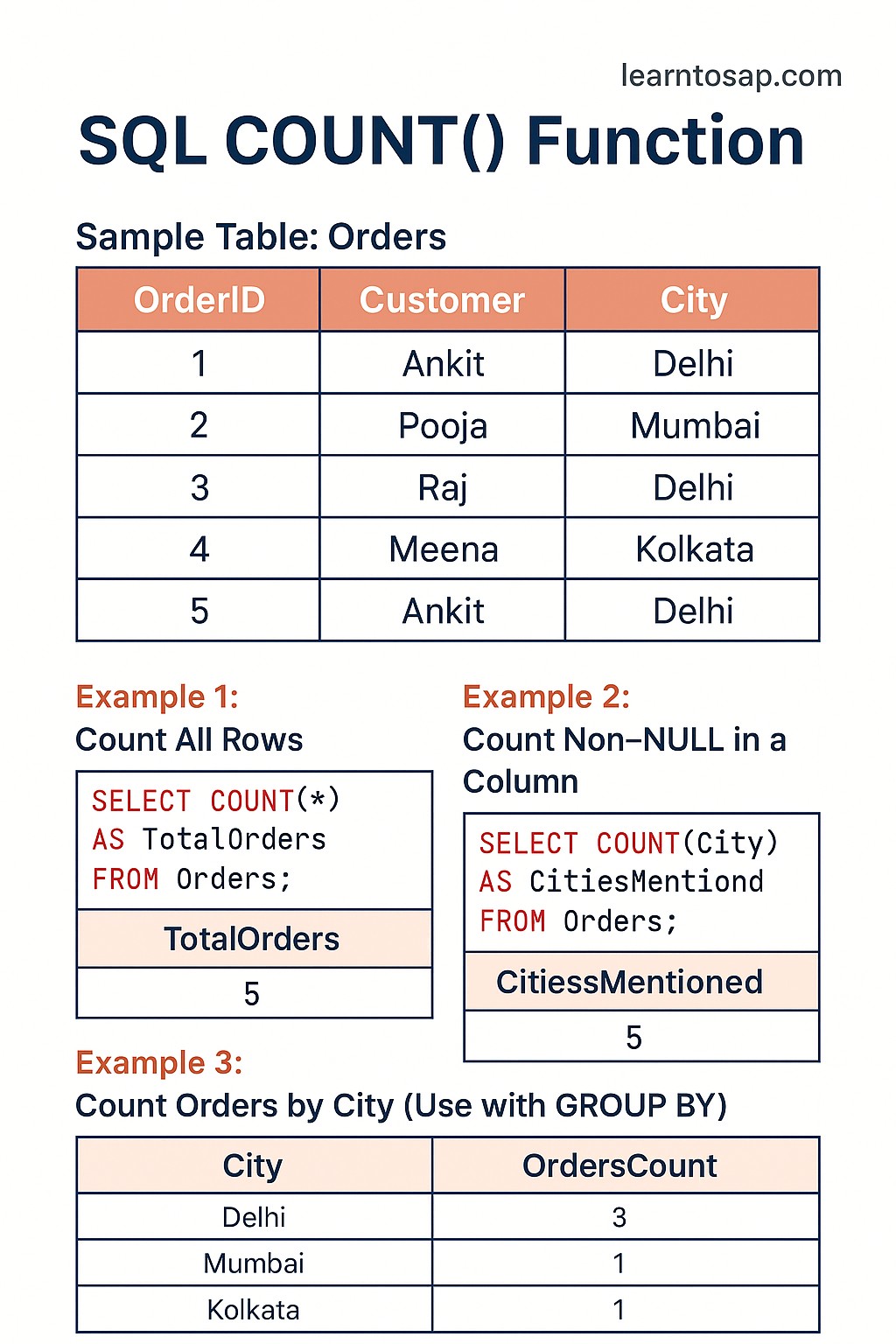
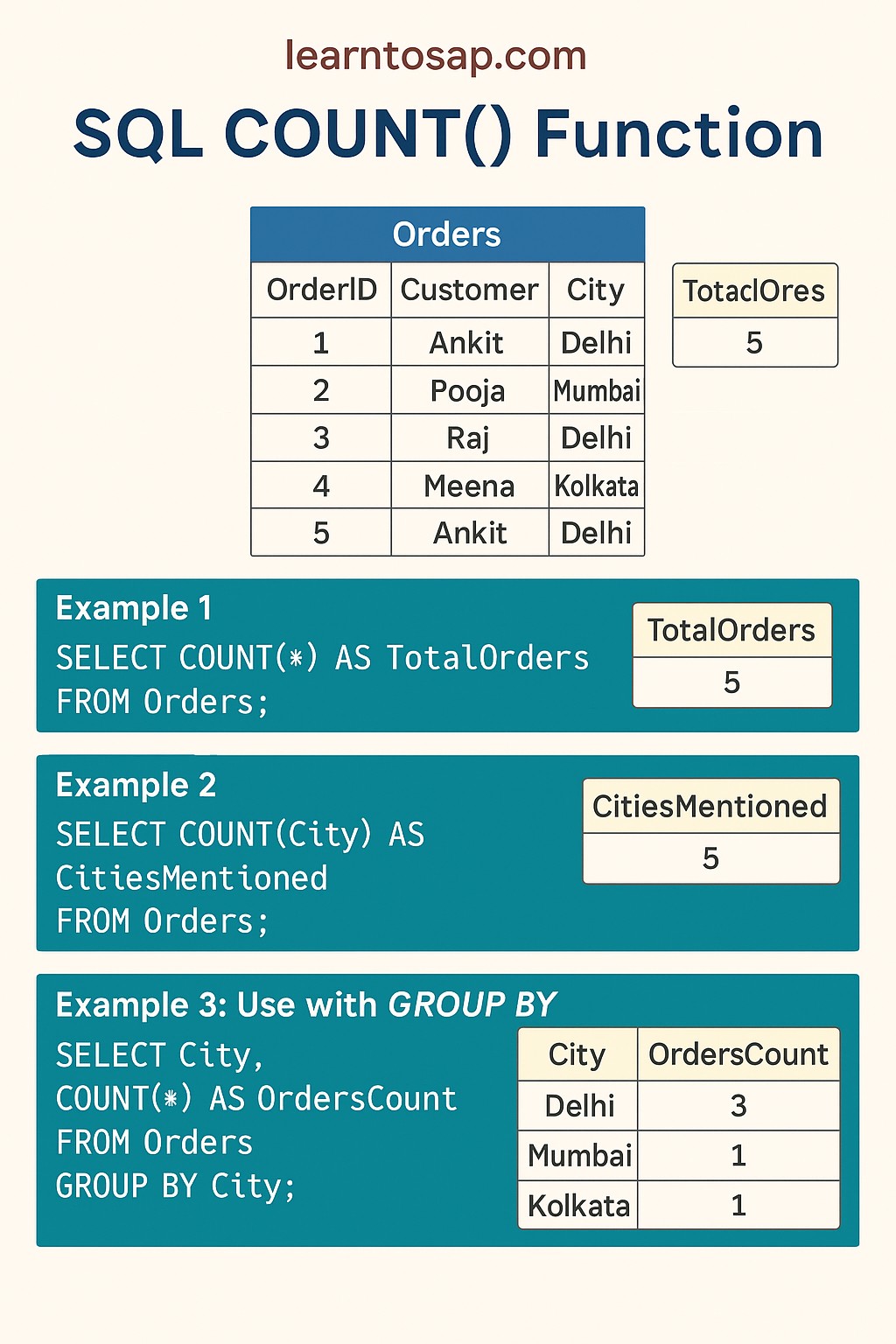
✅ What is the SQL COUNT Function?
The SQL COUNT() function is an aggregate function that counts the number of rows in a table or in a group. It is used heavily in reporting, analytics, and everyday database queries.
✅ COUNT(*) — counts all rows including those with NULL values and duplicates.
✅ COUNT(column) — counts only rows where the specified column is NOT NULL.
✅ COUNT(DISTINCT column) — counts only unique non-NULL values in the column.
✅ COUNT is supported in all databases — MySQL, PostgreSQL, SQL Server, Oracle, and SQLite — with identical syntax.
→ How many employees are in the company? —
COUNT(*)→ How many employees have an email address? —
COUNT(Email)→ How many unique departments exist? —
COUNT(DISTINCT Department)→ How many employees per department? —
COUNT(*) + GROUP BY
✅ Sample Employees Table – used in all examples below:-
| ID | Name | Department | Salary | City | |
|---|---|---|---|---|---|
| 1 | ANNI | IT | 10000 | Mumbai | anni@mail.com |
| 2 | POOJA | IT | 9000 | Pune | pooja@mail.com |
| 3 | RAJ | SALES | 5000 | Delhi | NULL |
| 4 | SUJAN | HR | 8000 | Pune | sujan@mail.com |
| 5 | MEENA | SALES | 12000 | Mumbai | NULL |
| 6 | PRAMOD | IT | 15000 | Bangalore | pramod@mail.com |
| 7 | NILESH | HR | 7000 | Mumbai | nilesh@mail.com |
Note: RAJ (ID 3) and MEENA (ID 5) have NULL in the Email column — key for COUNT(Email) examples.
✅ SQL COUNT Syntax – All Three Forms
Form 1 – COUNT(*): Count All Rows
SELECT COUNT(*)
FROM table_name
WHERE condition;
Form 2 – COUNT(column): Count Non-NULL Values Only
SELECT COUNT(column_name)
FROM table_name
WHERE condition;
Form 3 – COUNT(DISTINCT column): Count Unique Values
SELECT COUNT(DISTINCT column_name)
FROM table_name
WHERE condition;✅ COUNT(*) vs COUNT(column) vs COUNT(DISTINCT) – Quick Comparison
| Form | Counts | NULLs Included? | Duplicates Included? | Result (our table) |
|---|---|---|---|---|
COUNT(*) | All rows | ✅ Yes | ✅ Yes | 7 |
COUNT(Email) | Non-NULL Email values | ❌ No | ✅ Yes | 5 |
COUNT(DISTINCT Department) | Unique departments | ❌ No | ❌ No | 3 |
✅ Example 1 – COUNT(*): Count All Rows in the Table
Find the total number of employees — every row including those with NULL values:
✅ SELECT Query:-
SELECT COUNT(*) FROM Employees;✅ Result Show:-
| COUNT(*) |
|---|
| 7 |
✅ Example 2 – COUNT(column): Count Non-NULL Values Only
Count how many employees have an email address on file. Rows where Email is NULL are automatically skipped:
✅ SELECT Query:-
SELECT COUNT(Email) AS EmployeesWithEmail
FROM Employees;
✅ Result Show:-
| EmployeesWithEmail |
|---|
| 5 |
✅ Example 3 – COUNT with Alias (AS)
Without an alias the result column header shows COUNT(*) — hard to read. Use AS to name it clearly:
✅ SELECT Query:-
SELECT COUNT(*) AS TotalEmployees
FROM Employees;
✅ Result Show:-
| TotalEmployees |
|---|
| 7 |
✅ Multiple COUNT values in one query:-
SELECT
  COUNT(*)                    AS TotalRows,
  COUNT(Email)                AS HaveEmail,
  COUNT(*) - COUNT(Email)     AS MissingEmail
FROM Employees;
✅ Result Show:-
| TotalRows | HaveEmail | MissingEmail |
|---|---|---|
| 7 | 5 | 2 |
COUNT(*) - COUNT(column) is a powerful pattern to count NULL values in any column — very useful for data quality and completeness checks.
✅ Example 4 – COUNT with WHERE Clause
Use WHERE to filter rows before counting. Only matching rows are counted:
✅ Example – Count only IT department employees:-
SELECT COUNT(*) AS IT_Employees
FROM Employees
WHERE Department = 'IT';
✅ Result Show:-
| IT_Employees |
|---|
| 3 |
✅ Example – Count employees with salary greater than 8000:-
SELECT COUNT(*) AS HighEarners
FROM Employees
WHERE Salary > 8000;
✅ Result Show:-
| HighEarners |
|---|
| 4 |
✅ Example 5 – COUNT(DISTINCT): Count Unique Values
Count how many unique departments exist — IT appears 3 times but is counted only once:
✅ SELECT Query:-
SELECT COUNT(DISTINCT Department) AS UniqueDepartments
FROM Employees;
✅ Result Show:-
| UniqueDepartments |
|---|
| 3 |
✅ Example – Count unique cities:-
SELECT COUNT(DISTINCT City) AS UniqueCities
FROM Employees;
✅ Result Show:-
| UniqueCities |
|---|
| 4 |
✅ Example 6 – COUNT with GROUP BY
Use GROUP BY to count rows per category — the most widely used COUNT pattern in real-world SQL:
✅ Example – Count employees per department:-
SELECT Department,
       COUNT(*) AS TotalEmployees
FROM Employees
GROUP BY Department
ORDER BY TotalEmployees DESC;
✅ Result Show:-
| Department | TotalEmployees |
|---|---|
| IT | 3 |
| HR | 2 |
| SALES | 2 |
✅ Example – Count employees per city:-
SELECT City,
       COUNT(*) AS EmployeeCount
FROM Employees
GROUP BY City
ORDER BY EmployeeCount DESC;
✅ Result Show:-
| City | EmployeeCount |
|---|---|
| Mumbai | 3 |
| Pune | 2 |
| Delhi | 1 |
| Bangalore | 1 |
✅ Example 7 – COUNT with HAVING
Use HAVING to filter groups after GROUP BY — show only groups where the count meets a condition:
✅ Example – Departments with more than 1 employee:-
SELECT Department,
       COUNT(*) AS TotalEmployees
FROM Employees
GROUP BY Department
HAVING COUNT(*) > 1
ORDER BY TotalEmployees DESC;
✅ Result Show:-
| Department | TotalEmployees |
|---|---|
| IT | 3 |
| HR | 2 |
| SALES | 2 |
✅ Example – Cities with exactly 1 employee:-
SELECT City,
       COUNT(*) AS EmployeeCount
FROM Employees
GROUP BY City
HAVING COUNT(*) = 1;
✅ Result Show:-
| City | EmployeeCount |
|---|---|
| Delhi | 1 |
| Bangalore | 1 |
Wrong:
WHERE COUNT(*) > 1 — syntax error.Correct:
HAVING COUNT(*) > 1WHERE filters individual rows before grouping. HAVING filters whole groups after GROUP BY.
✅ Example 8 – COUNT with Multiple Aggregate Functions
Combine COUNT with MIN, MAX, and AVG in one query to build a complete department summary report:
✅ SELECT Query:-
SELECT
  Department,
  COUNT(*)    AS TotalEmployees,
  MIN(Salary) AS LowestSalary,
  MAX(Salary) AS HighestSalary,
  AVG(Salary) AS AvgSalary
FROM Employees
GROUP BY Department
ORDER BY TotalEmployees DESC;
✅ Result Show:-
| Department | TotalEmployees | LowestSalary | HighestSalary | AvgSalary |
|---|---|---|---|---|
| IT | 3 | 9000 | 15000 | 11333.33 |
| HR | 2 | 7000 | 8000 | 7500.00 |
| SALES | 2 | 5000 | 12000 | 8500.00 |
✅ Key Points to Remember
✅ COUNT(*) counts all rows — including NULLs and duplicates. Use it for total row count.
✅ COUNT(column) skips NULLs — only rows where the column has a value are counted.
✅ COUNT(DISTINCT column) counts unique values — duplicates counted only once.
✅ Always use AS to name the result — COUNT(*) AS TotalEmployees for readable reports.
✅ WHERE filters before counting — limits which rows COUNT sees.
✅ GROUP BY counts per group — one count per department, city, product, etc.
✅ HAVING — not WHERE — filters count results — HAVING COUNT(*) > 2 after GROUP BY.
✅ COUNT always returns an integer — never NULL. Empty results return 0.
✅ Works in all databases — MySQL, PostgreSQL, SQL Server, Oracle, SQLite — identical syntax.
✅ Common SQL COUNT Mistakes to Avoid
Wrong:
WHERE COUNT(*) > 2 — syntax error, COUNT cannot be used inside WHERE.Correct:
HAVING COUNT(*) > 2 — HAVING is evaluated after GROUP BY.
If a column has NULL values, COUNT(*) and COUNT(column) return different numbers.
COUNT(*) = 7 (all rows), COUNT(Email) = 5 (skips 2 NULL emails). Always choose the right form.
Wrong:
SELECT Department, COUNT(*) FROM Employees; — SQL doesn't know which Department to show.Correct:
SELECT Department, COUNT(*) FROM Employees GROUP BY Department;
Wrong:
COUNT(DISTINCT *) — not valid SQL.Correct: Use
COUNT(*) for all rows, or COUNT(DISTINCT column_name) for unique values.
COUNT always returns an integer. If no rows match the WHERE condition, COUNT returns 0 — not NULL. Important when using COUNT in calculations or conditional logic.