HTML File Paths Tag: The Complete Beginner’s Guide with Examples
By Pramod Behera · Updated: September 16, 2026 · 18 min read
- What is a File Path in HTML?
- Quick Recap: Why File Paths Matter
- Two Main Types of Paths
- Examples of HTML File Paths
- Tag & Path Syntax Breakdown
- Relative Path Shortcuts Explained
- Root-Relative Paths (Leading Slash)
- Absolute vs Relative: When to Use Which
- Reading a Folder Structure
- Case Sensitivity in File Paths
- Testing Paths Locally vs After Deployment
- The index.html Convention
- Common Uses of File Paths in HTML
- Why File Paths Matter for SEO and Maintenance
- Common Mistakes to Avoid
- Best Practices Checklist
- Try It Yourself – Live Code Preview
- Practice Exercises
- Frequently Asked Questions
✅ HTML File Paths Tag: How to Use Relative and Absolute Paths | What is a File Path in HTML?
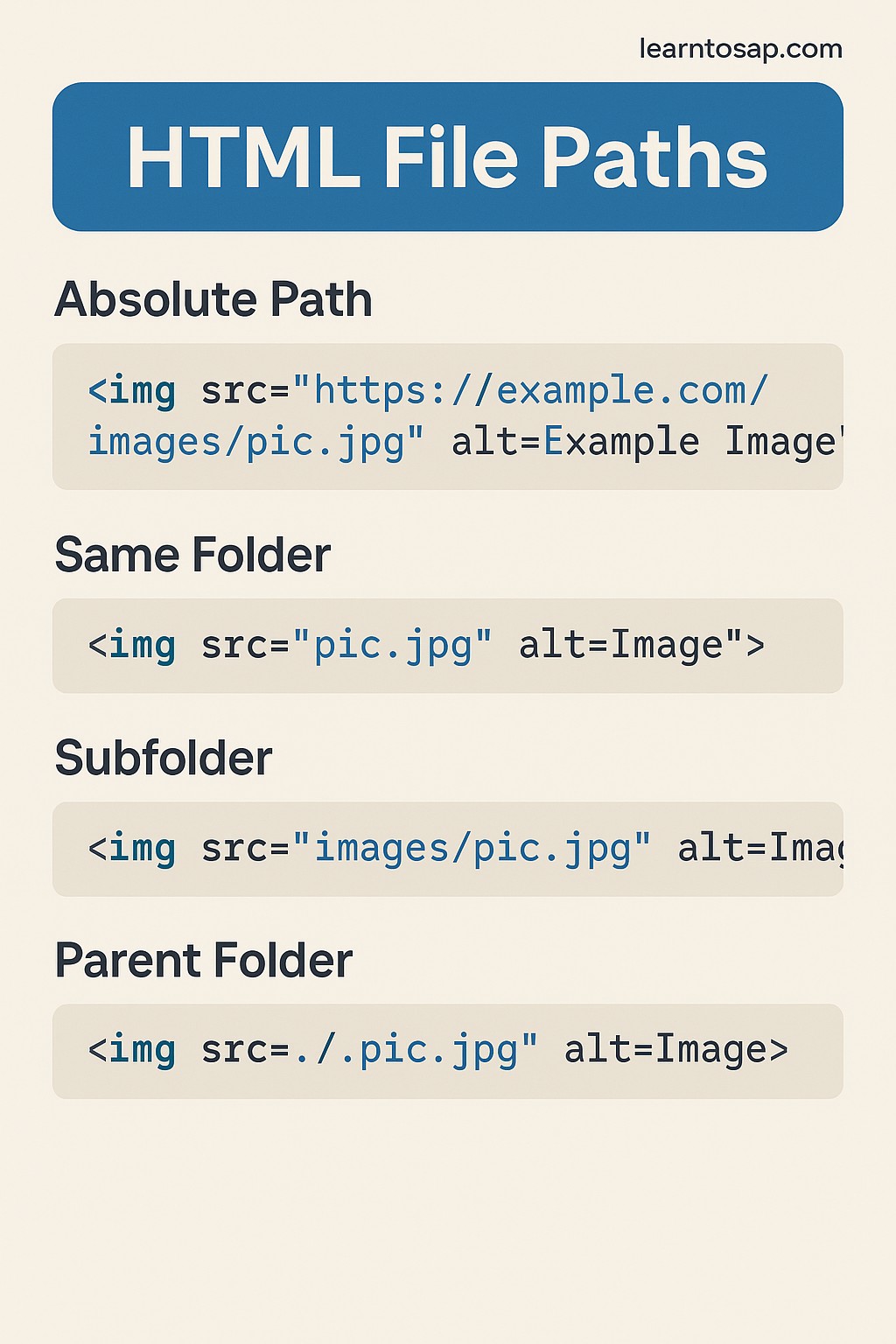
🟡HTML, file paths are used to link to external files like images, scripts, stylesheets, or other HTML pages. They tell the browser where to find the resource on the server or system. HTML, file paths are used to specify the location of files (like images, CSS, JavaScript, etc.) that your web page uses. There are two types of file paths..
🟡 Two Main Types of Paths
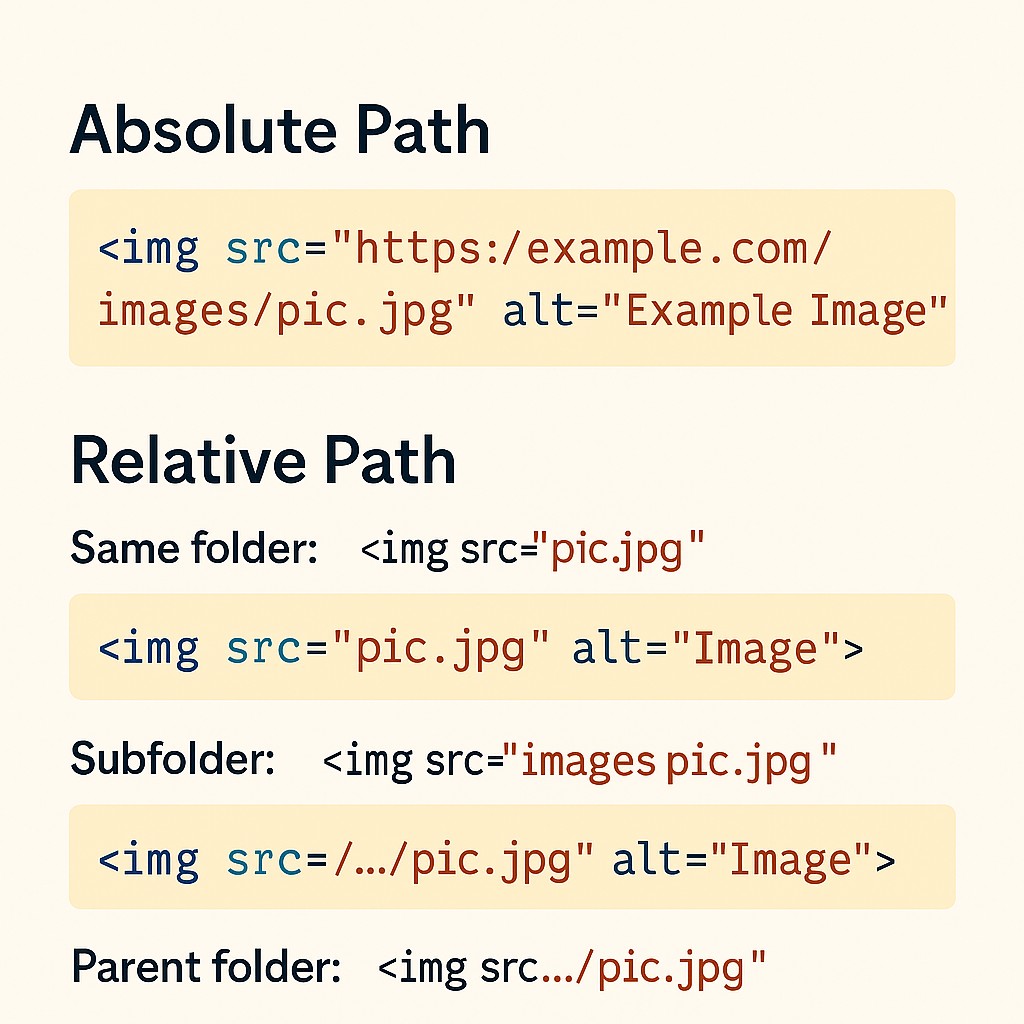
🟡Absolute Path: Full URL (includes domain).
🟡Relative Path: Refers to file locations based on the current page's location.
If you have followed this HTML tutorial series from the beginning, you have already used file paths without necessarily calling them that: every <img src="..."> in the img tag tutorial, every <link rel="stylesheet" href="..."> that loads a stylesheet, and every <a href="..."> that links to another page all rely on a file path pointing the browser to the right file. Getting comfortable with exactly how those paths are written is one of the most practical skills in this entire series, because a single wrong character in a path is one of the most common reasons an image, a script, or a stylesheet silently fails to load.
Quick Recap: Why File Paths Matter
Across this series, tags like img, link, script, and a all share one thing in common: they point at a resource that lives somewhere else, whether that is another folder on the same server or a completely different website. The file path written inside src or href is the browser's only instruction for where to actually look. A perfectly correct img tag with a broken path will still render as a missing-image icon, which is exactly why file paths deserve their own dedicated tutorial rather than being treated as an afterthought.
🟡 Two Main Types of Paths
Every file path used in HTML falls into one of two categories, and understanding the difference between them is the foundation for everything else in this tutorial.
| Path Type | Definition |
|---|---|
| Absolute Path | Full URL (includes domain) |
| Relative Path | Refers to file locations based on the current page's location |
An absolute path, such as https://www.learntosap.com/images/logo.png, works no matter where it is placed, because it spells out the entire address, domain included, the same way a full postal address works no matter who is reading it. A relative path, such as images/logo.png, only makes sense in the context of the file that contains it, the same way "next door" only means something once you know which house you are standing in front of.
✅ 1)-Examples of HTML File Paths:-👇
<img src="favicon.jpg" alt="Company Logo">
This first example uses the simplest possible relative path: just a file name, with no folder at all. It tells the browser "look for favicon.jpg in the exact same folder as this HTML page." This only works correctly when the image file genuinely sits right next to the HTML file on the server; if it is stored anywhere else, this bare filename path will fail.
✅ 2)-Examples of HTML File Paths:-👇
<link rel="stylesheet" href="css/style.css">This path points into a subfolder named css that sits inside the same folder as the current HTML file, and then into a file called style.css inside that subfolder. This exact pattern, a stylesheet stored in its own css folder, is one of the most common relative-path examples you will see across real websites, since keeping CSS files grouped in their own folder keeps a project's file structure easier to navigate as it grows.
✅3)-Examples of HTML File Paths ✅ Subfolder: -👇
<img src="images/pic.jpg" alt="Image">This follows the exact same logic as the stylesheet example above, but for an image instead of CSS: images/pic.jpg means "go into the images subfolder, which sits alongside this HTML file, and load pic.jpg from inside it." Grouping images into their own images folder, just like grouping CSS into its own css folder, is one of the most common and recommended ways to organize a growing website's files.
✅4)-Examples of HTML File Paths ✅ Parent folder: -👇
<img src="../pic.jpg" alt="Image">The two dots followed by a slash, ../, mean "go up one folder level" before looking for the file. This is the path you would use from inside a subfolder, such as the images folder from the previous example, to reach a file that actually lives one level higher, back in the main project folder. This "go up a level" shortcut can also be chained, such as ../../, to climb up two folder levels before reaching the target file.
🔍 Tag & Path Syntax Breakdown
| Path Syntax | Meaning |
|---|---|
| favicon.jpg | Look in the exact same folder as the current HTML file |
| css/style.css | Go into a subfolder named css, then find style.css |
| images/pic.jpg | Go into a subfolder named images, then find pic.jpg |
| ../pic.jpg | Go up one folder level, then find pic.jpg |
| /images/pic.jpg | Start from the website's root domain, then go into images, then find pic.jpg |
| https://www.learntosap.com/pic.jpg | A full absolute URL, including the domain name |
Relative Path Shortcuts Explained
Beyond the plain filename and subfolder patterns shown above, relative paths use two small but important symbols worth memorizing. A single dot followed by a slash, ./, means "the current folder," and is often left out entirely since it is the assumed default, which is exactly why images/pic.jpg and ./images/pic.jpg point to the exact same file. Two dots followed by a slash, ../, as already shown in Example 4, means "one folder up," and remains the symbol most beginners find confusing at first, simply because it requires picturing the actual folder structure on the server rather than just reading the path as plain text.
Root-Relative Paths (Leading Slash)
<img src="/images/logo.png" alt="Site Logo">A path that starts with a single leading slash, such as /images/logo.png, is called a root-relative path. Instead of being relative to the current page's folder, it is relative to the website's root domain, meaning the exact same /images/logo.png path will correctly find the logo no matter which page on the site it is used from, whether that page sits in the main folder or three subfolders deep. This makes root-relative paths especially useful for shared elements, such as a logo or a navigation stylesheet, that appear identically across every page of a site.
Absolute vs Relative: When to Use Which
| Situation | Recommended Path Type |
|---|---|
| Linking to your own site's internal images, CSS, or pages | Relative (or root-relative) path |
| Linking to an image or resource hosted on a different website | Absolute path (full URL required) |
| Moving your entire project to a new domain or folder later | Relative paths keep working unchanged; absolute paths would need updating |
| A shared logo or stylesheet used identically across every page | Root-relative path |
As a general rule covered throughout this series, relative paths are better for internal project files, exactly as stated in this tutorial's own FAQ below, since they keep a project portable: an entire folder of relatively-linked HTML, CSS, and image files can be moved to a new folder, a new server, or even a new domain, and every internal link keeps working without a single edit. Absolute paths remain necessary the moment you need to point at a resource that genuinely lives on someone else's server.
Reading a Folder Structure
index.html
css/
style.css
images/
pic.jpg
favicon.jpg
Matching this tutorial's four examples against a simple folder layout like the one above makes the logic concrete: from index.html, favicon.jpg needs to sit right next to it to work as a bare filename; css/style.css and images/pic.jpg both describe going one level down into a named subfolder; and if a file inside the images folder ever needed to reach back up to index.html, it would use ../index.html to climb back out to the parent folder.
Case Sensitivity: Why "Images" and "images" Are Not the Same
Many operating systems developers write HTML on, such as Windows and macOS by default, are not case-sensitive when it comes to file names, which means a path like Images/Pic.JPG and images/pic.jpg will both quietly work while building the site locally. The problem surfaces later: most production web servers, particularly Linux-based hosting, are case-sensitive, so a path that worked perfectly on a developer's own laptop can suddenly return a broken image or a 404 error the moment the exact same files are uploaded to the live server. Matching the exact capitalization of every folder and file name, every single time, is a small habit that prevents one of the most confusing categories of "it worked on my machine" bugs in web development.
Testing File Paths Locally vs After Deployment
A path that resolves correctly while previewing a page directly from a local folder does not automatically guarantee it will resolve the same way once that page is uploaded to a live server, especially when absolute paths or root-relative paths are involved. Root-relative paths starting with a single slash, for example, depend entirely on knowing the correct root domain in advance, so testing a page locally by simply double-clicking the HTML file can sometimes behave differently than testing it through an actual local development server. Whenever a project is close to going live, it is worth deliberately re-checking every image, stylesheet, and script path after the first real deployment, rather than assuming that "it worked while I was building it" guarantees it will keep working once the files move to their final home.
The index.html Convention and Trailing Slashes
One special filename worth knowing is index.html, which almost every web server treats as the default file to load automatically when a visitor requests a folder rather than a specific file. This is exactly why https://www.learntosap.com/ and https://www.learntosap.com/index.html typically load the same page: the trailing slash with no filename is a request for "whatever the default file in this folder is," and servers are configured to answer that with index.html unless told otherwise. Understanding this convention also explains why an internal link written simply as href="/" or href="./" often works as a "home page" link without needing to spell out the actual file name at all.
Common Uses of File Paths in HTML
- Images – every img src, whether a logo, a photo, or a favicon, is a file path.
- Stylesheets – every link rel="stylesheet" href points to a CSS file through a path.
- Scripts – an external <script src="...">, covered in this series' JavaScript tutorial, uses the exact same path rules.
- Internal page links – an <a href="about.html"> linking to another page on the same site is itself a relative file path.
Why File Paths Matter for SEO and Maintenance
Broken file paths are one of the most common, entirely avoidable technical SEO problems on real websites: a missing image or a stylesheet that fails to load can make a page look broken to both visitors and search engine crawlers, even when every word of the actual text content is perfectly fine. Consistently using relative or root-relative paths for internal resources, rather than hardcoding your own domain into every single link, also makes a site dramatically easier to maintain, since moving the entire site to a new domain, or testing it on a staging server first, does not require rewriting every path by hand.
Common Mistakes to Avoid
❌ Mistake 1 – Mixing up capitalization
Many servers treat file paths as case-sensitive, so Images/Pic.jpg and images/pic.jpg can be treated as two completely different, unrelated paths.
❌ Mistake 2 – Using the wrong number of ../ levels
Going up too many or too few folder levels is one of the most common reasons a path that "should" work returns a broken link instead.
❌ Mistake 3 – Hardcoding your own domain into internal links
Writing https://www.learntosap.com/about.html instead of simply about.html works, but makes the whole site harder to move or test locally later.
❌ Mistake 4 – Forgetting the file extension
A path like images/pic instead of images/pic.jpg will not resolve to the intended file on most servers.
❌ Mistake 5 – Using backslashes instead of forward slashes
Windows file explorers commonly display paths with backslashes, such as images\pic.jpg, but HTML and web servers require forward slashes; copying a path directly from a Windows folder view is a surprisingly common source of broken links.
Best Practices Checklist
✔️ 1) Use relative paths for internal project files
Keeps the whole project portable across folders, servers, and domains.
✔️ 2) Reserve absolute paths for truly external resources
Only use a full URL when the file genuinely lives on a different domain.
✔️ 3) Organize files into clearly named subfolders
A dedicated css folder and images folder, as shown in this tutorial, keeps a growing project easy to navigate.
✔️ 4) Use root-relative paths for shared, site-wide resources
A logo or global stylesheet used identically on every page is a natural fit for a leading-slash path.
✔️ 5) Double-check capitalization and file extensions
A quick visual check against the actual file name on the server prevents the most common path mistakes.
✔️ 6) Re-test every path immediately after the first live deployment
A local preview does not guarantee identical behaviour once files are uploaded to a real, often case-sensitive, production server.
Try It Yourself (Copy This Code and Paste. See how it works)
Live Code Preview
Practice Exercises: Test HTML File Paths
- Create a small project folder with an index.html file and an images subfolder, then write an img tag that correctly loads a picture from inside that subfolder.
- From a file placed inside a subfolder, write a relative path using ../ that correctly links back to a file in the parent folder.
- Write the same image path two different ways: once as a relative path and once as a full absolute URL.
- Add a root-relative path, starting with a single slash, that links to an image stored in an images folder at your site's root.
- Deliberately misspell a file path's capitalization and observe what happens when the page loads, to see why case sensitivity matters.
Frequently Asked Questions About HTML File Paths
What is an HTML file path?
An HTML file path defines the location of a file such as an image or script.
What is the difference between absolute and relative path?
Absolute paths use full URLs, while relative paths use the current folder location.
Which file path is better?
Relative paths are better for internal project files.
What does ../ mean in a file path?
Two dots followed by a slash (../) means "go up one folder level" from the current file's location, and it can be repeated, such as ../../, to go up multiple levels before reaching the target file.
What does a leading slash mean in a file path?
A path starting with a single slash, such as /images/logo.png, is a root-relative path, meaning the browser looks for that file starting from the website's root domain, regardless of which page the link appears on.